
Open-source licenses
Gitcito is built on ninety-odd open-source packages, and nearly all of them ask for the same thing in return: that their notice travels with the binary. MIT, BSD and Apache all say so in the text itself. This page is where that notice lives, so the obligation is met by the app rather than by a file someone has to remember to copy.
It is also the honest answer to "what is actually running on my machine".
Opening it
Click the version number in the status bar — that opens What's new — then Licenses in its header. Or press the command palette shortcut and search for Open-source licenses. It opens as its own tab, like What's new does.
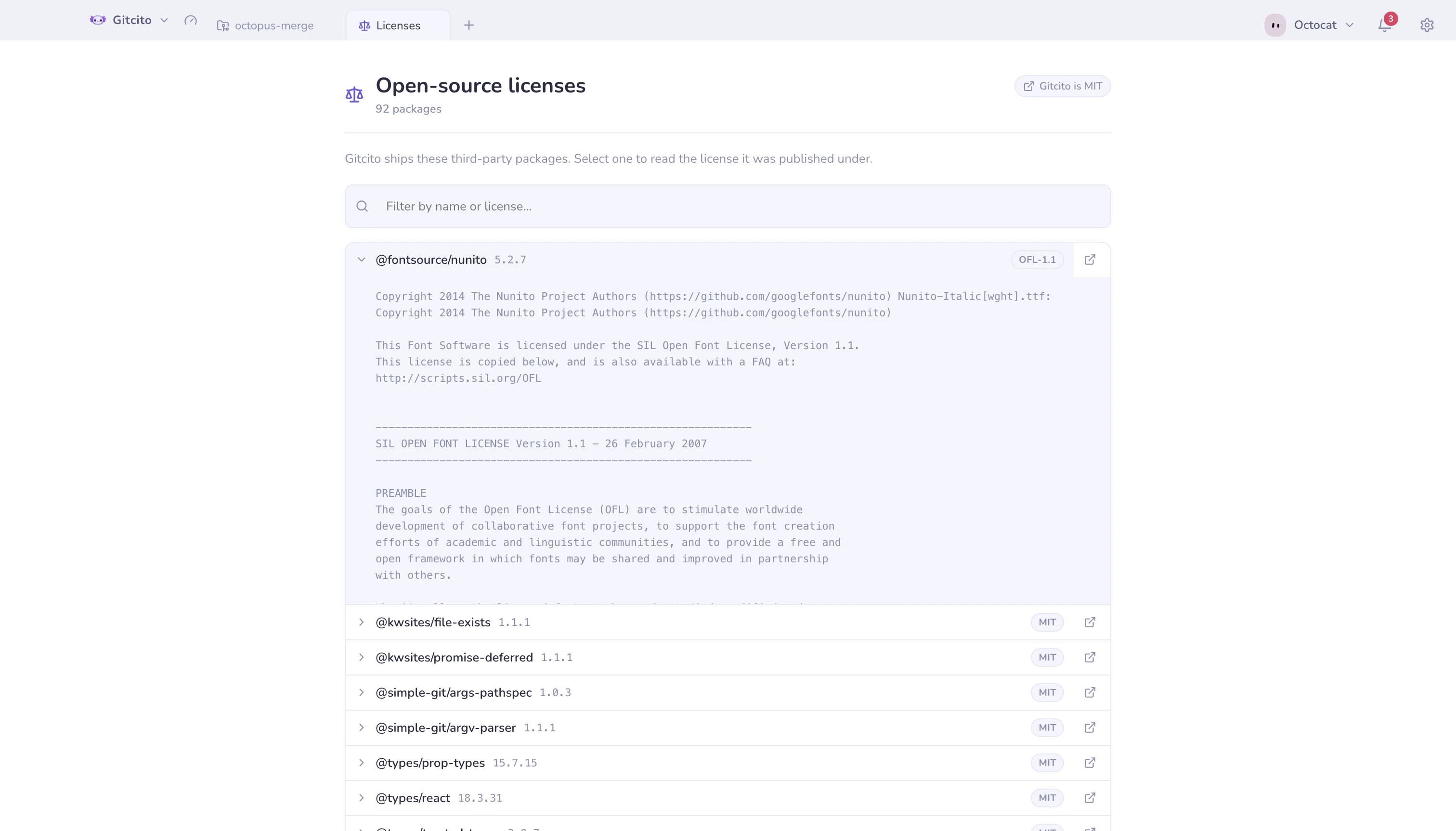
| Column | What it is |
|---|---|
| Name | The package as it is published on npm |
| Version | The exact version this build resolved |
| Badge | The SPDX identifier from the package's manifest |
Select a row to read the full license text the package ships. The link icon
opens its project page in your browser. The filter box matches on both the
package name and the license identifier, so typing Apache narrows the list to
the Apache-licensed packages.
What it covers, and what it does not
The list is generated at build time from the production dependency tree — everything that ends up inside the packaged app, including transitive dependencies you never asked for directly — plus Electron itself. Build-time tools that never ship are deliberately left out.
Two limits worth knowing:
- A handful of packages ship no license file. They declare an identifier in their manifest and nothing else. Those rows say so instead of inventing a text, because a license you cannot read is not a license you can rely on.
- The identifier is what the package claims. Gitcito reports it; it does not audit it. If a package's manifest is wrong, this page is wrong with it.
Gitcito's own license is MIT, and the badge in the top-right corner opens it on GitHub.
See also: Languages & right-to-left · Themes & appearance