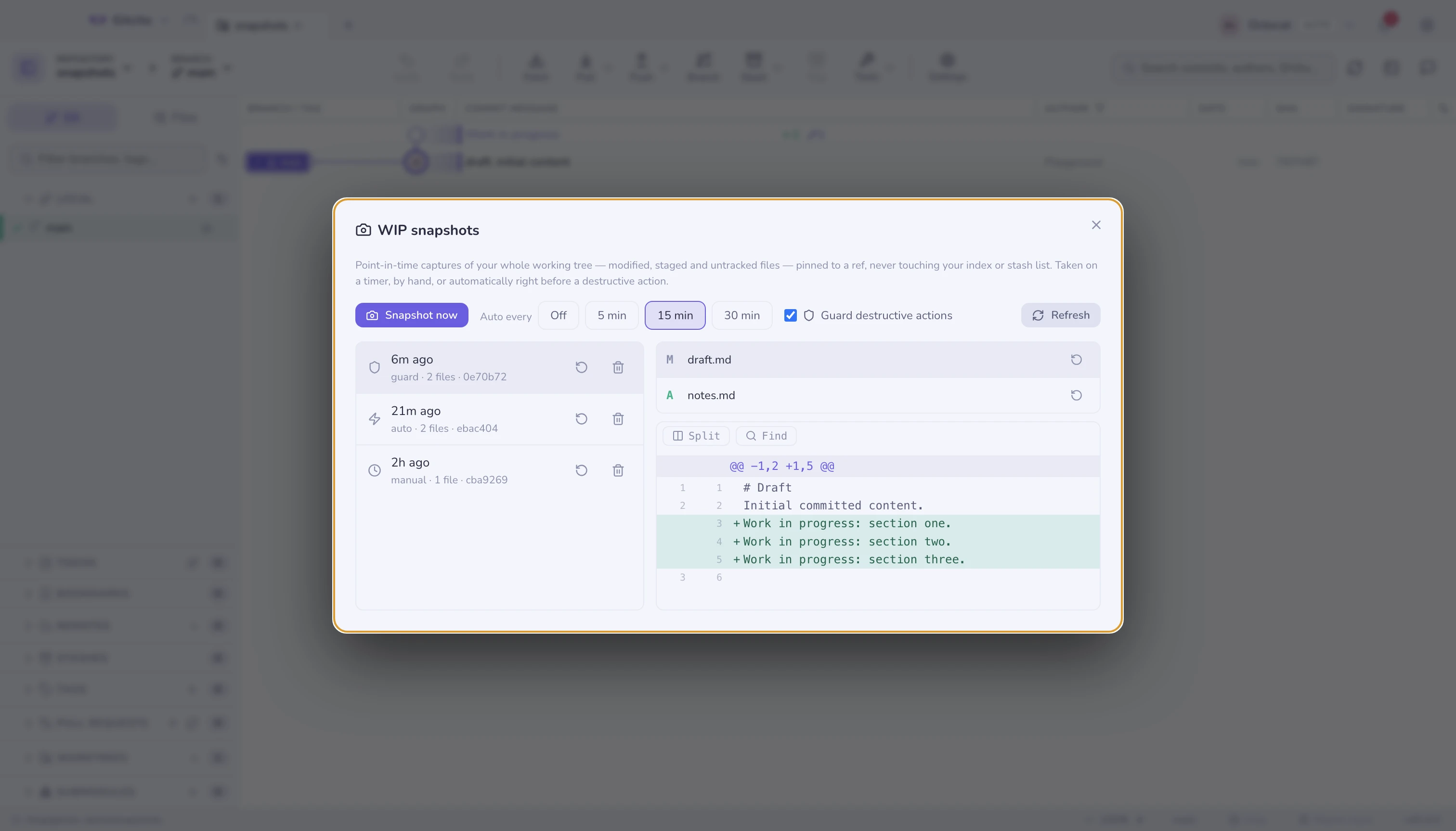
WIP snapshots
Your whole working tree — untracked files included — snapshotted on a timer and right before every destructive action. A discard you regret is a restore away.
 Gitcito
Graph, staging by line, rebase, worktrees, submodules, LFS.
The ordinary things, done properly — plus a few you did not know git could do.
Free · MIT · v4.17.0
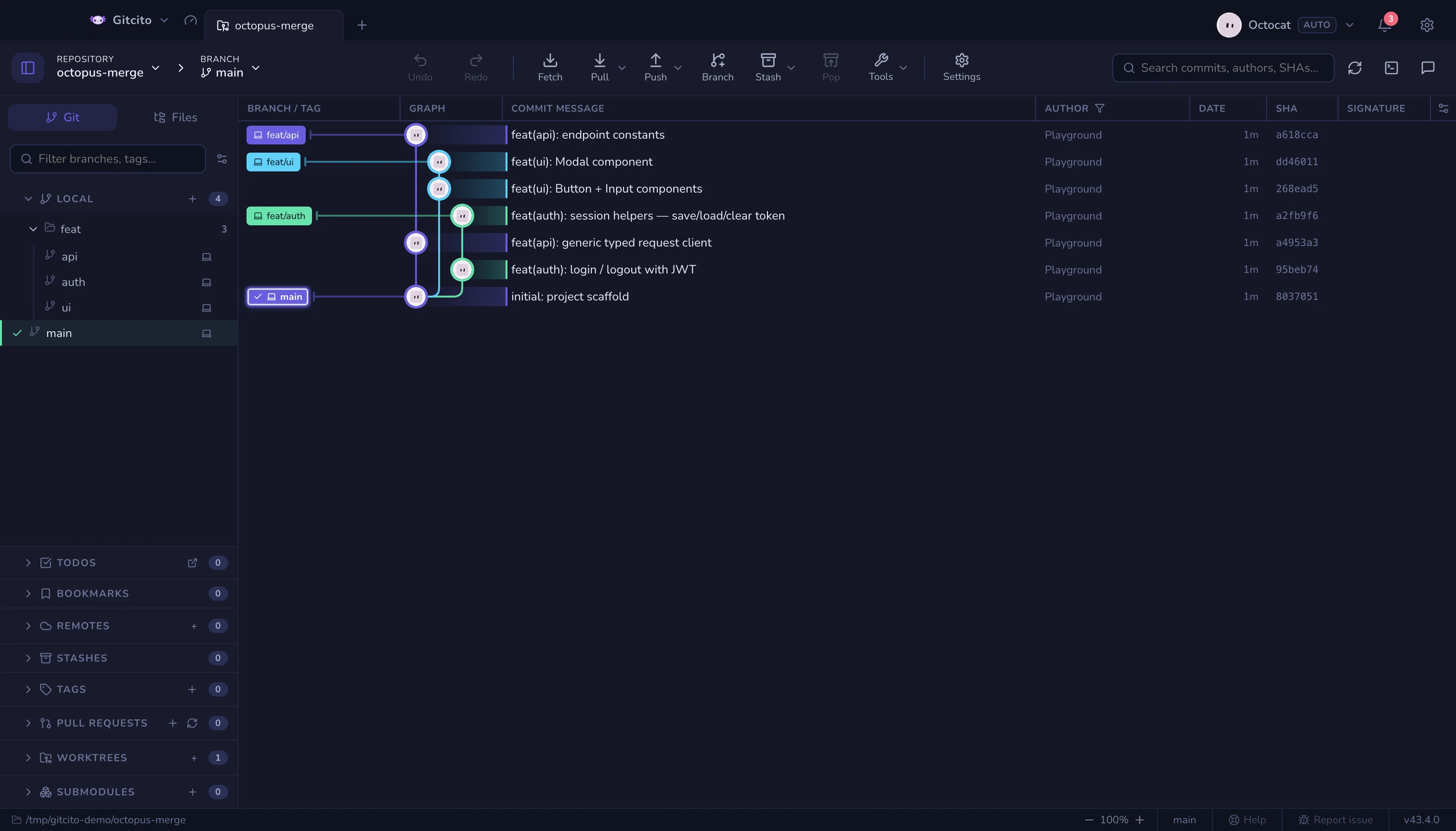
A complete client, not a subset. All of it built, documented and in the app today — the ordinary things, which is most of what using git actually is.
.vscode/launch.json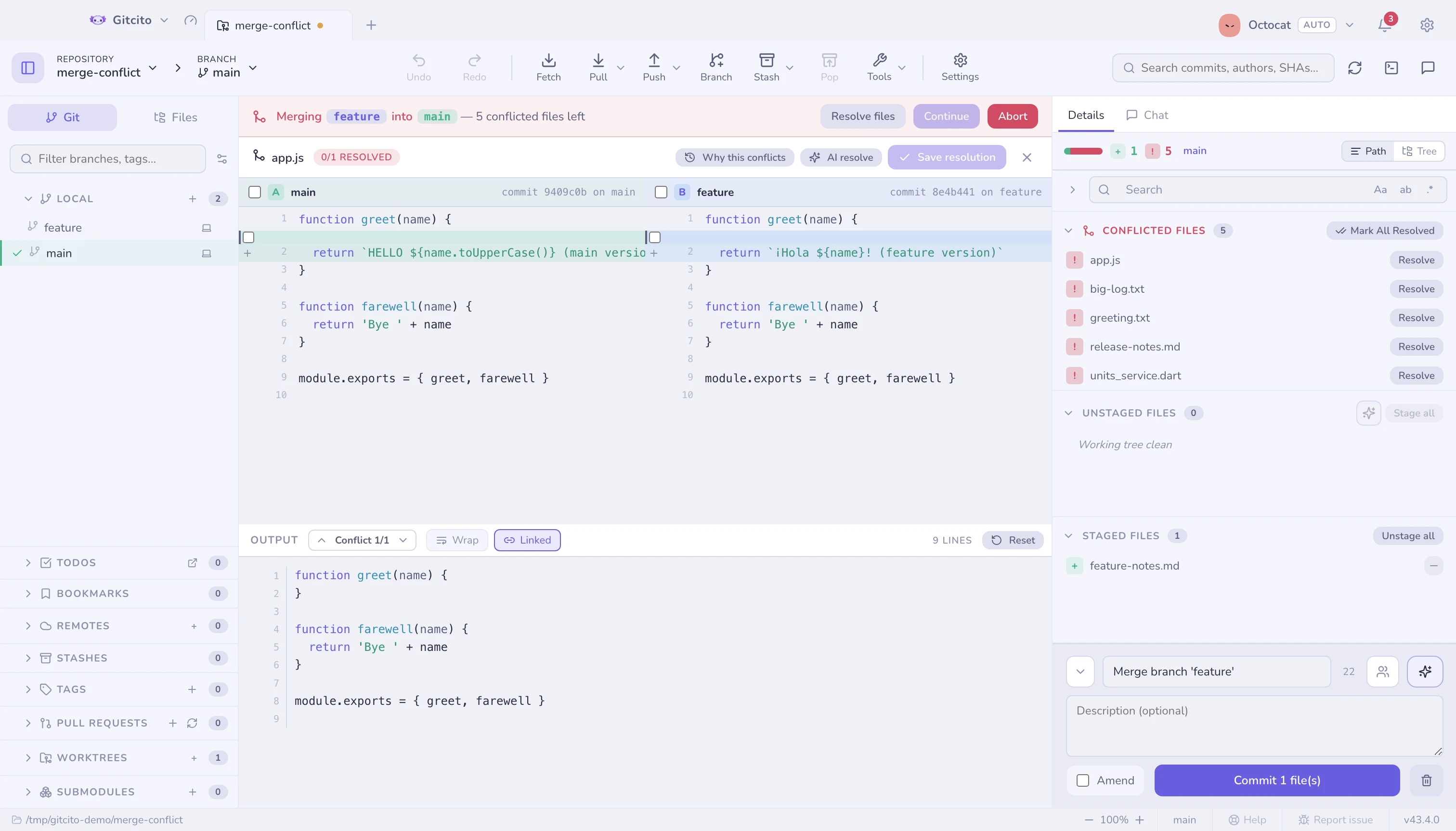
None of these is the reason to use Gitcito — the list above is. They exist because git already knows the answer; Gitcito just asks.
Your whole working tree — untracked files included — snapshotted on a timer and right before every destructive action. A discard you regret is a restore away.
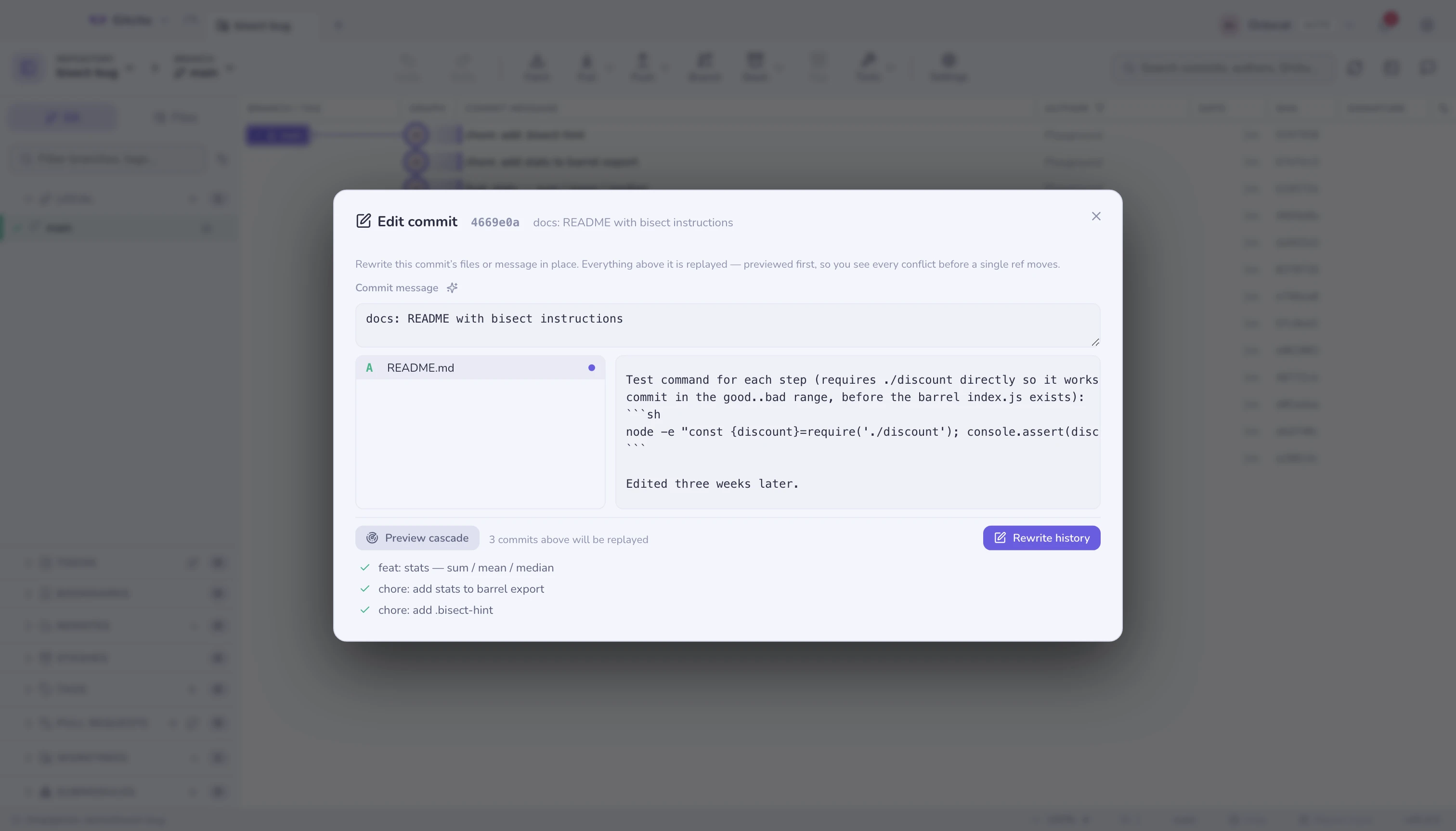
The typo is three weeks back? Edit the file inside the old commit — everything above replays, and the whole cascade is previewed before a single ref moves.
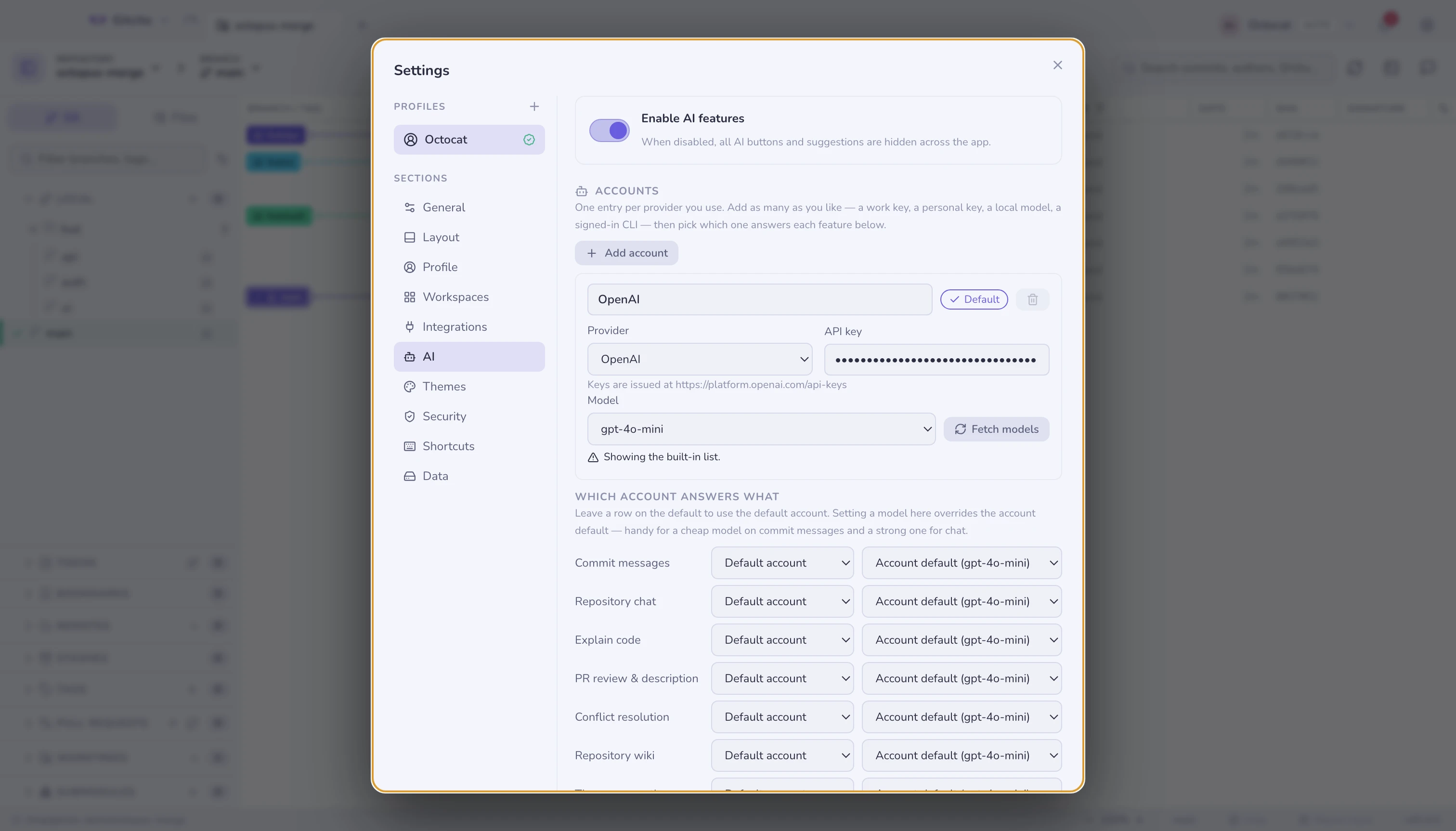
Several AI accounts at once — an OpenAI key for commit messages, Claude for chat, a local Ollama for the rest. Model lists come live from each provider, and a CLI you are already signed into works instead of an API key.
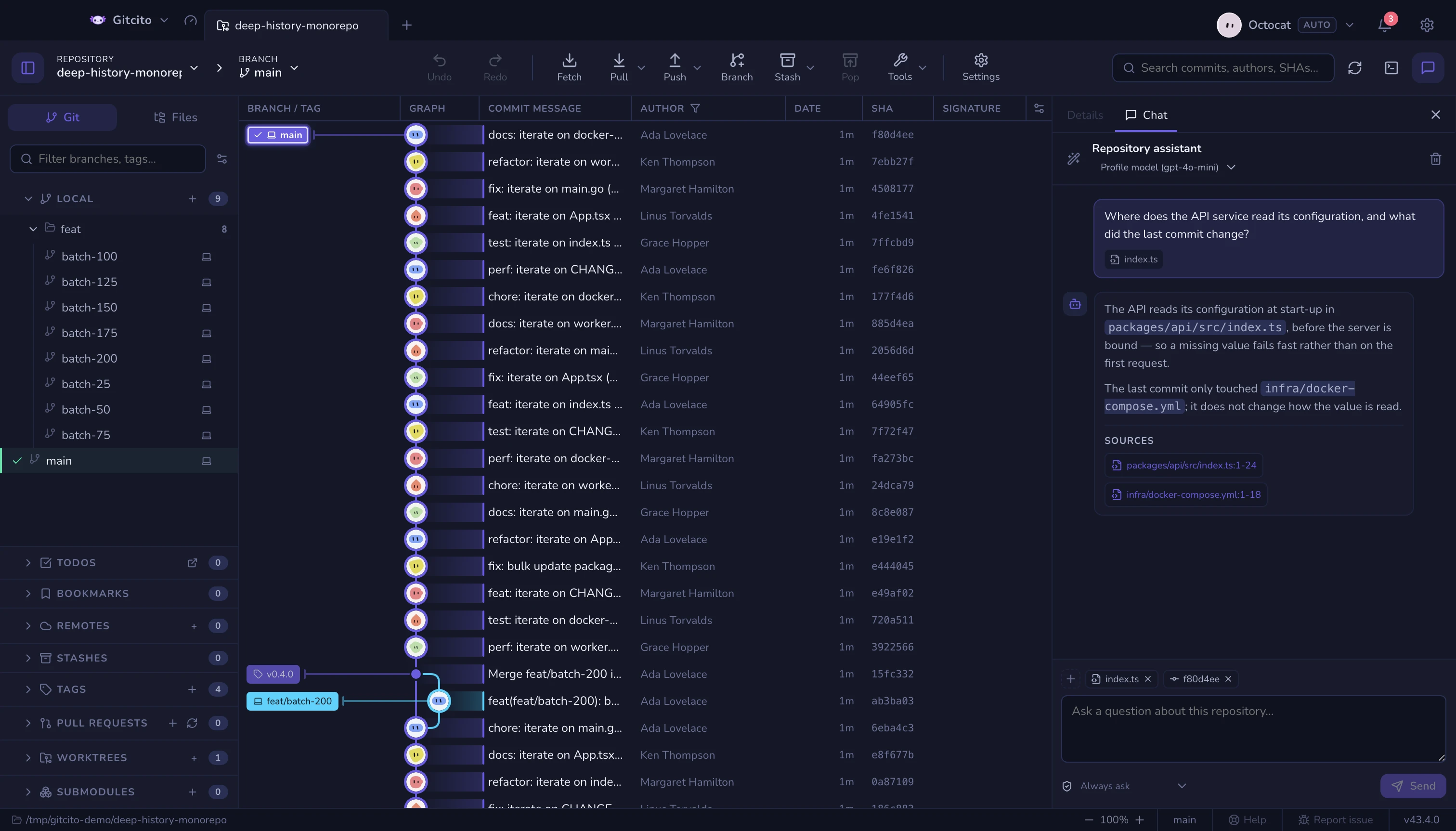
Ask this repository a question and get an answer that cites the lines it read. Pin the files and commits it must look at — drag them from the graph, the file tree, or anywhere on disk.
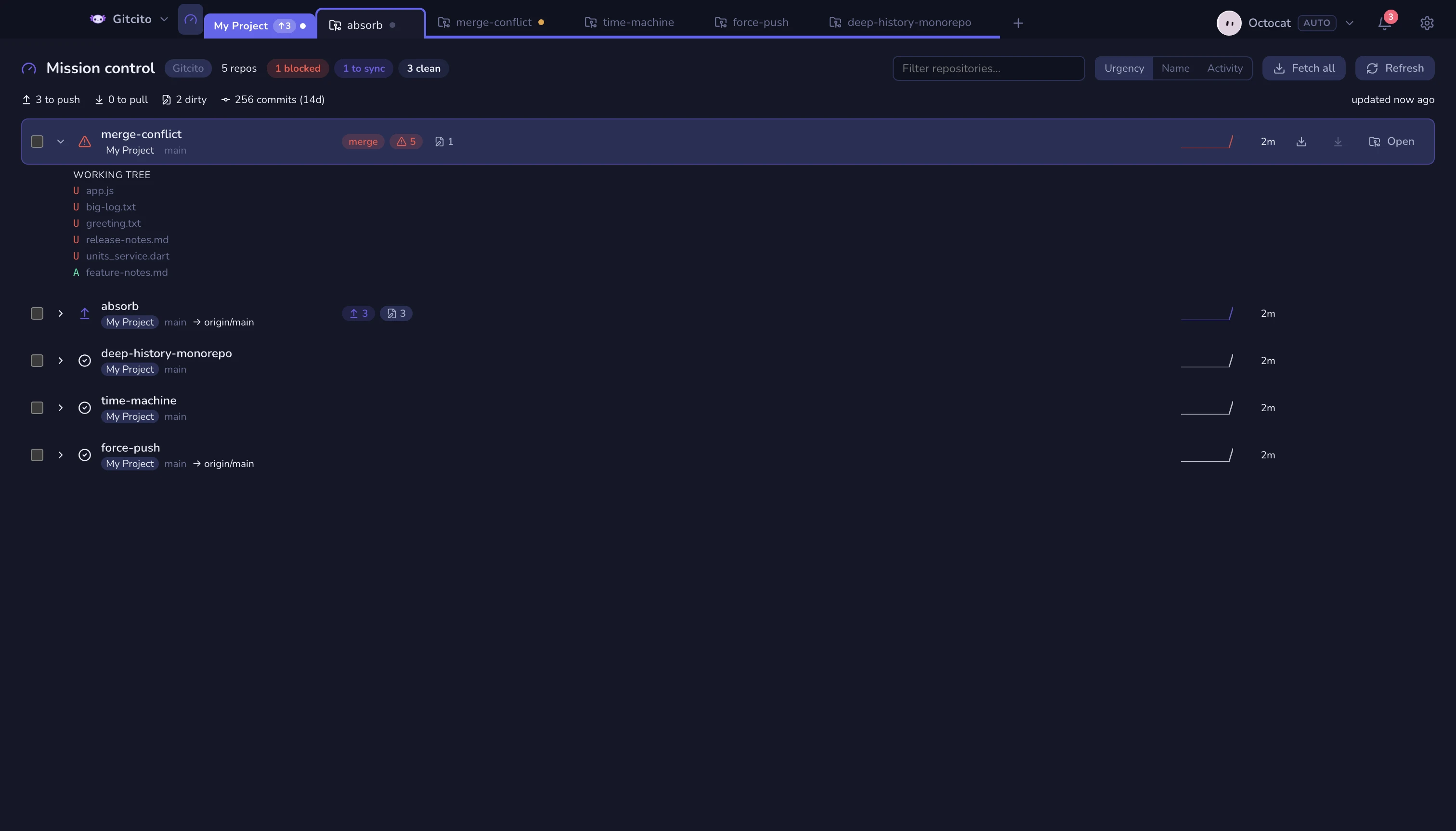
Every repository of the workspace on one screen, ordered by what needs you: blocked first, then to sync, then dirty, then quiet.
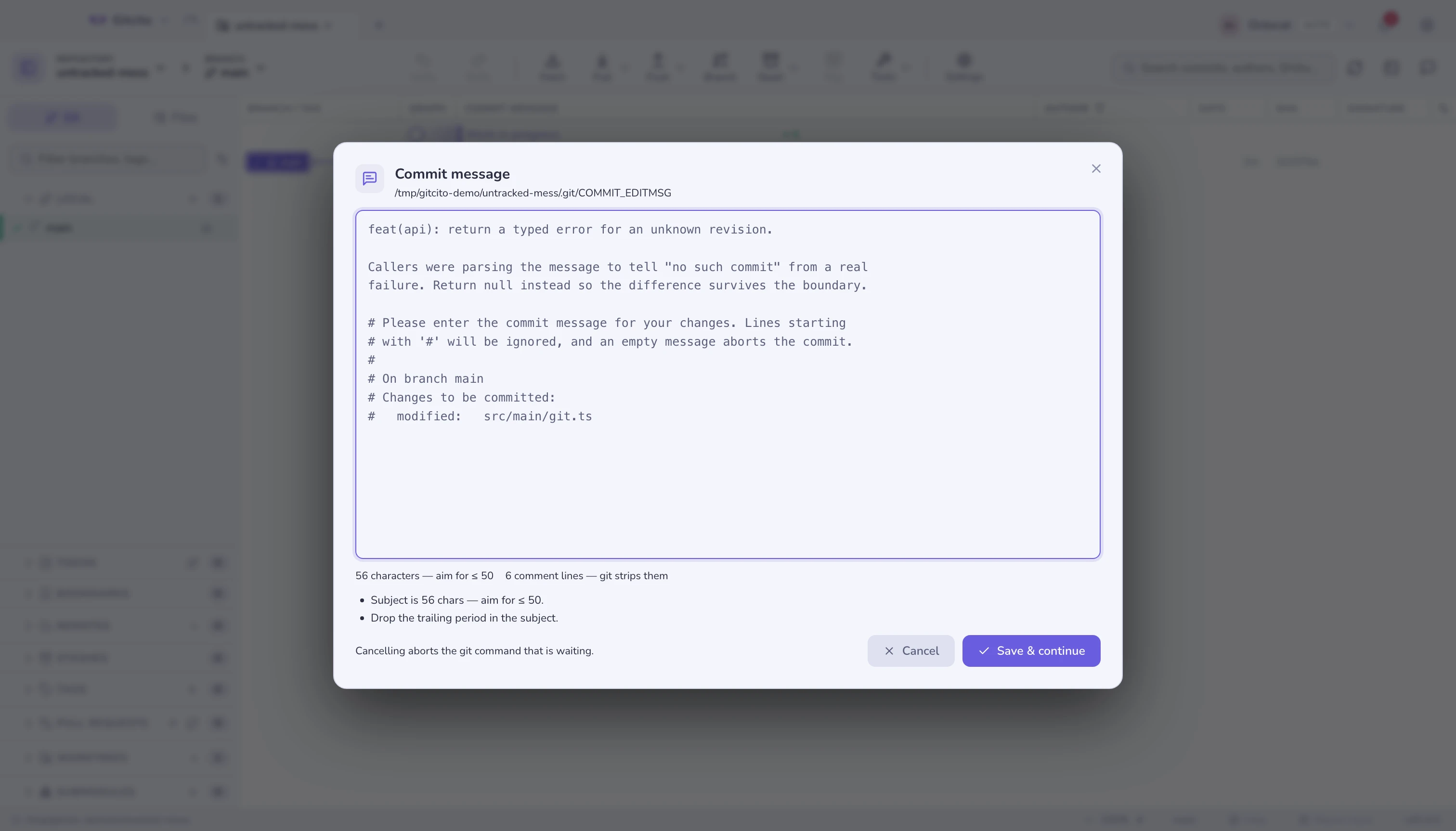
`gitcito .` opens a repository, `gitcito blame src/api.ts -l 84` opens it at that line, and `gitcito doctor` never opens a window at all — it checks what the repository requires and exits with a code your CI can read.
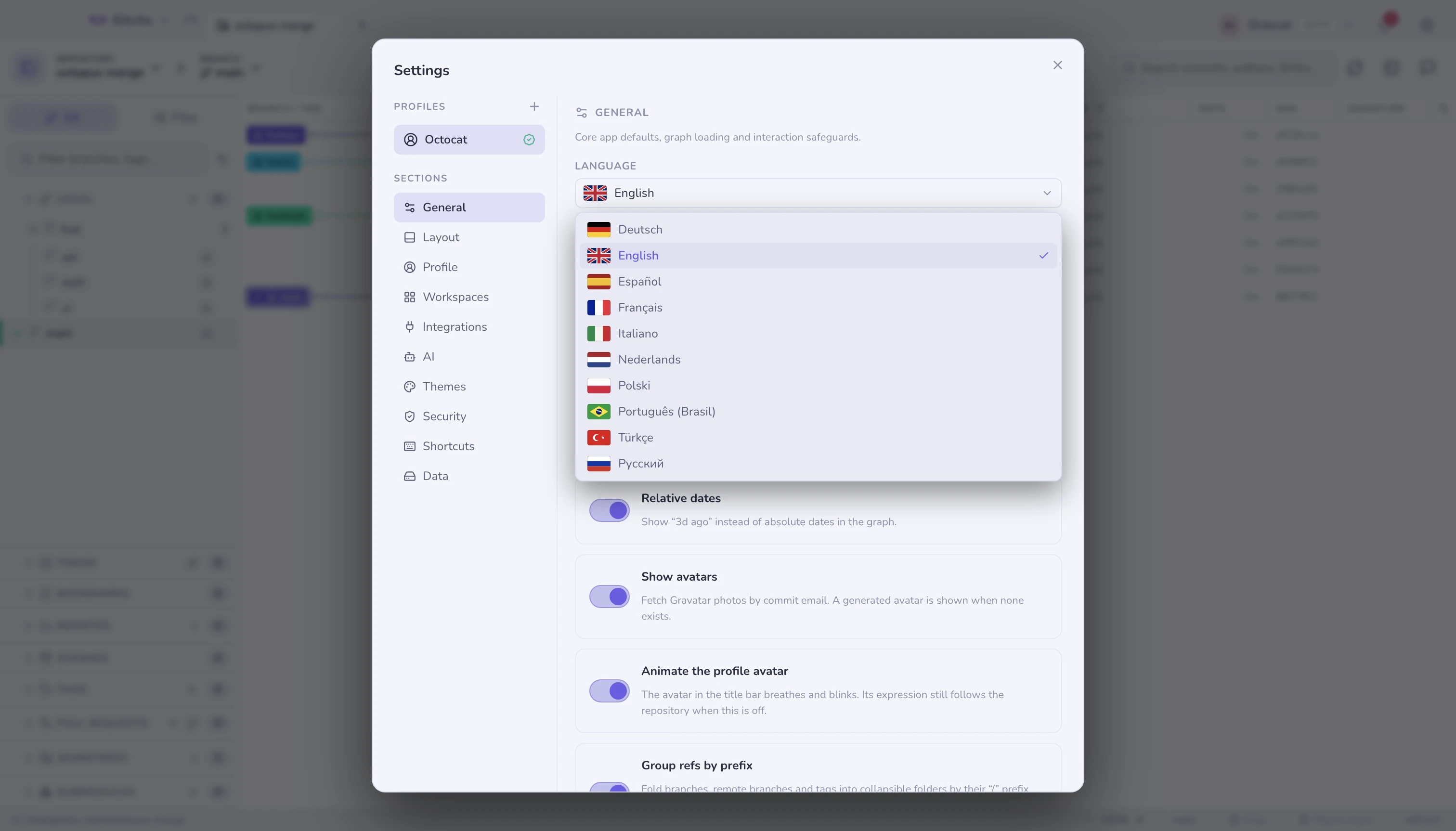
Not a stub translation of the buttons — the whole interface, explanations included. Arabic and Hebrew mirror the layout, while the graph, diffs, paths and the terminal stay left-to-right, because that is the direction code reads in.
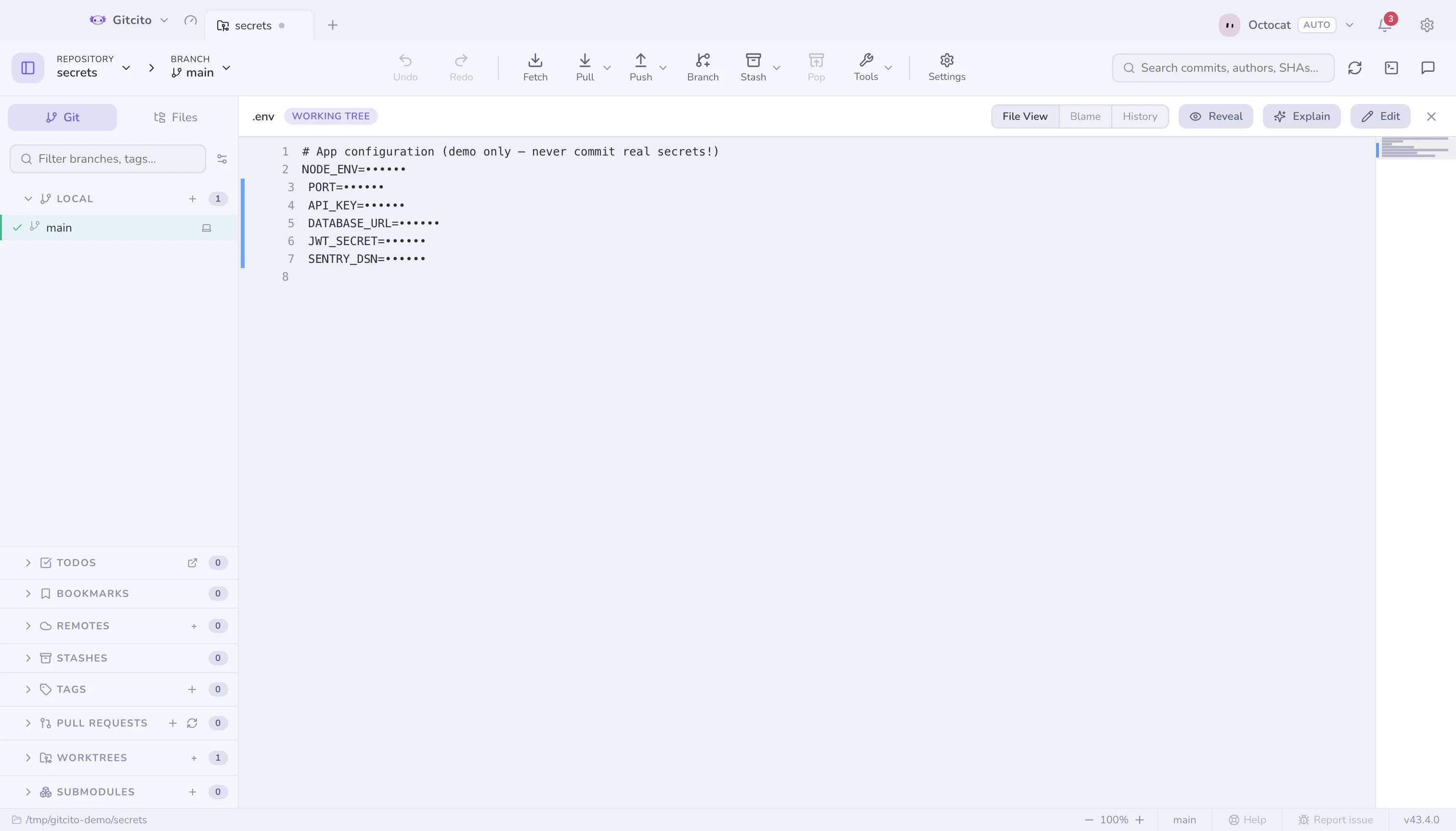
No backend. Tokens and vault entries are encrypted with your OS keychain — and nothing touches that keychain until you have been told what for and said yes.
Latest release: v4.17.0. Every build is published from CI.
Or open a repository from your terminal with gitcito . — see the command line.
Every feature explained — offline in the app, and right here.
Free, MIT, no backend, no telemetry, nothing to upsell — so there is nothing to buy. Sponsorship pays for the Apple Developer certificate the signed macOS builds need, the handbook and the translations. Bug reports are worth just as much.