
AI features
Every AI feature is optional and off until you configure an account. Nothing is sent anywhere until you ask for something specific.
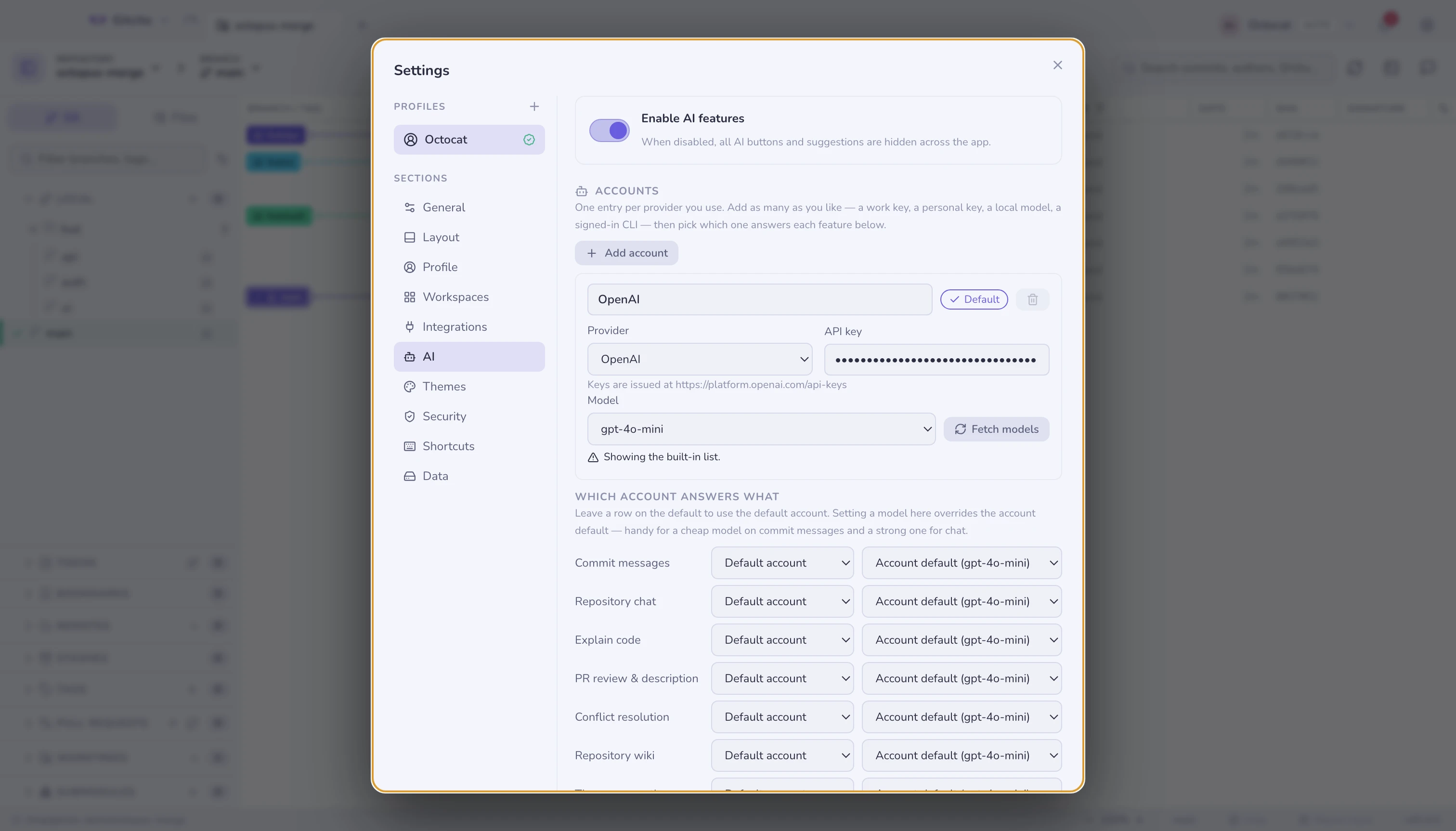
Accounts
An account is one way of reaching a model: a provider, where to reach it, and how it authenticates. You can configure several and they coexist — a work key, a personal key, a local model, a CLI you are already signed into.
Presets cover OpenAI, Anthropic, Google Gemini, OpenRouter, Groq, Mistral and Ollama (entirely local), plus any OpenAI-compatible endpoint.
Anthropic uses its own /v1/messages API rather than an OpenAI-shaped call, so
Claude models work directly instead of only appearing to. Gemini is reached
through Google's OpenAI-compatible endpoint.
Using a subscription instead of an API key
Pick the Local CLI provider to answer with an agent CLI already installed
and signed in on this machine — claude, gemini or codex. Gitcito runs the
binary with your prompt and reads its reply; there is no API key to paste and no
token is stored.
Gitcito only ever runs a command you configured as an account, always with an argument list rather than a shell, so nothing in a diff or a branch name can be interpreted as a command.
This is not more private than an API key. Your prompts still reach the same vendor, under your own account, exactly as they would with a key. What changes is billing and setup, not where the text goes.
If the command is not on your PATH, type its full path on the account.
Which account answers what
Under Which account answers what, each feature — commit messages, chat, explain, PR review, conflict resolution, wiki, themes — can point at its own account and model. Leave a row on the default to follow the default account. Cheap model for commit messages, strong one for chat, is the common setup.
Upgrade notice
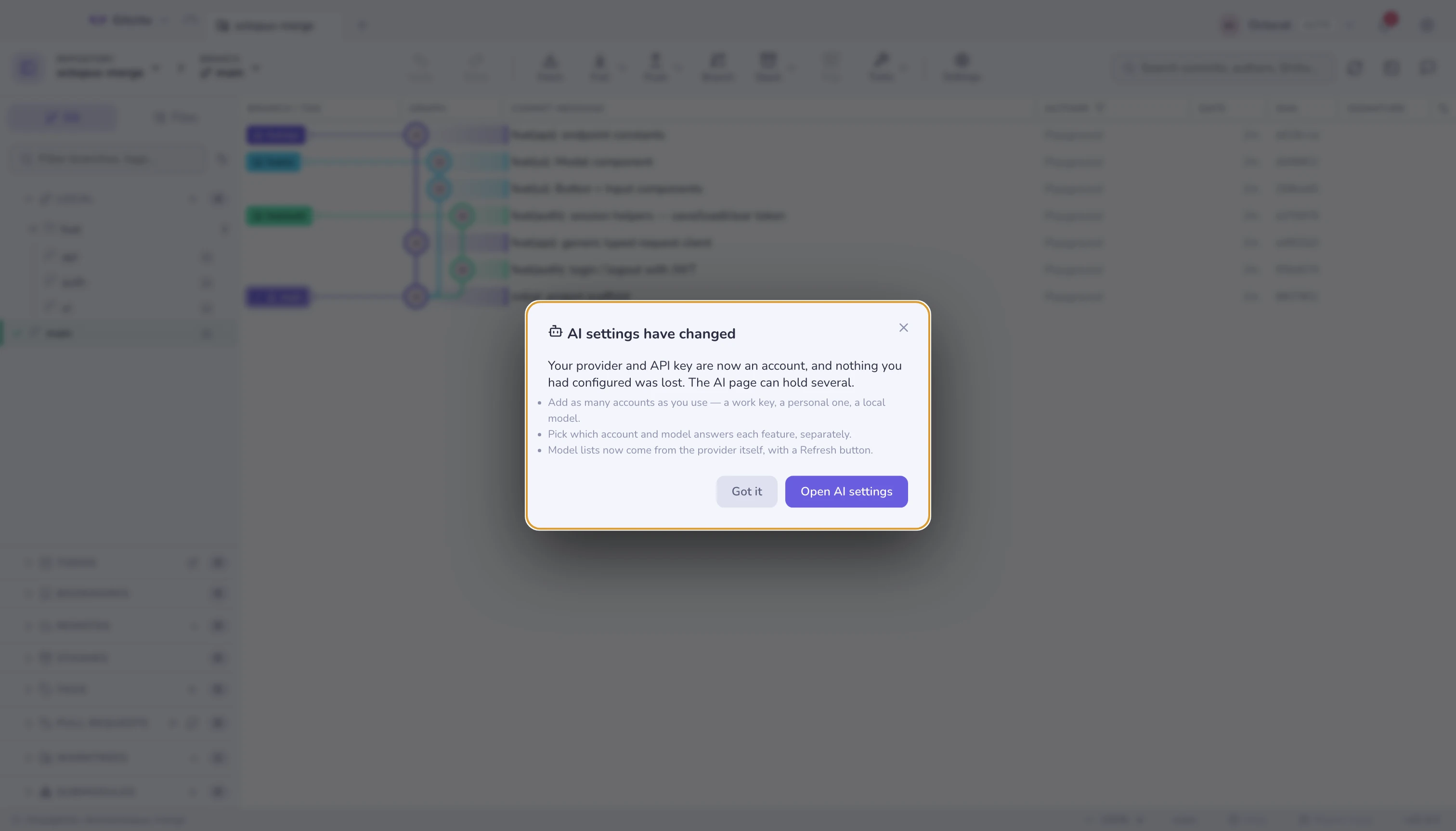
Upgrading from a version before accounts shows this once. The provider and key you had become the first account; nothing is reconfigured by hand.
Models
Model lists come from the provider itself and are cached for a day; Fetch models refreshes one immediately. Under the list Gitcito says where it came from — live, cached (with when), or the built-in fallback and why.
The list is filtered to models that can answer a chat request, so embeddings, speech and image models stay out of it. Every model box also accepts free text, so a preview model, a private deployment or a freshly pulled Ollama tag is always usable even when the provider does not list it.
A provider you have not given a key to yet, or one that is unreachable, falls back to a small built-in list rather than an empty dropdown.
No provider publishes a ranked or curated list, so the shaping is Gitcito's: dated snapshots collapse into the model they are a snapshot of (gpt-4o covers gpt-4o-2024-08-06), and what remains is ordered newest first rather than alphabetically. Show all models at the bottom of the list brings back everything the provider returned.
What it can do
| Feature | What you get |
|---|---|
| Commit message | Summary (and optional body) from your staged diff, in your chosen style |
| Explain this file | Plain-language explanation in a side panel — Normal, Concise, ELI5… even Pirate |
| Hover to explain | Hold ⇧ and point at an identifier for a one-line explanation, plus the lines it drew on |
| Conflict resolution | Proposes a merge into the editable output — never auto-applies |
| PR review | Summarises a diff and flags risks, each anchored to a real path:line |
| PR description · branch names | Drafted from the branch's commits and diff |
| Themes · graph palettes | Generated from a prompt |
| Smart staging | Suggestions for what belongs in this commit |
| Repository chat | Grounded questions plus reviewed file changes followed by validated Git actions |
| AI config wizard | Generates assistant configuration files (instructions, agents, hooks) for the repository — the wand button in the chat panel header |
Grounded, not guessing
The review sees the diff as labelled hunks and may only cite those labels; Gitcito then resolves each label to a real file and line. A model that invents a location is rejected and asked again, so findings always point at code that exists.
Hover-to-explain reads only a numbered window around the token — in a diff, only the hunks visible on screen — so when a definition lives elsewhere it says so instead of inventing it. Answers are cached per file version.
Repository chat works the same way: it may cite only the excerpts it was handed, and the two-pass request picks those from Git's own tracked-file list rather than from anything the model writes. When it proposes a change, Gitcito validates exact file actions, computes their diffs locally, then runs any following Git actions under the configured approval policy.
Masked secret files are never sent. Neither are files the secret-masking rules cover — including a file you pin to chat by hand, which is refused with a reason rather than read.
Limits
- The bundled fallback model lists go stale between releases. That is what the live fetch is for; the fallback only covers the case where fetching cannot happen.
- Filtering a provider's list to chat-capable models is done by name, so an unusually named chat model can be filtered out. Type it in instead.
- A CLI account cannot report token usage unless the CLI does, so the usage and cost figures under Settings will under-count those calls.
- CLI replies are slower than a direct API call: the binary starts a whole session per request.
- Keys are stored per account in your OS keychain. Deleting an account deletes its key — it asks first, and there is no undo.
See also: Repository chat · Repo wiki · Security & secrets