
Timelapse
Watch the repository grow.
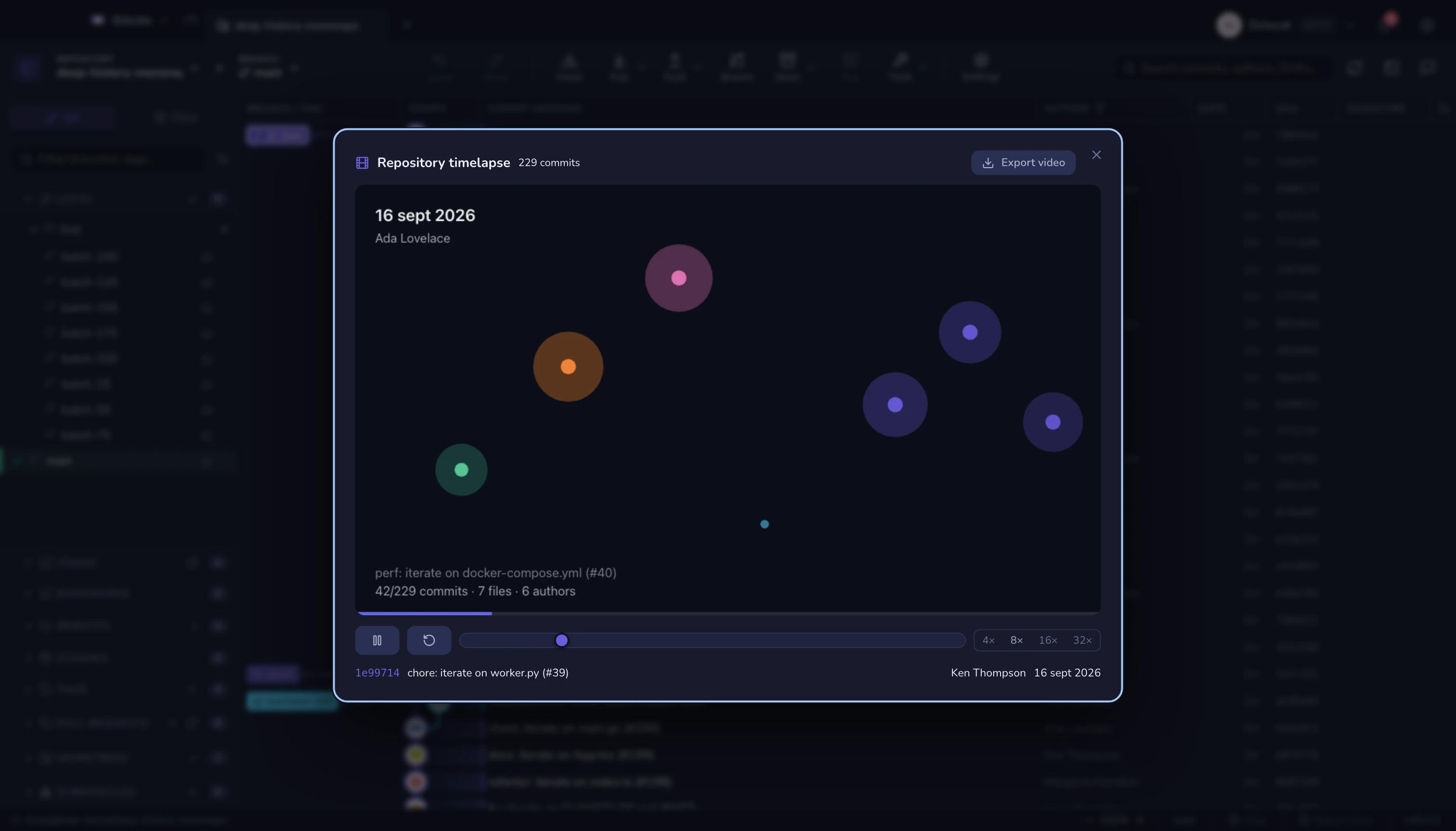
Every file is a dot, placed by its top-level folder: born when it is added, pulsing when a commit touches it, swelling as it gets edited again and again, fading out when it is deleted. The date, author, subject and running commit/file/author counts sit on top, with a progress bar along the bottom.
Controls
- Play / pause, speeds from 4× to 32×, and restart.
- The slider seeks by replaying from the start, so scrubbing back lands on exactly the right world rather than an approximation of it.
Export video
Export video records the canvas end to end and asks where to save a .webm.
The recording happens in the page itself (MediaRecorder) — there is no encoder
to install, no ffmpeg, and nothing is uploaded anywhere. Nothing is written to
disk until you pick a path.
A repository with real shape makes a better film than a tidy one. Renames, deletions and a folder that suddenly explodes are what make it worth watching.
See also: Time machine · Insights