
Merge options
A plain merge is one button, and most of the time that is the whole story. This page is for the other times: the lockfile that clashes on every merge, the file someone reindented, the vendored project whose paths do not line up. Git has had switches for all three for years; they are just buried in a manual page nobody opens mid-conflict.
Right-click a branch → Merge with options… — in the sidebar's branch and
remote rows and on the coloured ref badges in the graph, which share one menu
block — or ⌘K → Merge with options.
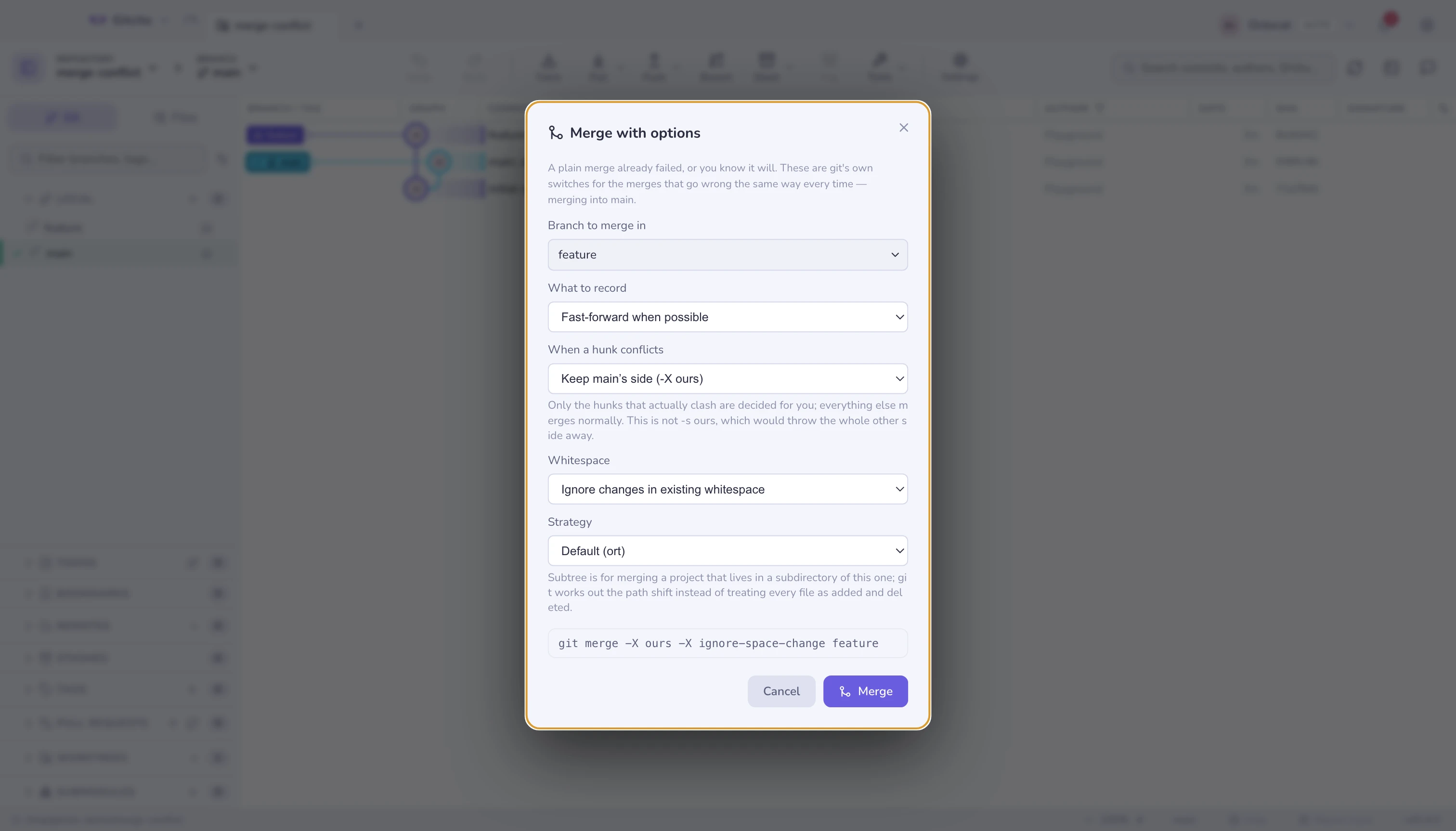
The command is printed as you build it. It is there to be checked against the manual — and to be run from a terminal next time, without this dialog.
When a hunk conflicts
| Choice | Flag | Means |
|---|---|---|
| Stop and ask me | — | The default. You resolve it |
| Keep this branch's side | -X ours |
Clashing hunks resolve to what is already checked out |
| Take the incoming side | -X theirs |
Clashing hunks resolve to the branch coming in |
-X ours is not -s ours. The switch here decides only the hunks that
actually clash; every other change from the other branch merges normally. The
strategy called ours — which Gitcito does not offer — takes your tree wholesale
and throws the other side away, producing a merge commit that claims to contain
work it does not. That distinction is the single most misunderstood thing about
git merges.
It cannot decide everything. A modify/delete conflict — one side edited a
file, the other deleted it — is not a content hunk, and -X leaves it for you.
That is correct: there is no version of "prefer ours" that answers whether a
deleted file should come back.
Whitespace
| Choice | Flag |
|---|---|
| Ignore changes in existing whitespace | -X ignore-space-change |
| Ignore whitespace entirely | -X ignore-space-at-eol, -X ignore-all-space |
The case this exists for: one branch reindented a file (or a formatter did), the other edited the same lines. Git sees two edits to one line and stops. With whitespace ignored, the reindent is not a change to weigh, and the real edit merges through.
The result keeps the other side's whitespace on the lines it touched, so a follow-up formatter run is not a bad idea.
What to record
| Choice | Flag | Leaves you with |
|---|---|---|
| Fast-forward when possible | — | A merge commit only when history diverged |
| Always make a merge commit | --no-ff |
A merge commit even for a fast-forward, so the branch is visible in the graph forever |
| Fast-forward only, or refuse | --ff-only |
Nothing, if a real merge would be needed. Useful as a check |
| Squash | --squash |
The changes staged, no merge recorded, the commit yours to write |
| Merge but do not commit | --no-commit |
The merge staged and in progress, so you can inspect or amend it first |
Squash and --no-commit are not the same. Squash forgets that a merge
happened at all: git records no second parent, and the branch will look unmerged
next time. --no-commit is a merge in progress that is simply waiting for you —
MERGE_HEAD is set, and committing finishes it normally.
--ff-only does not fail quietly. If a merge commit would be needed, git
refuses and nothing moves, which is exactly what makes it a good sanity check
before a scripted merge.
Strategy
| Strategy | For |
|---|---|
Default (ort) |
Everything. Git's modern three-way merge |
subtree |
The two sides live at different paths — a project vendored into a subdirectory of this one |
resolve |
The old three-way merge. Occasionally succeeds where ort gives up on a criss-cross history |
-s subtree is the one worth remembering. Merging updates from a project that
sits in vendor/parser/ would otherwise read as "every file deleted, every file
added"; the subtree strategy works out the path shift first. See
subtrees for the whole workflow.
Why this conflicts
Inside the conflict resolver there is a Why this conflicts
button. It runs git log --merge for the file in front of you and lists, per
side, the commits that touched it since the branches parted.
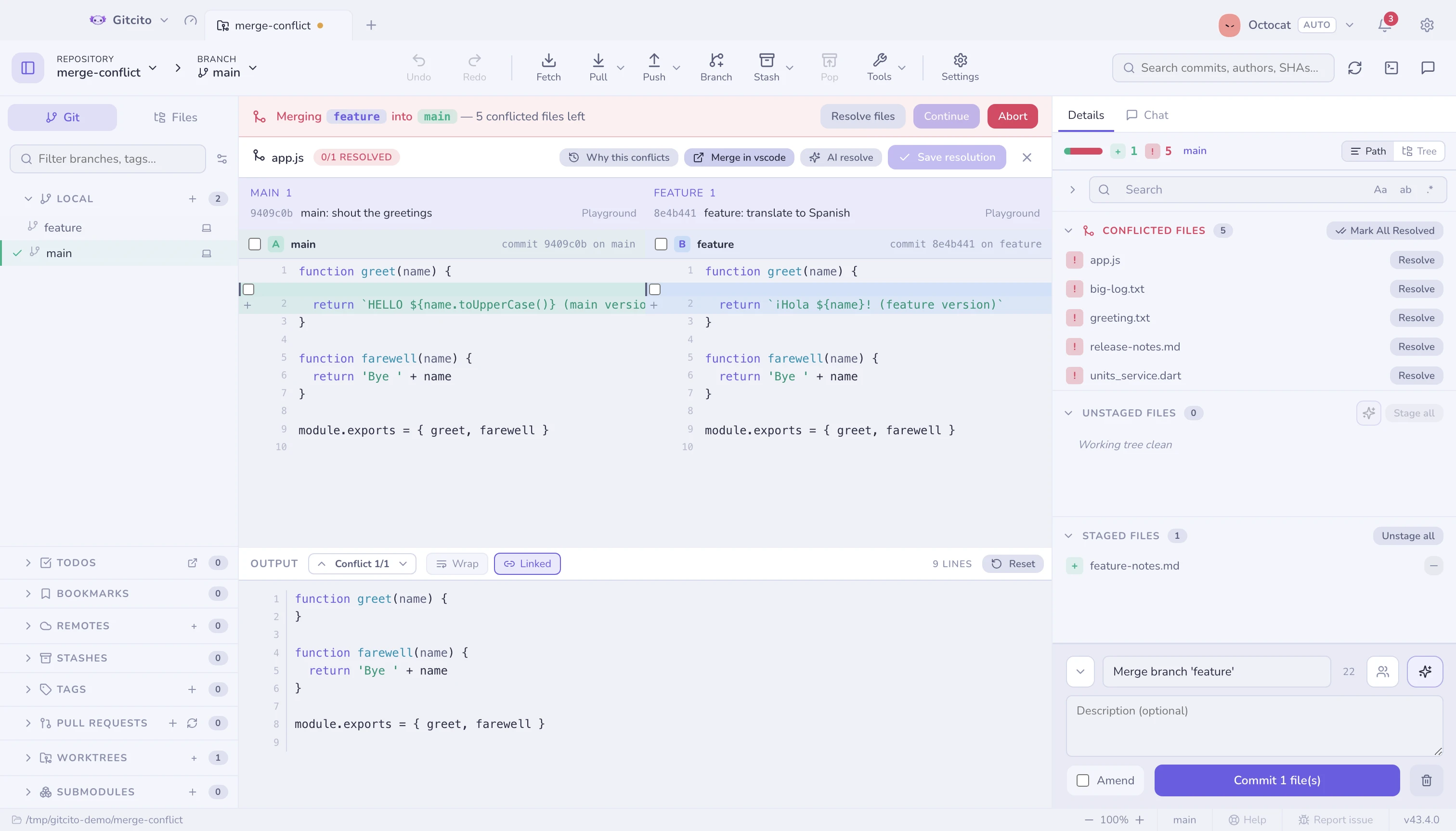
Conflict markers say what clashes. This says who changed it, when and why — which is usually the question that actually decides the resolution, and the reason to go and ask someone before picking a side.
If it shows nothing, neither side committed a change to this exact file: the clash comes from a rename or a directory move further up.
Limits worth knowing
- Options apply to one merge. They are not remembered, and they do not change the plain Merge into current entry or the drag-and-drop menu.
- Undo still works: a merge run with options records the same undo entry,
which resets to
ORIG_HEAD. - Octopus merges (more than two branches at once) are not offered here.
- The commit menu's per-ref "Merge X into Y" entries stay plain merges. Use the ref badge itself when you want the options.
-Xdecides silently. Nothing marks which hunks were auto-resolved, so on an important merge, read the diff afterwards rather than trusting the absence of conflicts.
See also: Merging & rebasing · Conflicts · Subtrees · Conflict radar