
Remove a file from history
git rm stops a file appearing in new commits. It does nothing to the ones
already made: the blob is still in the object database, still in every clone,
still one git show away.
That matters twice — when the file was a credential, and when it was 400 MB.
⌘K → Remove file from history, or right-click the file — in the project
tree, in a commit's file list, or in the commit composer. The commit that
deleted a file is usually where someone realises it is still in history, so
the way out is in that menu too.
Finding the path
Two ways in, because they answer different questions.
Type it — repository-relative, no leading slash — when you already know what you came to remove.
Browse history when you do not. It lists every path that has ever been committed, heaviest first, with how many versions each one has and whether it is still tracked. Deleted paths are marked as such and are usually the ones you want: a file that is gone from the working tree but still in every clone is exactly the case a normal file dialog cannot show you, because the file is not there to pick.
The same list answers the other reason people come here — why is this clone two gigabytes — since it is sorted by the bytes each path's blobs actually occupy. Picking a row measures it straight away.
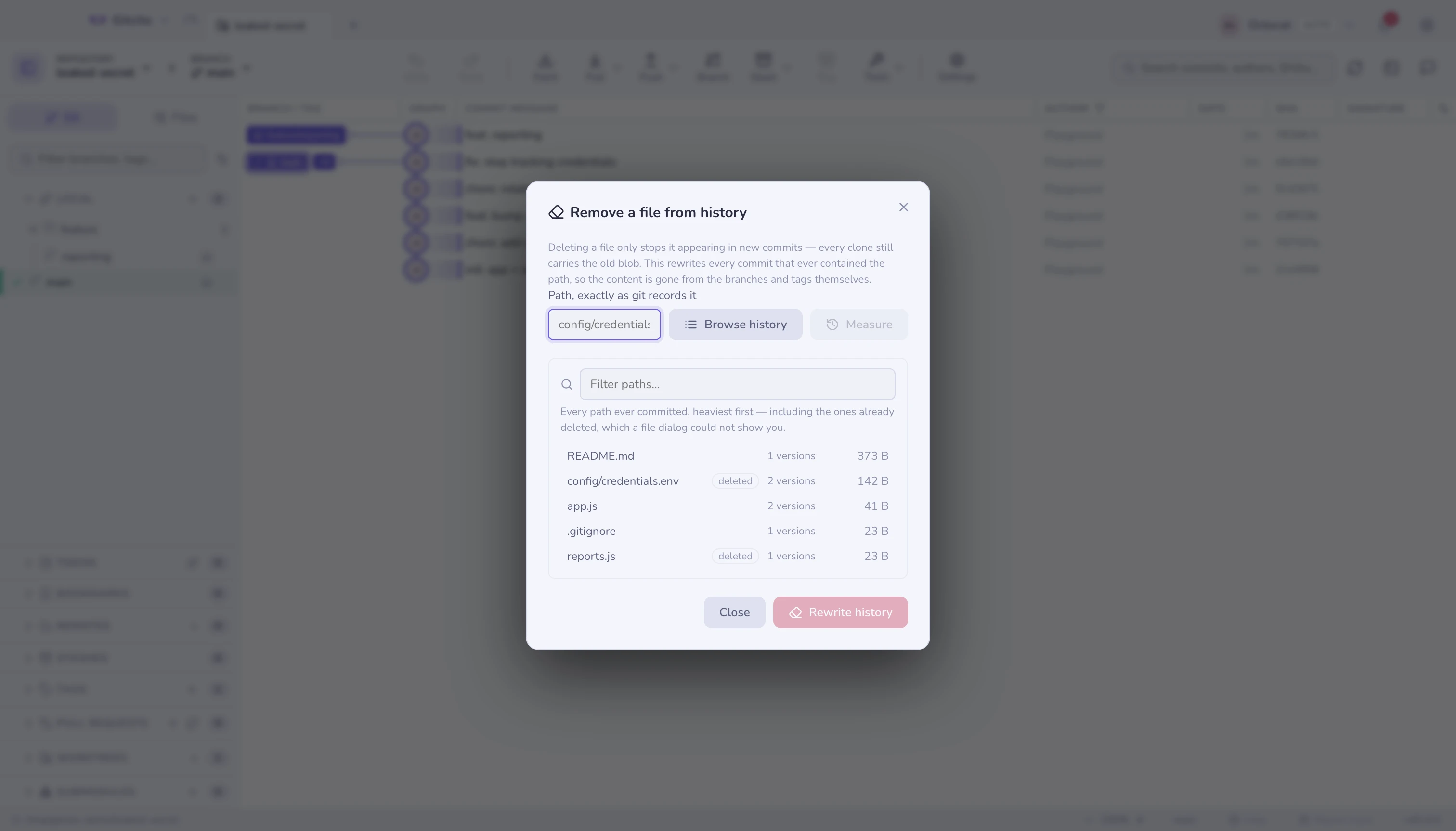
Measure before you agree
Press Measure (or pick a row). Nothing is written yet. You get:
| Commits rewritten | Every commit from the first one that held the file onwards |
| Branches / tags | Refs that will move |
| Held by its blobs | Bytes those versions actually occupy |
| First commit | Where the rewrite starts — everything after it gets a new hash |
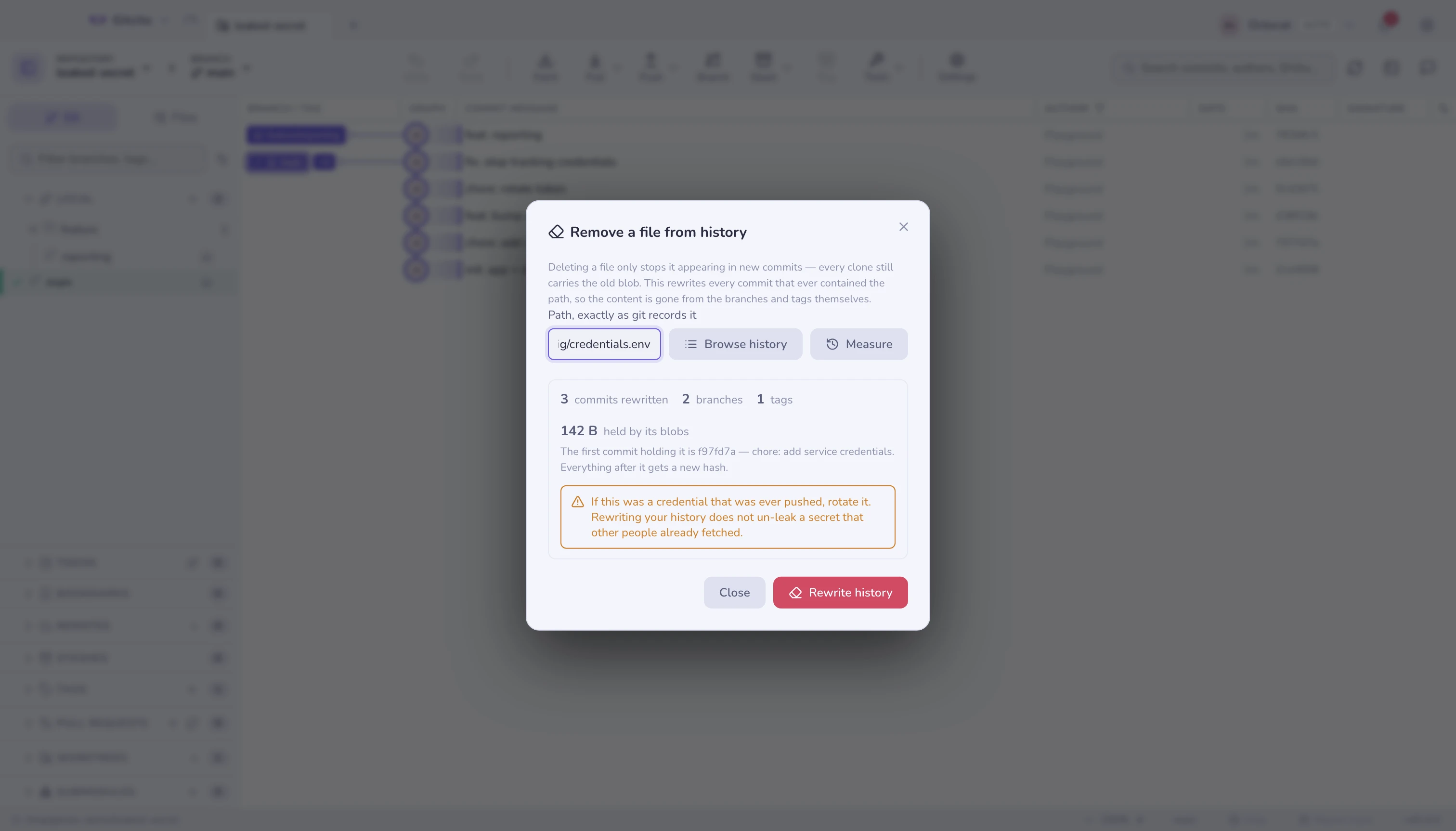
If the count is zero, the path is wrong. That is usually a spelling or a directory prefix, not an absence.
What the rewrite actually does
Gitcito copies every branch and tag to refs/gitcito/pre-purge/<timestamp>/…,
then runs:
git filter-branch --force \
  --index-filter 'git rm --cached --ignore-unmatch -- <path>' \
  --prune-empty --tag-name-filter cat -- --branches --tags
--index-filter rewrites the index directly rather than checking each commit
out, which is the difference between minutes and hours. --branches --tags
rather than --all is deliberate: --all would include the backup refs, and
the rewrite would eat its own safety net.
Commits that held nothing but the removed file are dropped (--prune-empty).
Tags are re-pointed at their rewritten commits.
The backup, and why space does not come back yet
The purge is undoable, and the price of that is that the disk space is not reclaimed until you say so. While the backup exists the old commits are still reachable, so git will not collect them.
| Action | Effect |
|---|---|
| Restore | Every branch and tag returns to its pre-purge commit; the file comes back with them |
| Drop backup | Deletes the backup refs, expires the reflog, runs git gc --prune=now — space returned, purge now permanent |
Two steps rather than one, because the first is the recoverable half and the second is not.
Rotate the secret anyway
If a credential was ever pushed, rewriting your history does not un-leak it. Someone may have fetched it; forge servers keep unreferenced objects around; a CI log may have printed it. The rewrite stops it spreading further — it does not undo the exposure.
Rotate the key. Then purge, so the next person to clone does not find it.
What it will not do
- It will not push. Rewriting is local. Publishing the result means a force push to every affected branch, and everyone else must re-clone or hard-reset — the force-push guard is where that decision lives.
- It refuses on a dirty working tree or mid-merge/rebase. A rewrite moves HEAD repeatedly, and doing that around uncommitted work is how it gets lost.
- It rewrites by path, not by content. Removing a secret that was pasted
into a source file, rather than living in its own file, needs a content
filter — that is
git filter-repo --replace-textterritory, and Gitcito does not wrap it. filter-branchis slow on very large histories. It is what ships with git everywhere, which is why it is what Gitcito uses. On a repository with tens of thousands of commits,git filter-repoin the terminal is the faster tool.- Other people's clones are not your repository. They keep the old history until they re-clone.