
Preview a pull request
Reviewing a diff in a browser tells you whether the code reads well. It does not tell you whether the app still starts. To find that out you have to run the branch — and that is where people get stuck, because a pull request from a fork lives in a repository you have never cloned, often one you cannot push to.
Preview locally solves that with a fact most people never need to learn: forges publish the head of every pull request as an ordinary git ref on the target repository. The fork does not have to be reachable, you do not need an API token, and no second remote is added. One fetch, and the code is on your disk.
| Host | Where the PR head lives |
|---|---|
| GitHub, GitHub Enterprise, Gitea, Forgejo, Gogs | refs/pull/<n>/head |
| GitLab (cloud and self-hosted) | refs/merge-requests/<n>/head |
| Bitbucket Cloud, Bitbucket Server | refs/pull-requests/<n>/from |
| Azure DevOps | refs/pull/<n>/merge |
Gitcito probes all four in a single ls-remote, so an unfamiliar or self-hosted
forge works as long as it follows one of these conventions.
Opening it
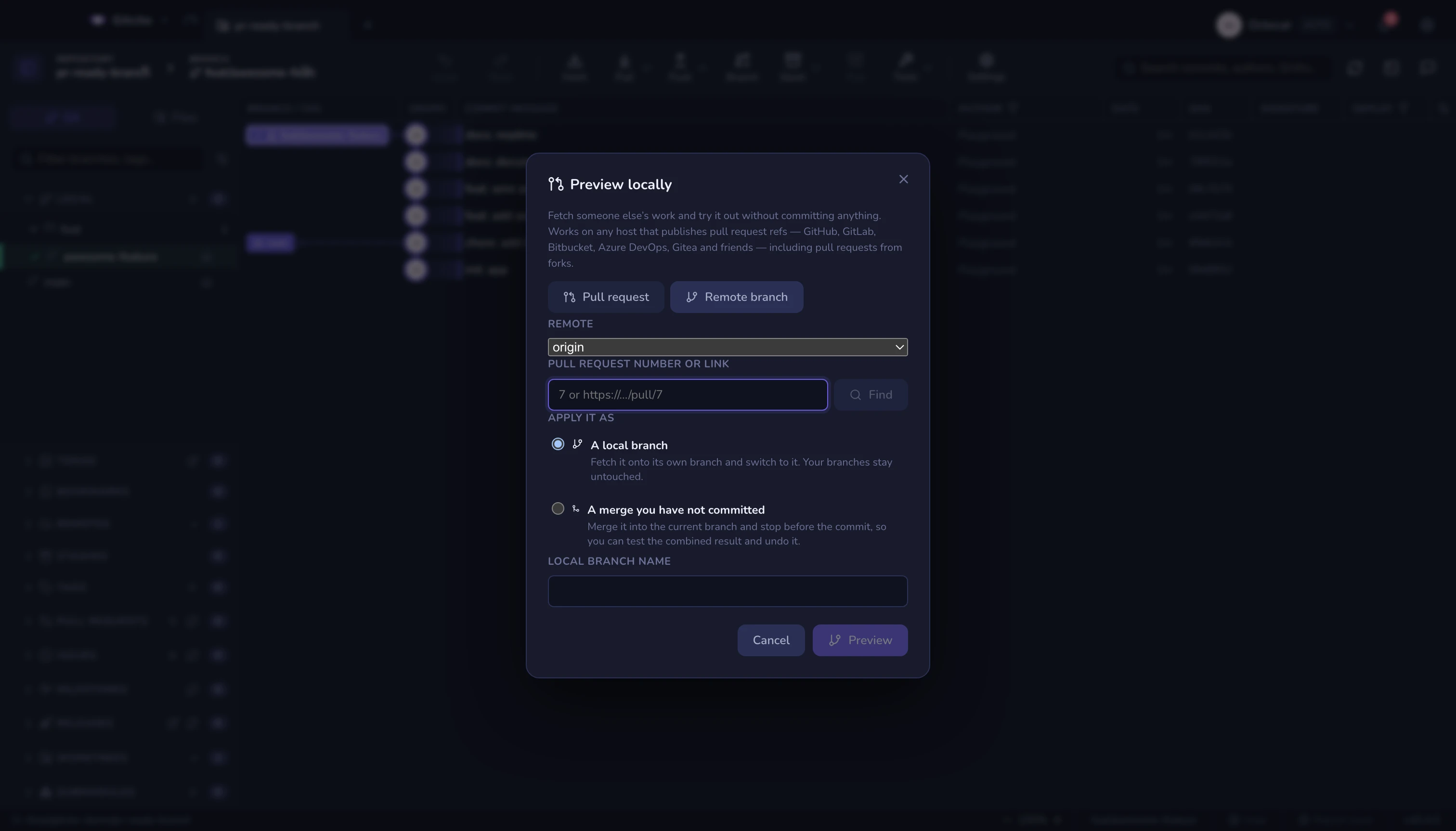
- The pull request list in the sidebar — the arrow button on any entry. This works for every host, unlike the detail view, which is GitHub-only.
- The command palette: Preview pull request locally.
- Inside a pull request's detail view, next to the "open in browser" button.
What you give it
Remote — the repository the pull request was opened against, normally
origin. Not the fork.
Pull request — the number, or a pasted browser URL. 7, #7 and
https://github.com/owner/repo/pull/7 all work; so do the GitLab, Bitbucket
and Azure DevOps URL shapes. Press Find and Gitcito reports the ref it
resolved and the commit it points at, before anything is fetched.
Remote branch — the second tab, for when there is no PR ref to find: a host that does not publish them, or a branch you simply want to try. Give the branch name as it exists on the remote.
The two ways to apply it
Neither writes a commit. That is deliberate — a preview you cannot walk away from is not a preview.
| Mode | What happens | How you undo it |
|---|---|---|
| A local branch | The ref is fetched onto its own branch (pr/7 by default) and checked out. Your other branches are untouched. |
Undo returns to the branch you were on and deletes the preview branch. |
| A merge you have not committed | The ref is merged into the current branch with --no-commit --no-ff, leaving the combined tree staged so you can build and test it. |
Undo aborts the merge. |
Previewing the same pull request twice reuses the same branch, moving it to the new head — handy when the author pushes a fix while you are testing. When that branch already exists, Gitcito says so and asks before resetting it, because any commit that lives only there would be lost.
What it will not do
- It cannot invent a ref the host does not publish. Some self-hosted configurations disable PR refs; some forges never had them. You get a clear "no ref for #n" and the remote-branch tab as the way through.
- It does not fetch tags. A preview should not drag someone else's tag namespace into your repository.
- The merge mode needs a clean working tree. Git refuses to merge over uncommitted work; stash first.
- A preview is not a review. It puts the code on your machine — it does not approve, comment or merge anything. That is hosting & pull requests.
- Private forks stay private. The PR ref is served by the target repository, so access follows your credentials for that remote — see security.
Cleaning up
A preview branch is an ordinary branch: delete it from the sidebar when you are done, or hit undo straight after the preview. A preview merge left uncommitted can be dropped with undo, or resolved and committed if you decided you want it after all — at which point it stops being a preview and becomes a merge.