
Run & debug
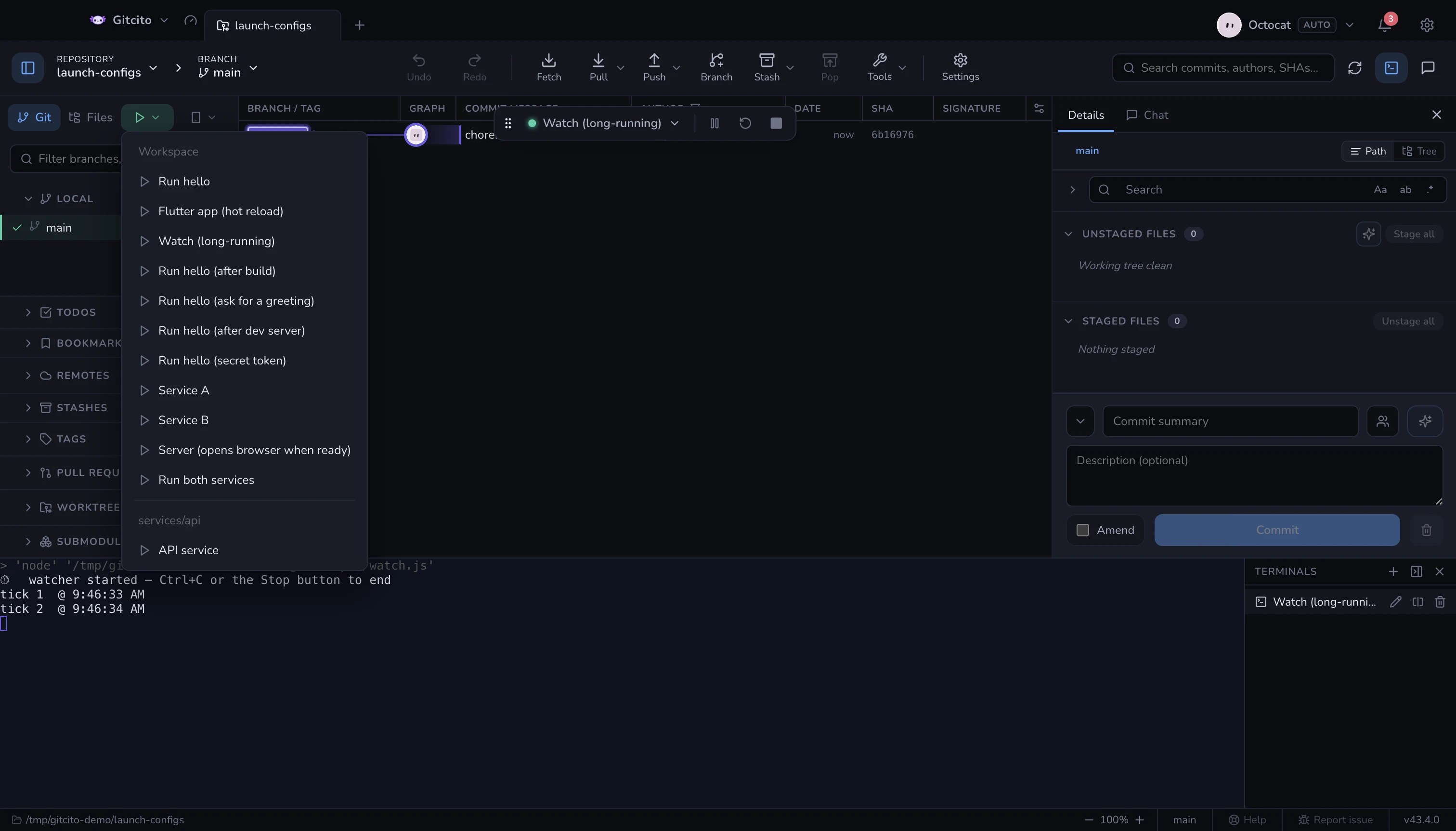
Gitcito reads your .vscode/launch.json — the root one and any nested ones,
grouped with dividers — and runs the config you pick in the integrated terminal.
- VS Code variables are resolved (
${workspaceFolder}and friends). - A config's
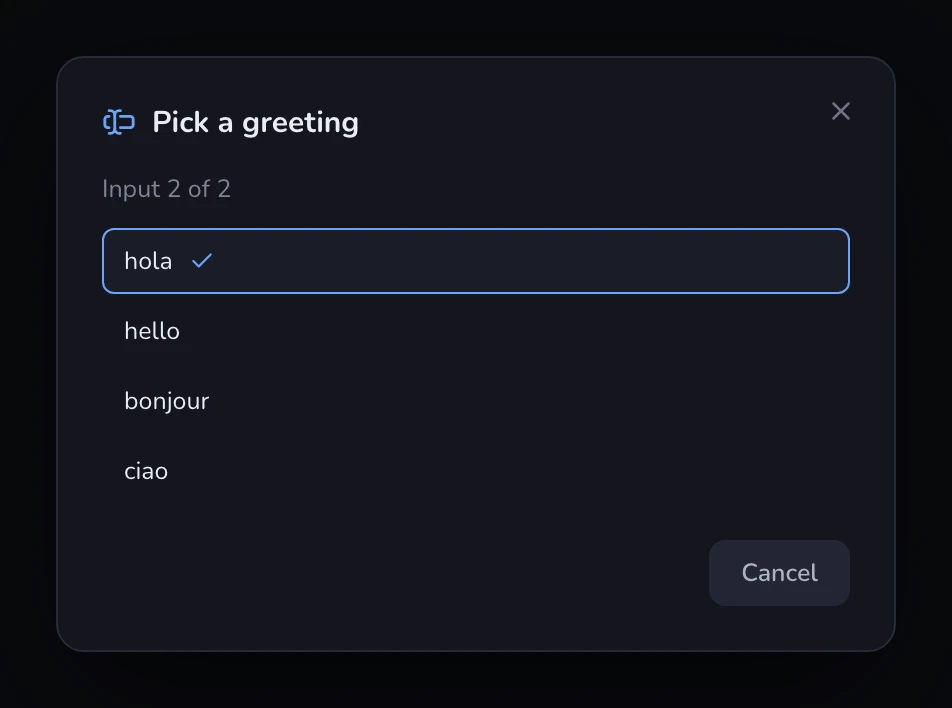
preLaunchTaskruns first. ${input:…}values are asked interactively before launching (promptStringandpickString). ApickStringshows its options as a real picker with the default preselected; apromptStringmarkedpasswordis masked.isBackgroundtasks (watchers, dev servers) run detached, so they never block the launch.- Compounds run each member as its own parallel session, in one split
terminal named after the compound — one pane per member, exactly like VS
Code's debug sessions. With
stopAll: true, stopping one member stops them all. Tasks that several members share run once, in their own pane, before the members start — a version-bump prompt asks once, not once per member. The pane closes itself on success and stays open on failure. serverReadyActionis honoured: when the session's output matches the configured pattern, the announced URL opens in your browser (openExternally;debugWithChrome/debugWithEdgealso open the browser — Gitcito cannot attach a debugger to it).
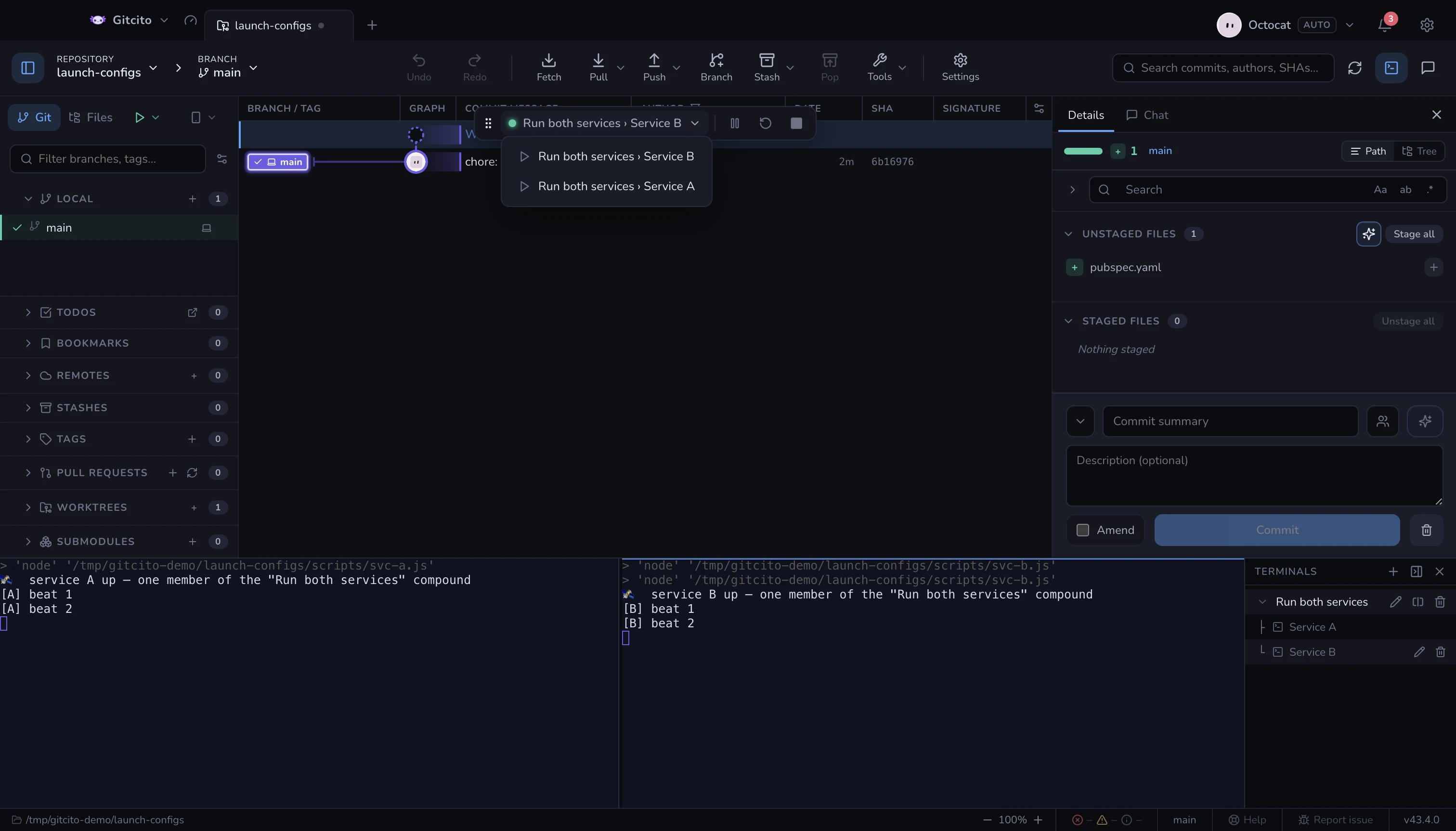
A floating toolbar gives you pause / resume, restart, stop, and switches between running sessions. A compound member shows as compound › member, and restarting one restarts just that member. If the toolbar sits on top of something you need, drag it aside by its grip — the position is remembered, and a double-click on the grip re-centres it.
What Gitcito deliberately does not do: it runs your programs in real
terminals, but it is not a debugger — no breakpoints, no variable inspection,
no Debug Adapter Protocol. Attach-only configs still work when they carry a
preLaunchTask (the task is the work); a pure attach has nothing to run.
Turn it on in Settings → General → Enable launch.json. The LAUNCH button appears next to the Git / Files tabs.
Hot actions — the fast path next to Restart
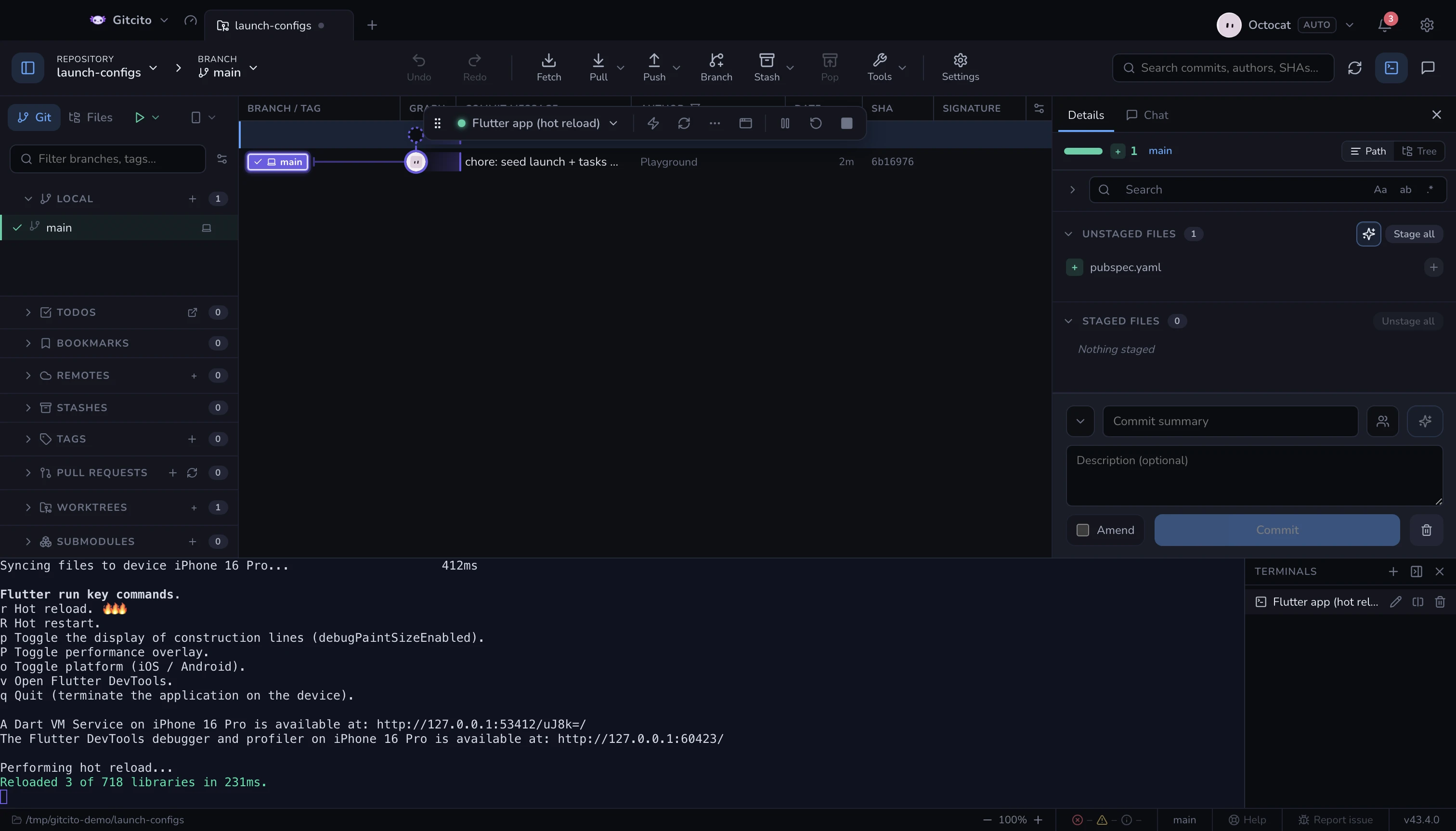
Most dev runtimes already reload on a keystroke: flutter run on r, Metro on
r, nodemon on rs ⏎, Vitest re-runs the suite on a. Restarting the
launch config to get the same result is the slow road — it kills the process,
re-runs every preLaunchTask and throws the app's state away.
So Gitcito reads the command a config really spawns — following an npm run dev
into your package.json scripts — and puts that runtime's keys on the debug
toolbar. Pressing one writes the keystroke to the session's stdin, exactly as if
you had typed it into the terminal yourself.
| Runtime | Buttons | Behind ⋯ |
|---|---|---|
Flutter (flutter run) |
Hot reload r, Hot restart R |
debug paint, performance overlay, platform toggle, DevTools |
| Expo | Reload r |
dev menu, debugger |
| Metro / React Native | Reload r |
dev menu, debugger |
| Vite (dev, serve, preview) | Restart server r ⏎ |
open browser, show URLs, clear console |
| nodemon | Restart rs ⏎ |
— |
| Vitest (watch mode) | Re-run all a, re-run failed f |
update snapshots |
Jest (--watch) |
Re-run all a, re-run failed f |
only changed files, update snapshots |
Mocha (--watch) |
Re-run rs ⏎ |
— |
AVA (--watch) |
Re-run all r ⏎, update snapshots u ⏎ |
— |
dotnet watch |
Force restart Ctrl+R |
— |
Wrangler (wrangler dev) |
Open browser b |
DevTools, local/remote, clear console |
Runtimes that reload on their own get no buttons — node --watch, ng serve,
tsc --watch, cargo watch, next dev, webpack-dev-server. A button that
sends a key nothing reads is worse than no button, because it looks like it
worked.
The limits. Detection is textual: it matches the program name on the command line, so a config that starts your dev server through a wrapper script Gitcito cannot read gets nothing. Nothing acknowledges the keystroke either — the button flashes, and the process's own output is the real answer. A paused or exited session accepts no input, so the buttons grey out.
When the guess is wrong, say so in the config itself:
{
  "name": "API (watch)",
  "type": "node-terminal",
  "command": "./scripts/dev.sh",
  "gitcito": { "hotActions": [{ "label": "Reload", "send": "r", "icon": "reload" }] }
}
send is written verbatim — end it with \n for a CLI that waits for Enter.
icon is optional: reload, restart, rerun, failed, snapshot, menu, debugger,
browser, clear, paint, perf, platform, devtools, urls.
An empty hotActions array turns the buttons off for that config.
Run target — which device a config launches on
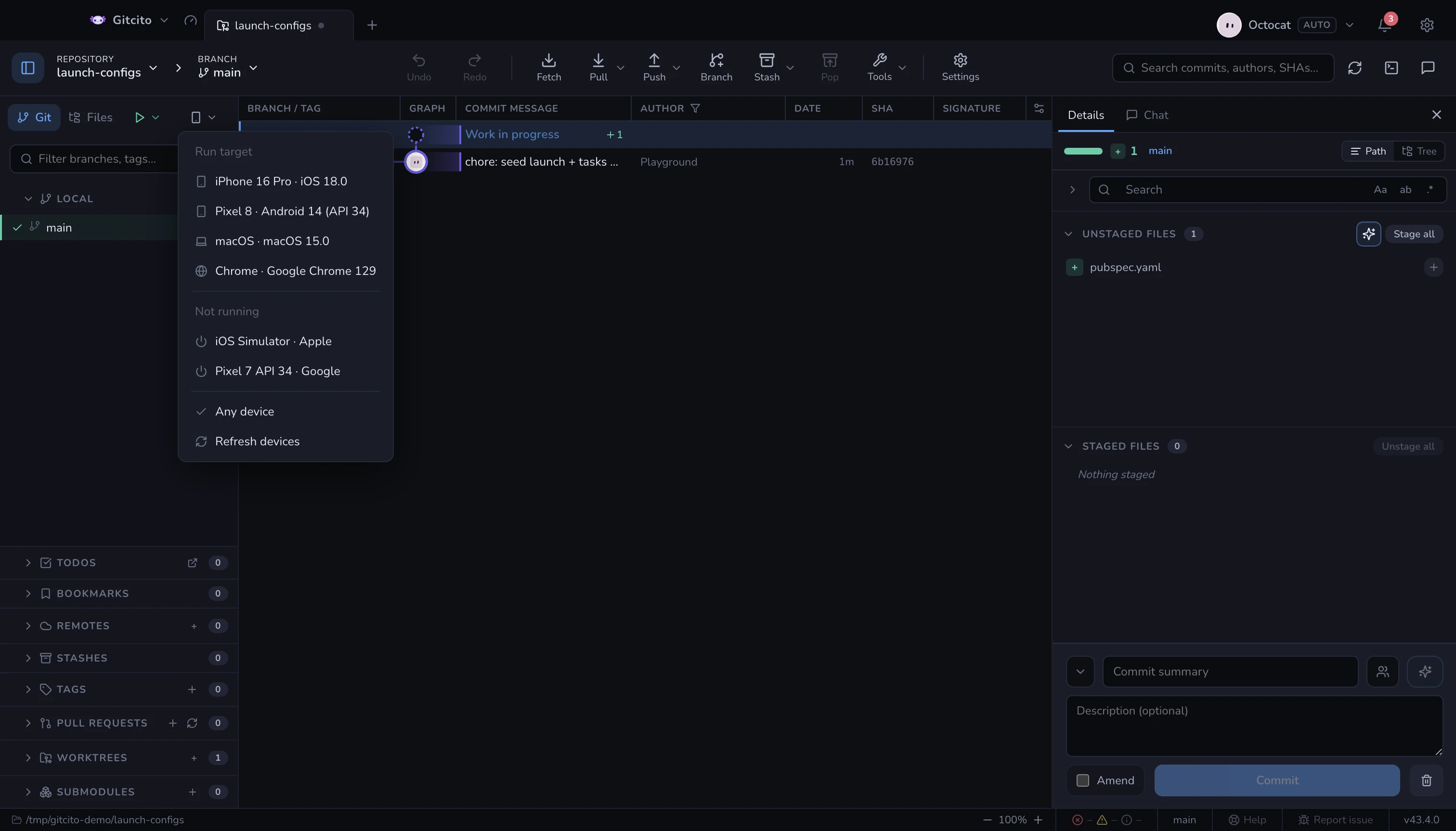
A config that builds a mobile app has to be told where to run it. That choice is not Flutter's alone — React Native, Expo, Capacitor and xcodebuild all take a target and each spells it differently — so Gitcito asks once, next to the LAUNCH tab, and writes the answer in the form that config's runtime reads. The picker only appears when some config in the repo can actually take a device.
Where the list comes from — whichever SDK tools the machine has, asked in parallel:
| Tool | Contributes | Asked when |
|---|---|---|
flutter devices / flutter emulators |
everything, already normalised | the folder has a pubspec.yaml |
xcrun simctl |
iOS simulators, running and cold | on macOS |
adb devices |
Android handsets and booted emulators | always |
emulator -list-avds |
Android emulators still cold | always |
The same simulator is reported by up to three of them, so entries are merged by
platform and name; Flutter's version wins a tie because its id is the one
flutter run -d expects. Tools that are not installed are named at the bottom of
the menu — a short list should explain itself.
What the choice does:
| Family | Written as |
|---|---|
| Flutter | -d <id> |
| React Native iOS | --udid <id> |
| React Native Android | --deviceId=<id> |
Expo run:ios / run:android |
--device <id> |
| Capacitor / Ionic | --target <id> |
| xcodebuild | -destination id=<id> |
| anything else | environment only |
Every launched config also gets GITCITO_DEVICE_ID, GITCITO_DEVICE_NAME and
GITCITO_DEVICE_PLATFORM in its environment, plus ANDROID_SERIAL when the
target is a real Android device. That is what lets a wrapper script, a Gradle
task or a bare adb hit the same handset without Gitcito rewriting anything.
Starting a cold device. Anything under Not running boots when you pick it:
flutter emulators --launch, xcrun simctl boot (plus the Simulator window), or
emulator -avd detached — so quitting Gitcito does not take your Android
emulator down with it.
The limits. A config that already names a device — an explicit -d, a
--simulator, Dart-Code's deviceId — is left alone: the picker never overrides
what the author wrote. An id that would need shell quoting falls back to the
environment instead of risking a mangled command line. The menu is filtered to
what your configs can reach, so an Android-only repo never offers you an iPhone.
And the list is a snapshot: plug a phone in and press Refresh.
The choice is remembered per repository, and forgotten when that device stops existing.
See also: Integrated terminal
Input values from JSON and YAML
An input can show the current version or prefill a value from a workspace file. Gitcito reads the file when you press Launch, before showing the prompts. No VS Code extension is needed.
Add fileValues to a promptString or pickString input. Each named value supplies a file path relative to the launch configuration folder and a dot-separated property key. Use ${fileValue:name} in description or default. An empty default keeps the text field optional.
{
  "id": "version",
  "type": "promptString",
  "description": "Current: ${fileValue:version} (${fileValue:build})",
  "default": "",
  "fileValues": {
    "version": { "file": "version.yaml", "key": "settings.base.MARKETING_VERSION" },
    "build": { "file": "version.yaml", "key": "settings.base.CURRENT_PROJECT_VERSION" }
  }
}
Only JSON, YAML and YML files within that folder are supported, up to 1 MiB. Values must be strings, numbers or booleans. Missing files, malformed data, missing properties and paths outside the folder abort the launch with an error. No commands or JavaScript expressions are evaluated. Files are read again for each new launch; Restart reuses the original answers. These fields are a Gitcito addition to launch.json; VS Code does not expand them natively.