
Recovery & the reflog
Git rarely loses anything. The hard part is finding it again.
Reflog
Every move of HEAD — and of each branch — with what caused it: checkout,
reset, rebase, amend, a forced fetch. From any past entry you can check it
out, branch from it, or hard-reset to it.
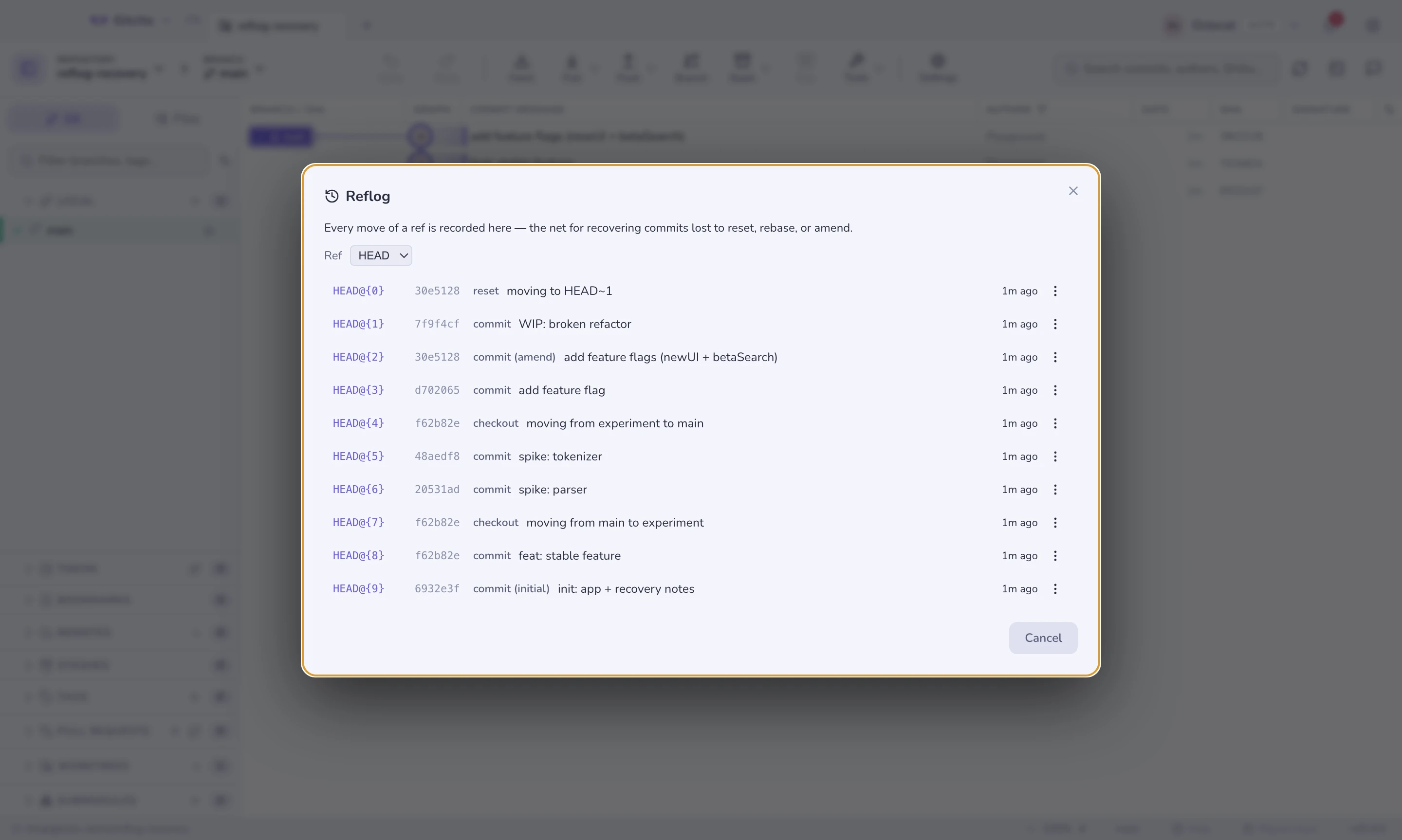
This is the "I just reset the wrong branch" button.
WIP snapshots
Uncommitted work is the one thing the reflog cannot save, so Gitcito snapshots
it: the whole working tree — modified, staged and untracked files —
committed through a throwaway index and pinned under refs/gitcito/wip.
Neither your real index nor your stash list is touched.
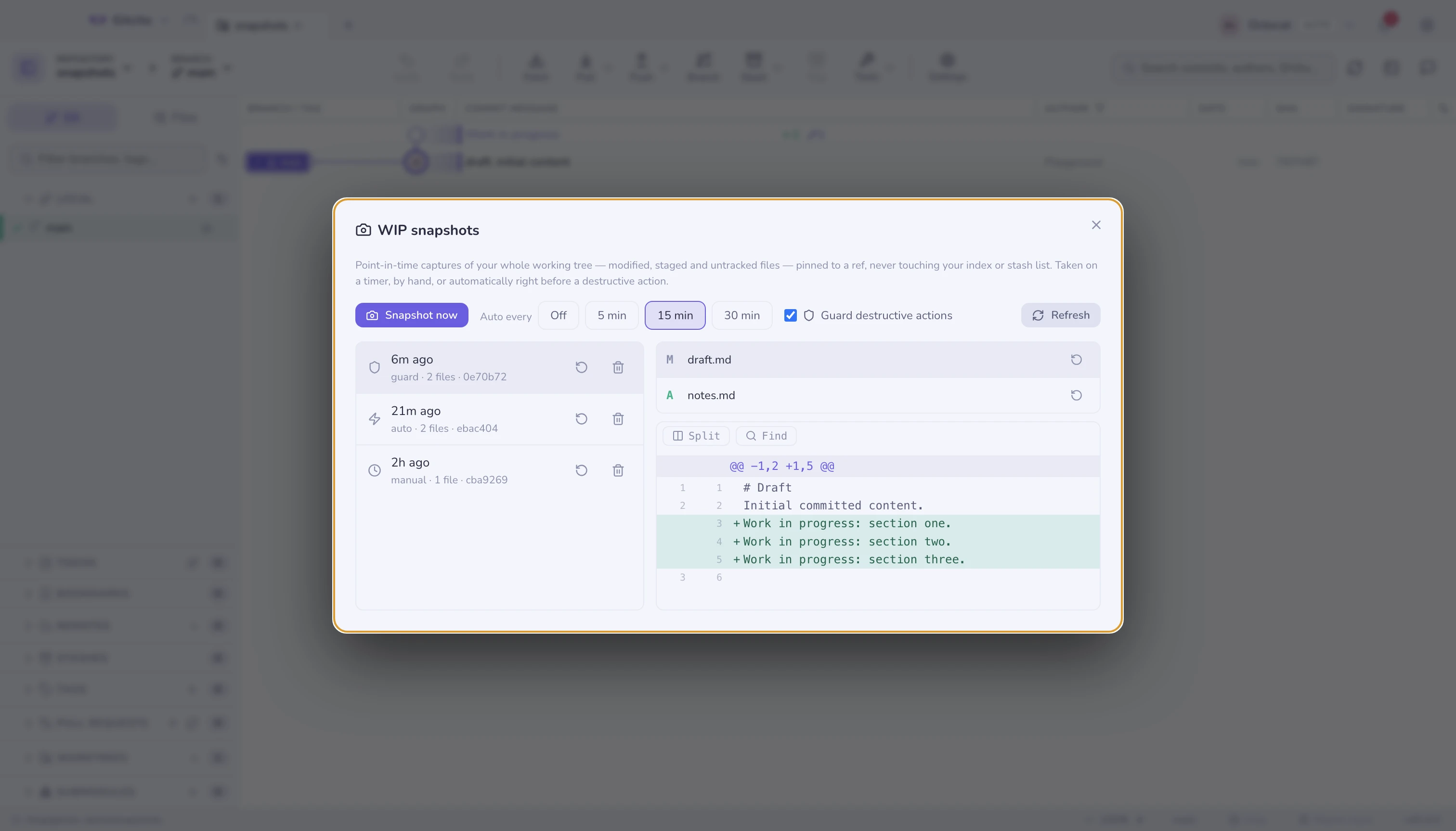
Three things take one:
| Trigger | When |
|---|---|
| Guard | Automatically, right before a destructive action — discard, clean, hard reset, restore from a commit. On by default; toggle it in the snapshots dialog. |
| Timer | Every 5 / 15 / 30 minutes while the repo is open. |
| By hand | The Snapshot now button. |
The guard is the one that matters: the moment work is usually lost forever is the second after a discard you didn't mean. With the guard on, that state is a snapshot — open the list, click restore, breathe again.
Select a snapshot to see the files it captured, preview any file's change, and restore a single file or the whole tree. Restoring copies files out of the snapshot over the current copies — a guard snapshot is taken first, so a restore is itself undoable.
Limits worth knowing. A timer or guard tick that finds nothing new records
nothing. Restore overwrites and recreates files, but never deletes a file you
created after the snapshot. Ignored files are not captured. Snapshots are
local hidden refs: never pushed, safe from git gc, newest 50 kept.
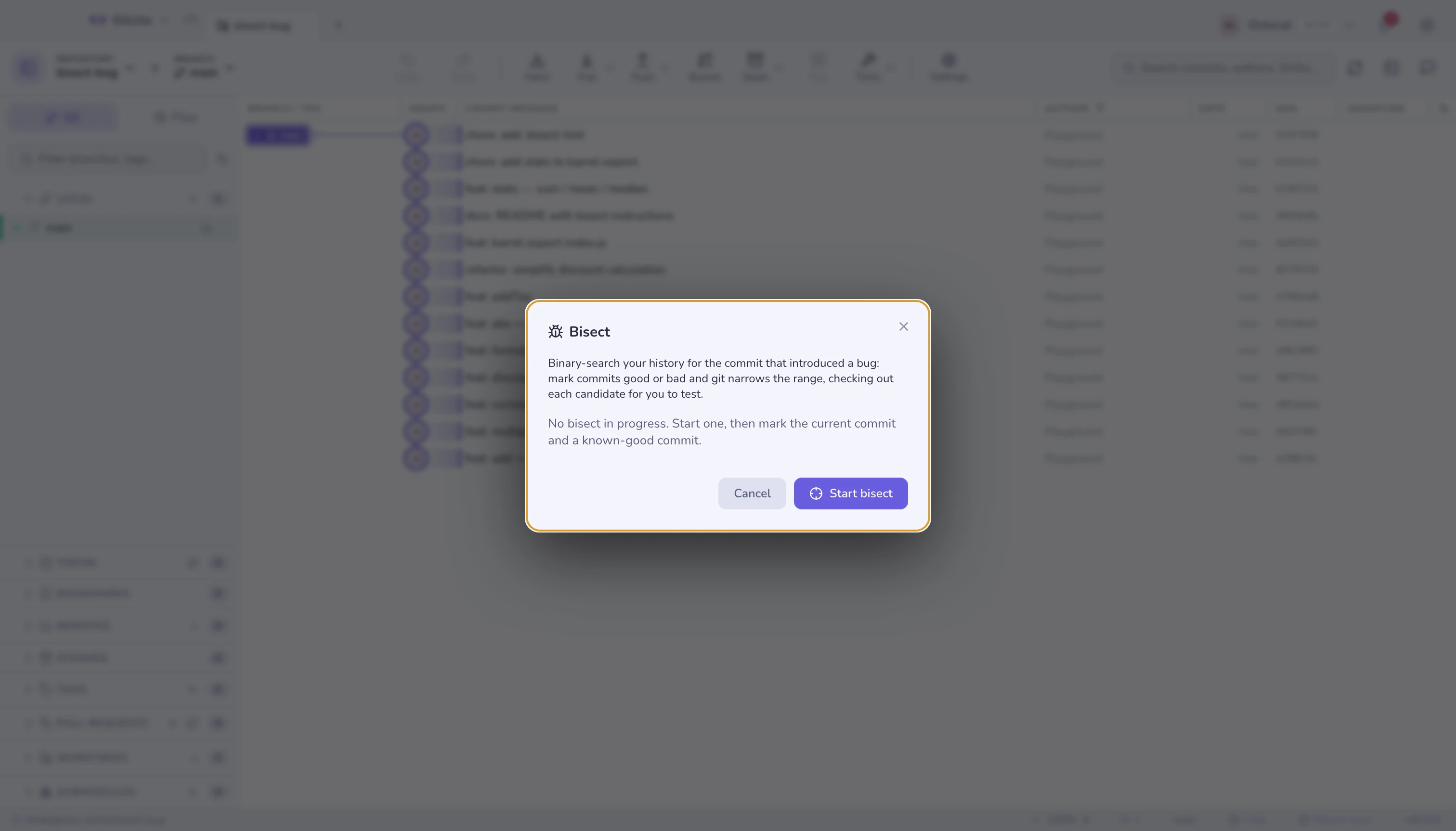
Guided bisect
Mark commits good and bad, watch the range narrow, land on the first bad commit. Gitcito tracks how many steps are left, so you know whether you are two questions from the answer or ten.
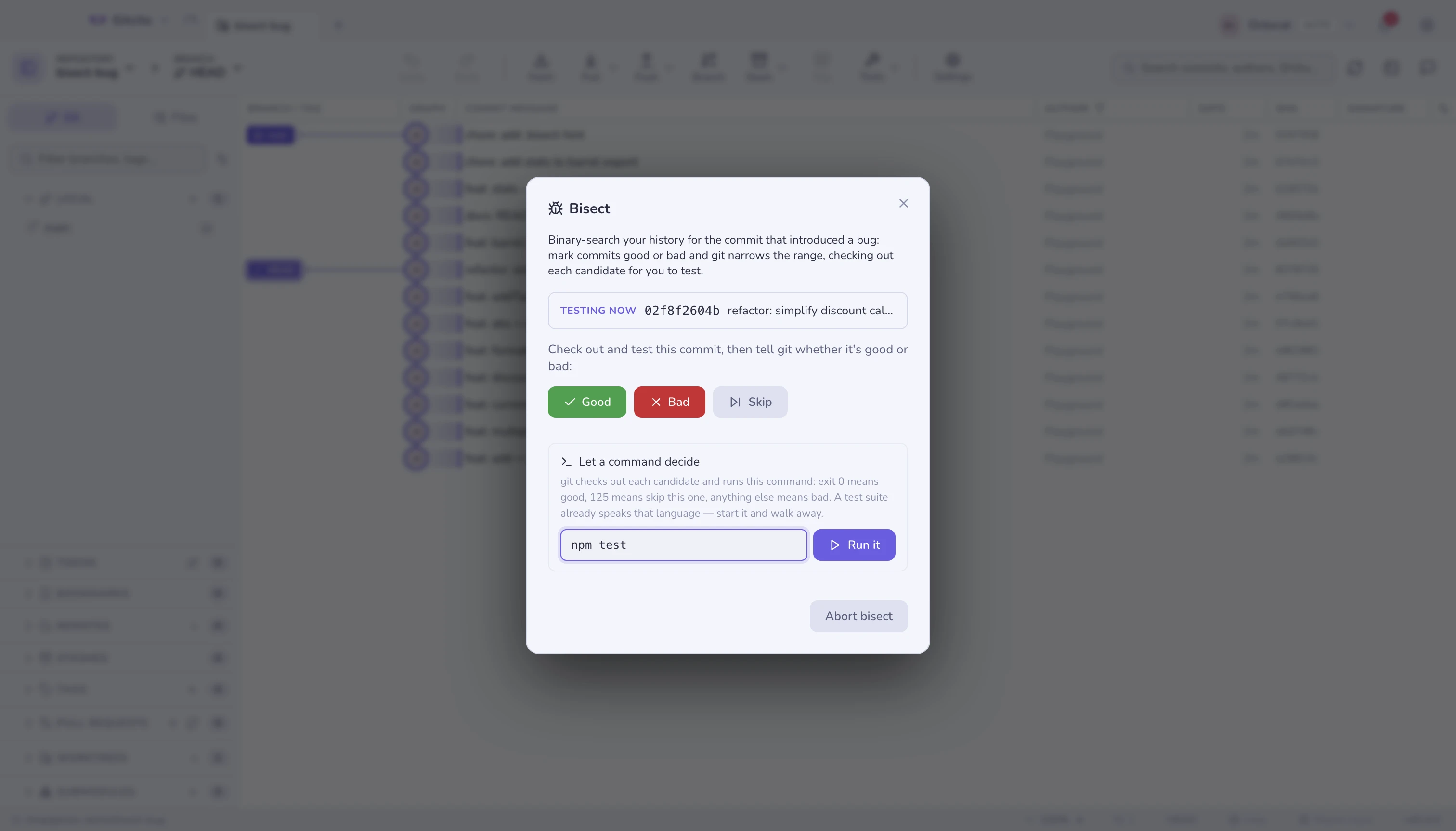
Let a command decide
Once the range is seeded, Let a command decide hands the whole search to
git bisect run. Git checks out each candidate, runs your command, and reads
its exit code:
| Exit code | Means |
|---|---|
0 |
Good — the bug is not here |
125 |
Cannot test this one; skip it |
| anything else | Bad |
A test suite already speaks that language, which is why npm test is usually
the whole answer. Gitcito offers this project's own scripts as one-click fills,
streams the output while it runs, and lands on the first bad commit without you
answering a single question.
What to watch for. The command runs on every commit git tests, so a command that deploys, publishes, or writes outside the repository will do that several times over. Keep it to something that only reads and reports. Stop kills the run and leaves the session open, so you can carry on marking by hand; Abort ends the bisect entirely.
A command that fails for an unrelated reason — a missing dependency at that
point in history, say — marks a good commit bad and sends the search to the
wrong place. Exiting 125 from a wrapper script is git's way out of that.
A leftover lock file
Git takes a .lock file next to whatever it is about to write, and removes it
when the write lands. A process that dies holding one — a crashed editor, a
terminal closed during git commit, a fetch killed while pruning remote refs —
leaves the lock behind, and from then on every write fails with the same line:
error: could not delete references: cannot lock ref 'refs/remotes/origin/x':
Unable to create '…/refs/remotes/origin/x.lock': File exists.
The repository is not damaged. A file is simply in the way.
Gitcito retries a handful of times first, because a lock held by a running git usually clears within milliseconds. When it does not, the failure opens a dialog instead of a wall of text: every lock still on disk, how old each one is, and one button that removes them and re-runs the action that failed.
Age is the whole argument. A lock younger than 30 seconds is presumed to belong to a git that is still working, and Gitcito refuses to delete it — it offers to wait and retry instead. Older ones are offered for removal, oldest first, and the dialog says plainly what to check before agreeing: that no editor, terminal or other Git client is working in this repository right now. Deleting a lock out from under a live write is how an index gets torn.
The scan covers the repository's own git directory and its common directory, so a linked worktree's locks are found too. Submodules are skipped — those belong to another repository, and are cleared by opening it.
Undo / redo
Most operations push an entry onto an undo stack, so ⌘Z reverses the last one where git allows it.
If the window goes blank
The part of Gitcito that draws the window can crash or freeze, for example after it runs out of memory in a session left open for many hours. The window then shows only its dark background. Gitcito notices and reloads the window by itself: right away after a crash or an error that takes down the whole window, and about 40 seconds after it stops responding to your clicks and keys. Your repositories, tabs and settings come back as they were. Git work runs in a separate process, so a crash doesn't interrupt a fetch or push.
Limits: text you were typing but hadn't saved, such as a half-written commit
message, can be lost. A frozen window is only noticed once you click or type in
it. If the window keeps failing straight after loading, Gitcito waits longer
between attempts (up to five minutes) instead of reloading over and over. Each
incident is written to renderer-recovery.log in the app's log folder
(~/Library/Logs/Gitcito/ on macOS).
See also: What changed since · Stashes