
Time machine
Reading an old commit usually means checking it out, which means stashing what you were doing. This does not.
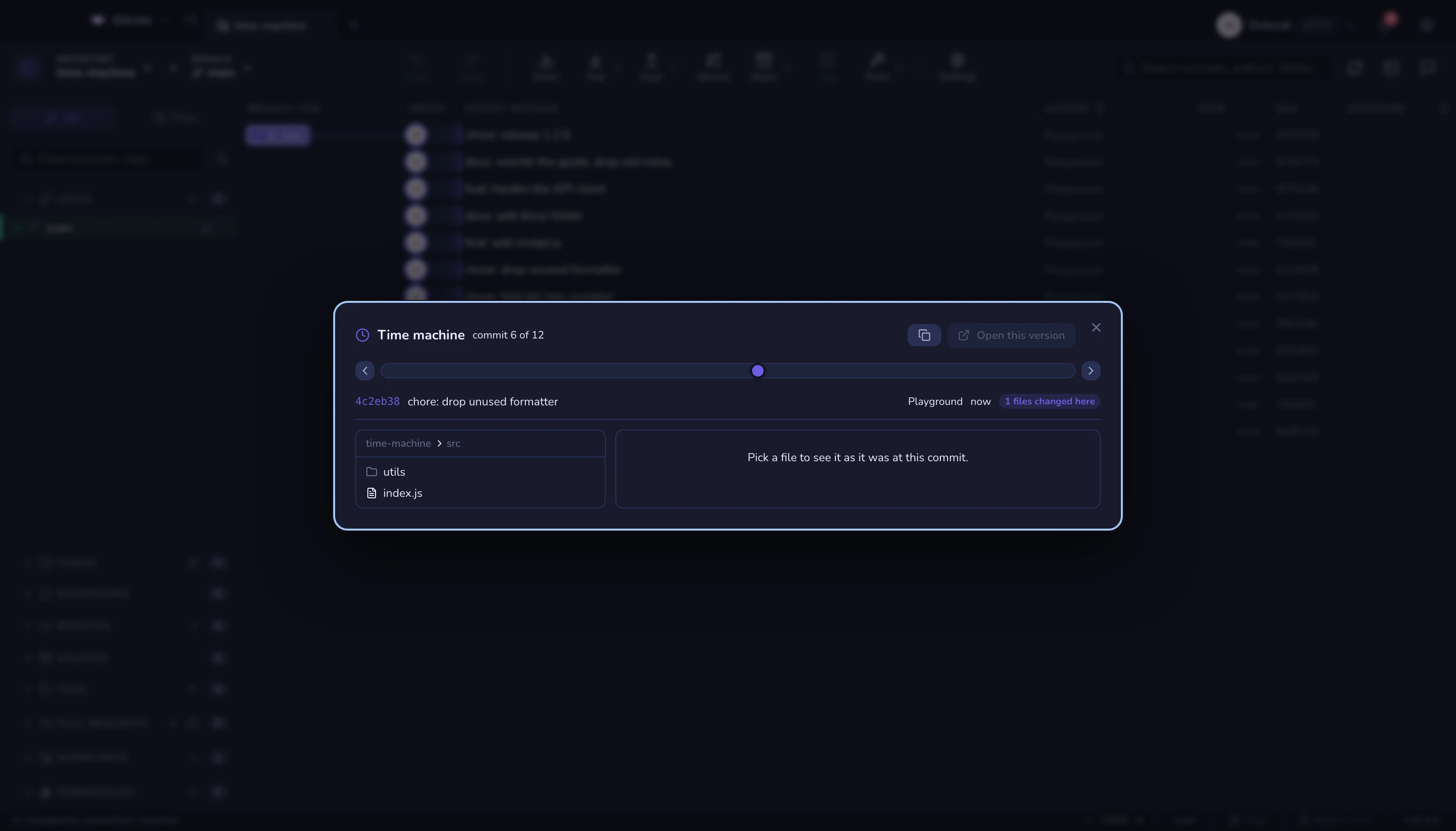
Drag the slider and the file tree re-renders per commit: folders appear, files move between them, deleted files come back. Pick a file and you read it as it was at that commit.
Everything is read from the object database (git ls-tree, git show). No
checkout, HEAD never moves, your uncommitted work is untouched — you can scrub
through a year of history in the middle of a change.
Controls
| Key | Action |
|---|---|
| ← → | One commit |
| ⇧ + ← → | Ten commits |
| Home / End | Oldest / newest |
The arrows either side of the slider do the same. Files the current commit touched are highlighted in the tree, with a count in the header.
Selection survives time
Pick a file and scrub back past the commit that created it: the pane says it does not exist here, and keeps your selection. Scrub forward and the file comes back with its old content. That is the point — you are moving the repository, not your cursor.
Open this version hands the file to the normal file view at that commit.
See also: Timelapse · Blame & history