
Edit any commit
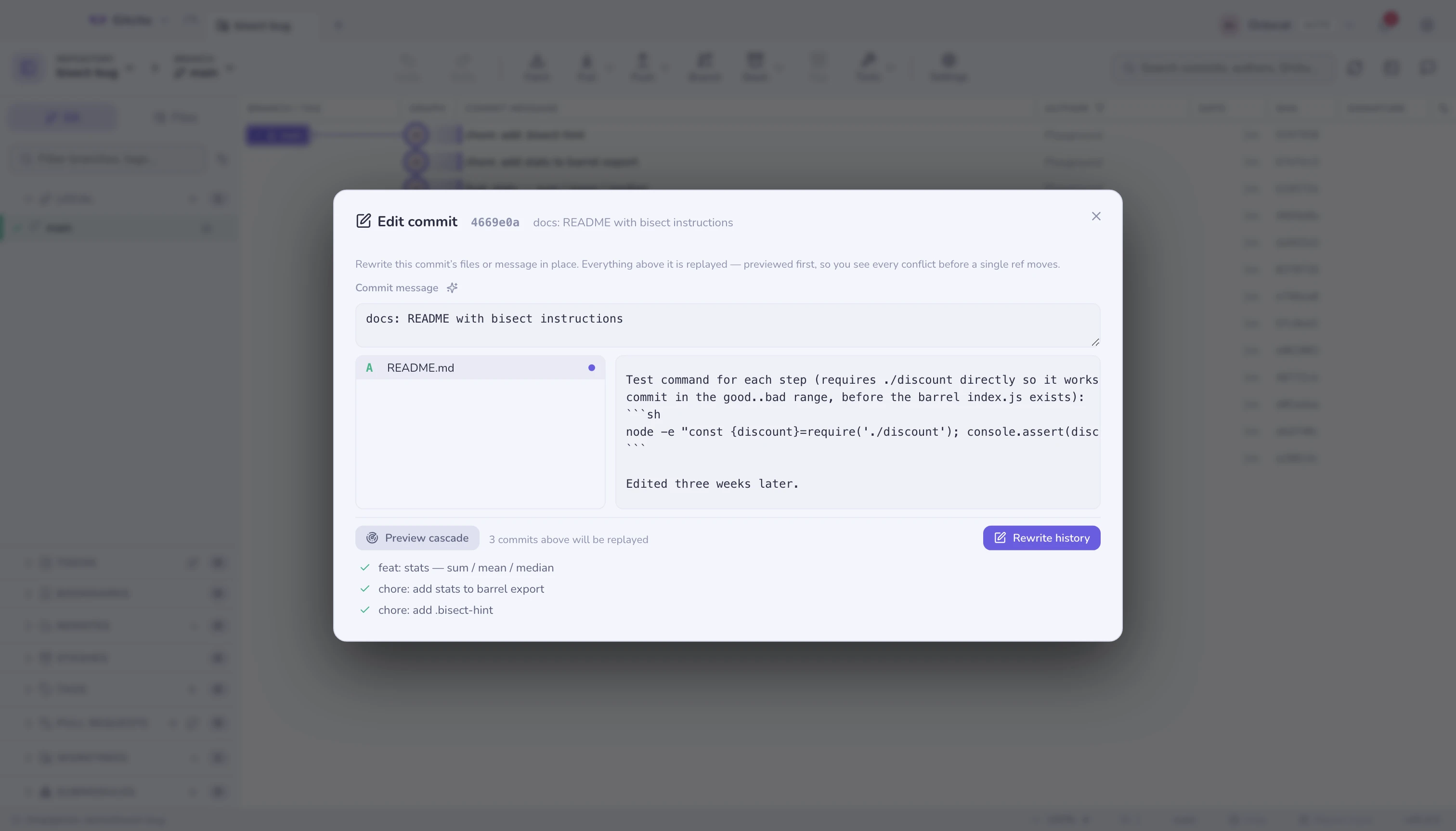
The typo is in a commit from three weeks ago. The usual fix is an interactive rebase: stop at the commit, edit, continue, pray. Gitcito's fix is: right-click the commit, Edit this commit, change the text, done. The pen button in the commit details panel opens the same editor.
What it does
Pick any commit that is an ancestor of HEAD — linear history or not. The
modal shows its files and message; edit either. Two things happen from there:
- Preview cascade replays every commit above the edited one in memory
(a chain of
merge-treecherry-picks — no checkout, no working tree, no refs). Each descendant shows up green or red, so you know before anything moves whether the edit ripples cleanly or collides with a later change. - Rewrite history does it for real: the same chain is built with plumbing,
then the branch moves with
reset --keep— your uncommitted changes are carried over, or the reset aborts and nothing has happened. A guard snapshot is taken first, and undo restores the old chain.
Authorship and dates of every replayed commit are preserved; only the hashes change — that is what rewriting history means.
Merges in the range
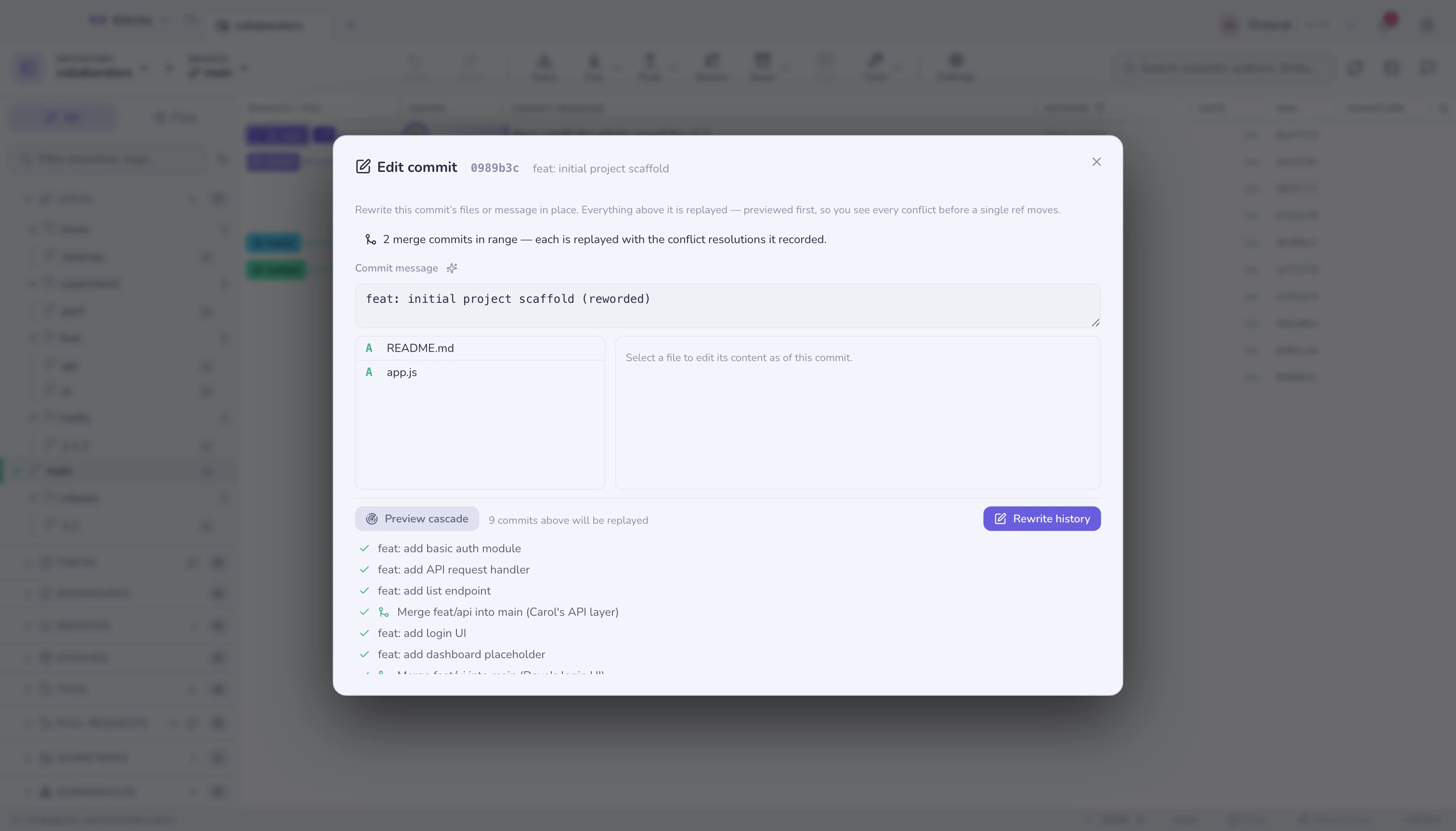
A merge between the commit and HEAD no longer disables editing. The cascade
replays a merge by reapplying its recorded result — the tree the merge
actually committed, conflict resolutions included — onto the rewritten parent,
so resolutions someone made by hand survive the rewrite verbatim. No rerere, no
re-merging, no worktree: the same in-memory plumbing as the rest of the
cascade, and both parent pointers are preserved. A side branch that also
contains the edited commit is rewritten and re-pointed; one that does not keeps
its identity untouched. The banner in the modal says how many merges the range
carries, and merge steps show a merge icon in the preview.
The honest caveat: a replayed merge is only as good as its recorded result. If your edit collides with lines the merge itself resolved, the preview goes red exactly like any other conflicting step — nothing is guessed.
When the cascade conflicts
A later commit touched the same lines you are editing. The preview marks that commit red with the conflicting files and the rewrite refuses to run — nothing is half-applied, ever. Either edit differently, or take the conflict head-on with an interactive rebase.
Limits
- The commit must be an ancestor of
HEAD. A commit on an unmerged side branch has no path to your current branch to replay. - Binary files and files over 2 MB are shown but not editable.
- A commit that is already on a remote can be edited, but your next push will have to be a force push — the modal warns before you commit to that.
- Deleted files in the commit can't be edited (there is no content to edit).
See also: Interactive rebase · Recovery & snapshots · Absorb