
Mission control
Twenty repositories, and the question is always the same: which one needs me?
Mission control answers it. Every repository of the active workspace on one screen, ordered by what actually needs you:
- Blocked — a rebase or merge left half-finished, conflicts, a repo that cannot be read at all.
- To sync — commits to pull, then commits to push.
- In progress — uncommitted work, untracked files.
- Clean — the quiet ones, at the bottom, where they belong.
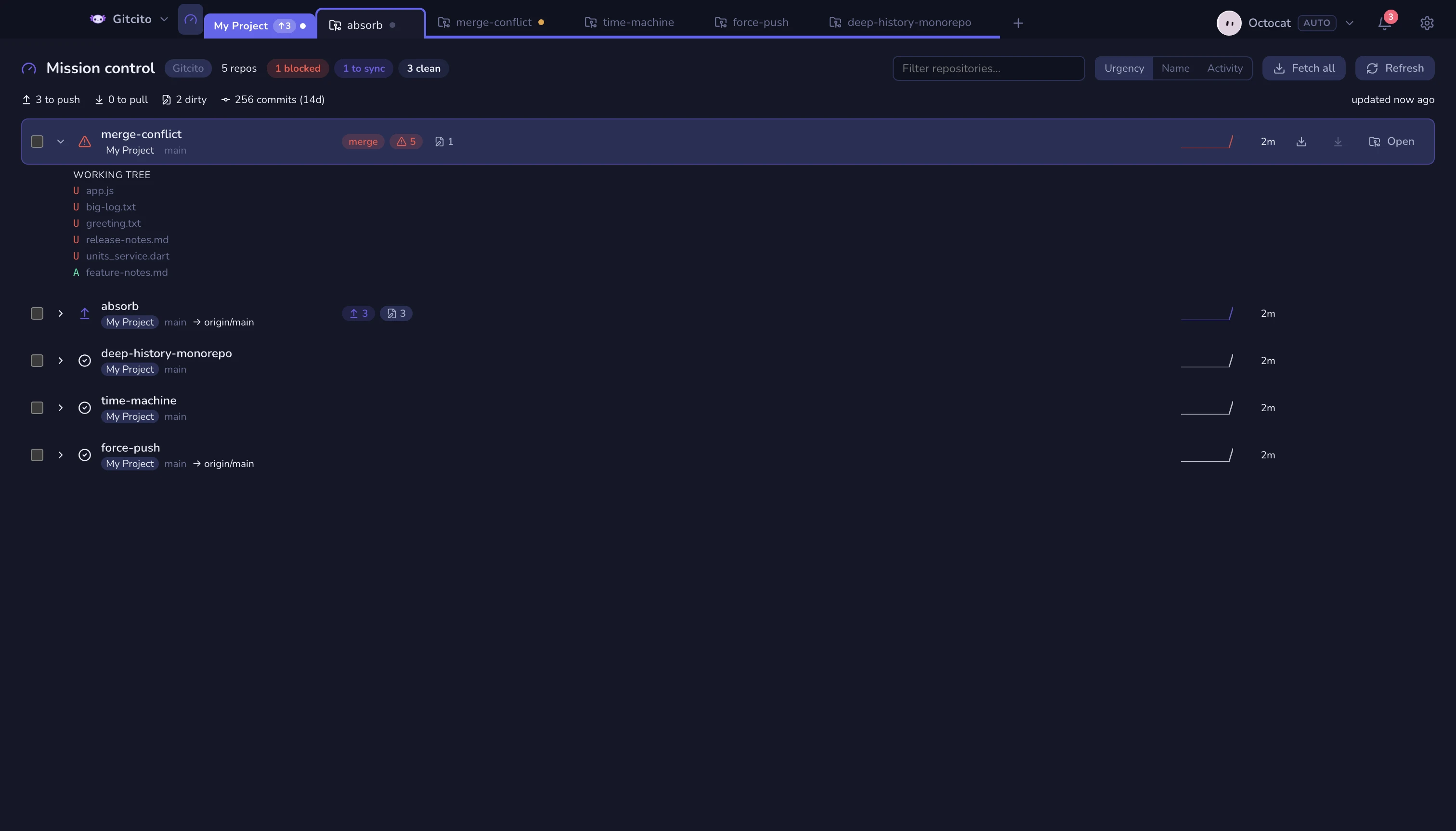
What a row tells you
Branch and its upstream · ↑ahead / ↓behind · uncommitted and untracked counts · stashes · open PRs (when the repo is already loaded) · a 14-day commit sparkline · how long since the last commit.
Expand a row (the chevron, or space) to see exactly which commits are waiting to be pushed and which files are dirty.
Working the list
- The status pills at the top are filters — click "3 blocked" to see only those.
- Sort by urgency, name or activity.
- Tick several repos to fetch them, or pull just the ones that are behind (the button counts them for you).
- It refreshes itself every 30 seconds while it is open.
| Key | Action |
|---|---|
| ↑ ↓ or j k | Walk the list |
| Enter | Open that repository |
| f / p | Fetch / pull it |
| space | Expand it |
| / | Jump to the filter |
It is a view, not a tab
The gauge next to the workspace name toggles it; clicking any tab returns you to your work. It never adds a tab of its own, and it belongs to the workspace you are in — switch workspace and you get that workspace's dashboard.
Reading it is purely local: one git status per repository, no network, no
tokens. Opening the dashboard never authenticates anywhere. Fetching is always
something you asked for.
See also: Workspaces & tabs · Workspaces, tabs & groups