
Worktrees & submodules
Worktrees
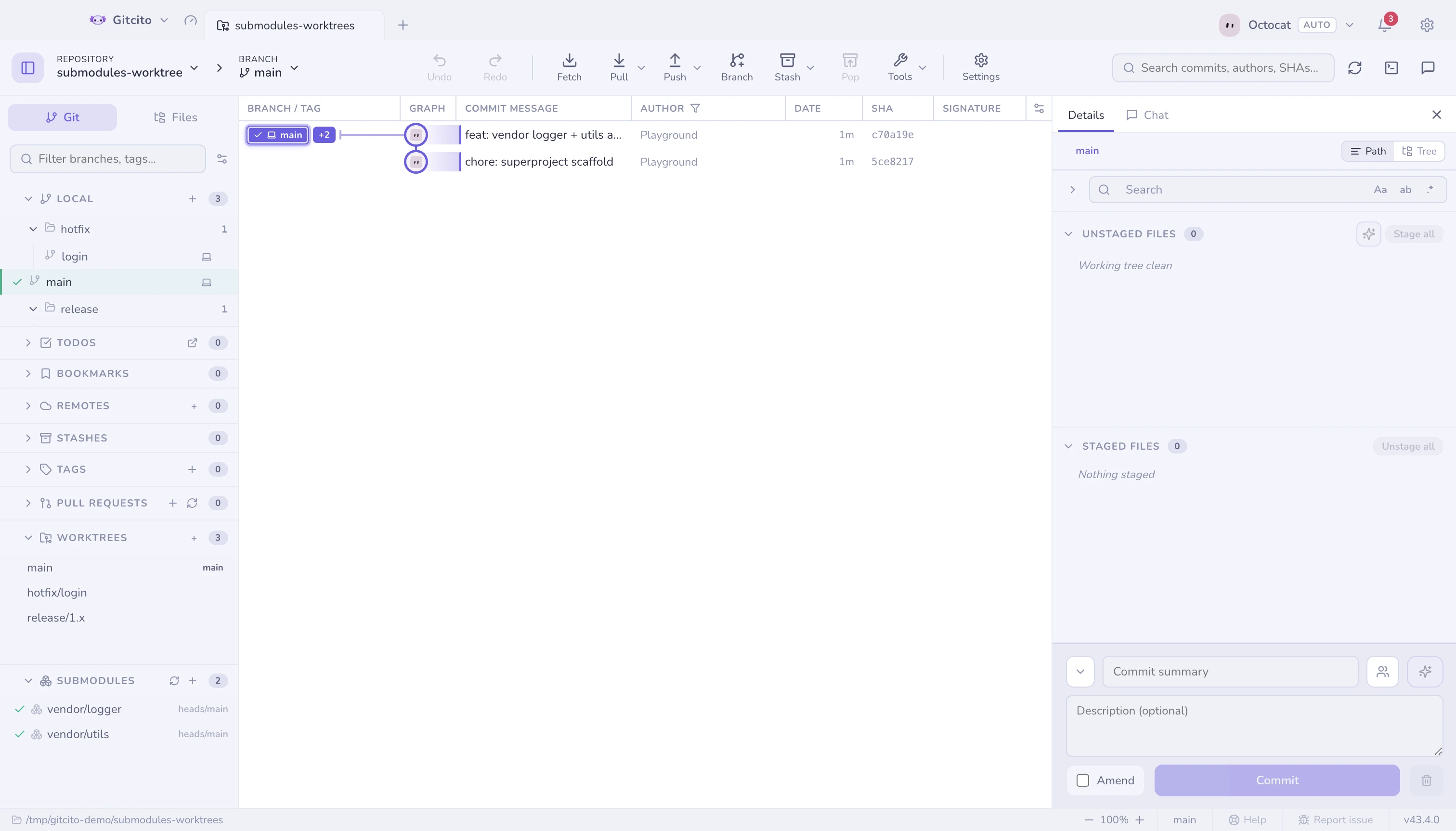
A worktree is a second checkout of the same repository, in its own folder — so
you can look at main while feature/x stays exactly as you left it, with no
stashing.
- Create and remove worktrees from the sidebar. Double-click one to open it as its own tab; right-click for Open worktree, Reveal in folder and removal.
- Right-click any local branch → Open in a worktree to spin one up in a sibling folder and open it as a tab.
- A branch can live in only one worktree at a time, so checking out a branch
another worktree already holds cannot work — git refuses with already used by
worktree at …. Gitcito takes you there instead: the branch's menu reads Go
to
xin its worktree, and double-clicking the row opens that worktree's tab rather than failing.
Submodules
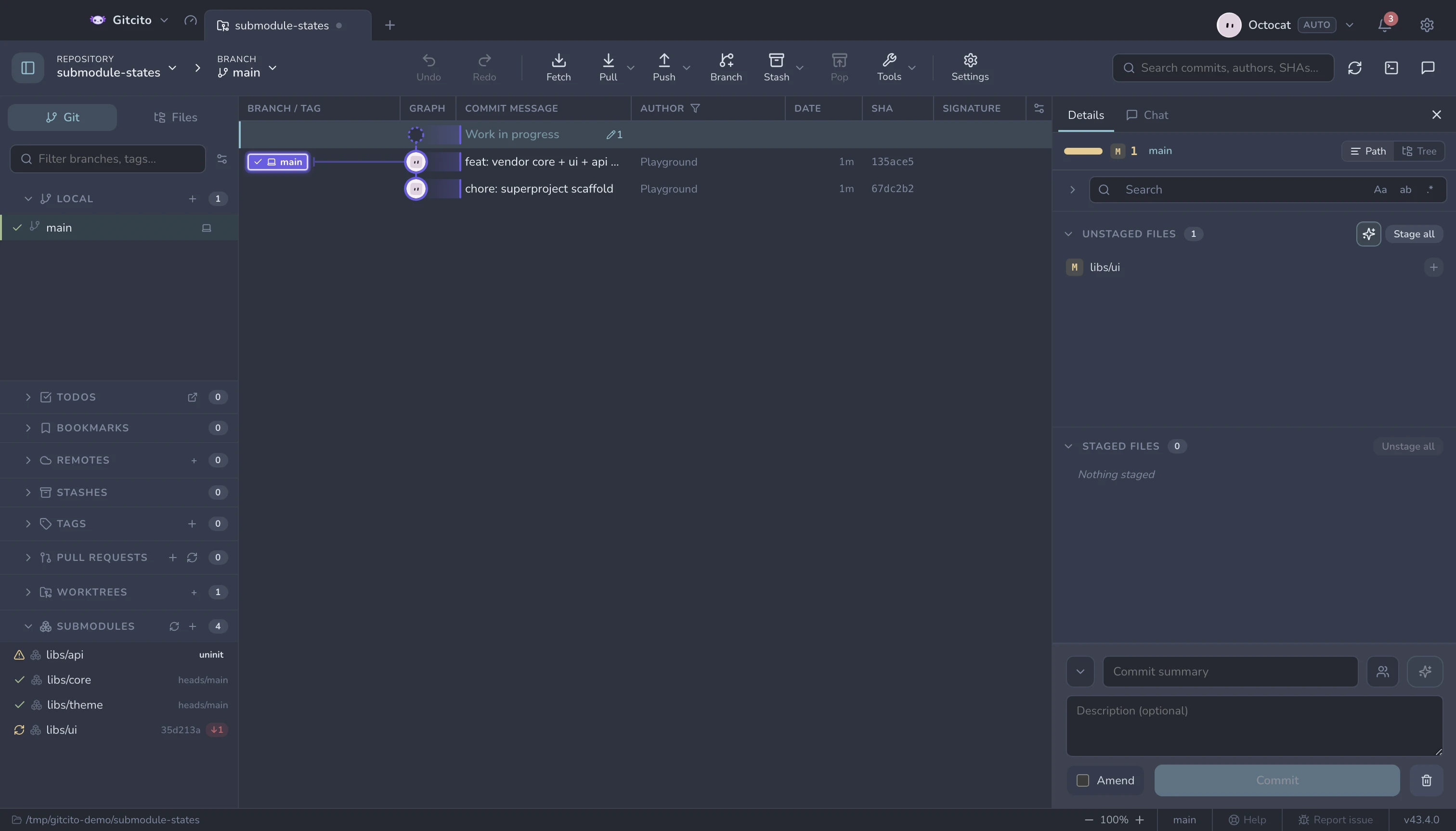
Add, update (init & checkout), sync URLs and remove submodules, with live status for each one:
| Status | Means |
|---|---|
| In sync | Checked out at the commit the parent records |
| Modified | Checked out somewhere else, or dirty |
| Uninitialized | Recorded, but never checked out |
See also: LFS & sparse-checkout · Fetching, pulling & pushing