
Committing
Message styles
Pick one in Settings; the composer adapts to it.
| Style | Looks like |
|---|---|
| Conventional | feat(api)!: add rate limiting — with a type dropdown |
| Gitmoji | ✨ add rate limiting — with an emoji picker |
| Ticket | ABC-123: add rate limiting — seeded from the branch name |
| Plain · Auto | Whatever you type; Auto lets the AI decide the shape |
| Caveman · Haiku | Exactly what they sound like |
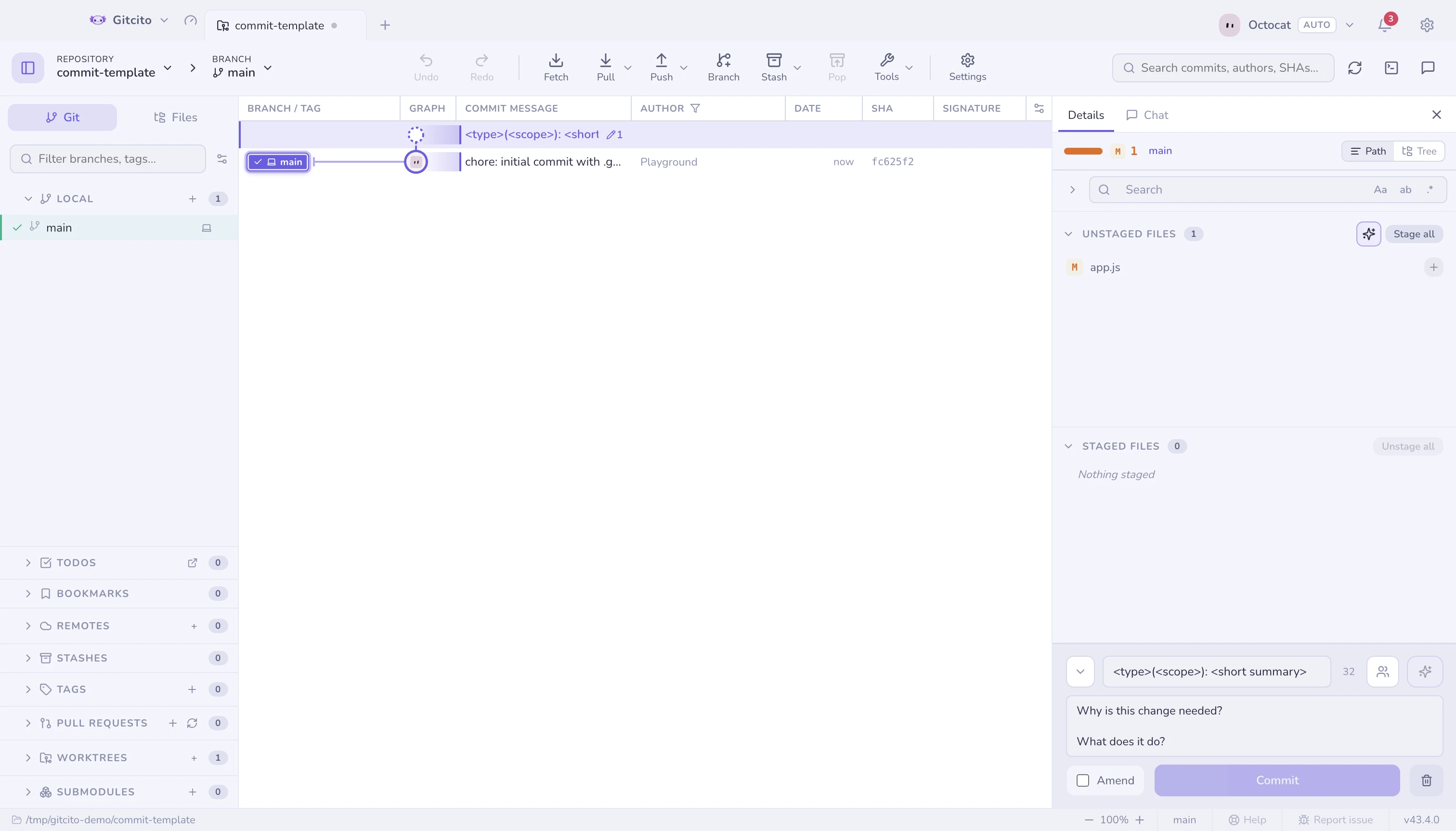
Things the composer does for you
- ↑ ↓ recalls your recent messages.
- A co-author picker adds
Co-authored-by:trailers from the repository's own contributors. commit.template/.gitmessageprefills the message, comment lines stripped.- During a merge, cherry-pick or revert, the message is pre-filled the way git would.
- Drafts persist per repository, so switching tabs never loses a message.
The linter
A live, non-blocking check: subject length (with a character counter), a trailing period, a non-imperative or lowercase subject, over-wide body lines. Hints, never a gate — it will not stop you committing.
Amend
Amend rewrites the last commit with whatever is staged. Gitcito shows you the existing message first so you are editing, not retyping.
Amend Commit… on a graph row does the same thing for HEAD: it loads the full message, switches the composer into amend mode, and focuses it. A HEAD that was already pushed can still be amended, but Gitcito warns that updating the remote will take a force push.
Undo Commit… is the sibling for an unpushed HEAD: mixed reset to the parent, working-tree changes kept, message restored to the composer. The initial commit has a dedicated path that leaves an unborn branch instead of destroying the files.
See also: Staging · Absorb · Changelog generator