
Replace & graft
git replace tells git: wherever you were about to read object A, read B
instead. Nothing is rewritten. No sha changes. Every commit stays exactly where
it was — git just looks somewhere else on the way past.
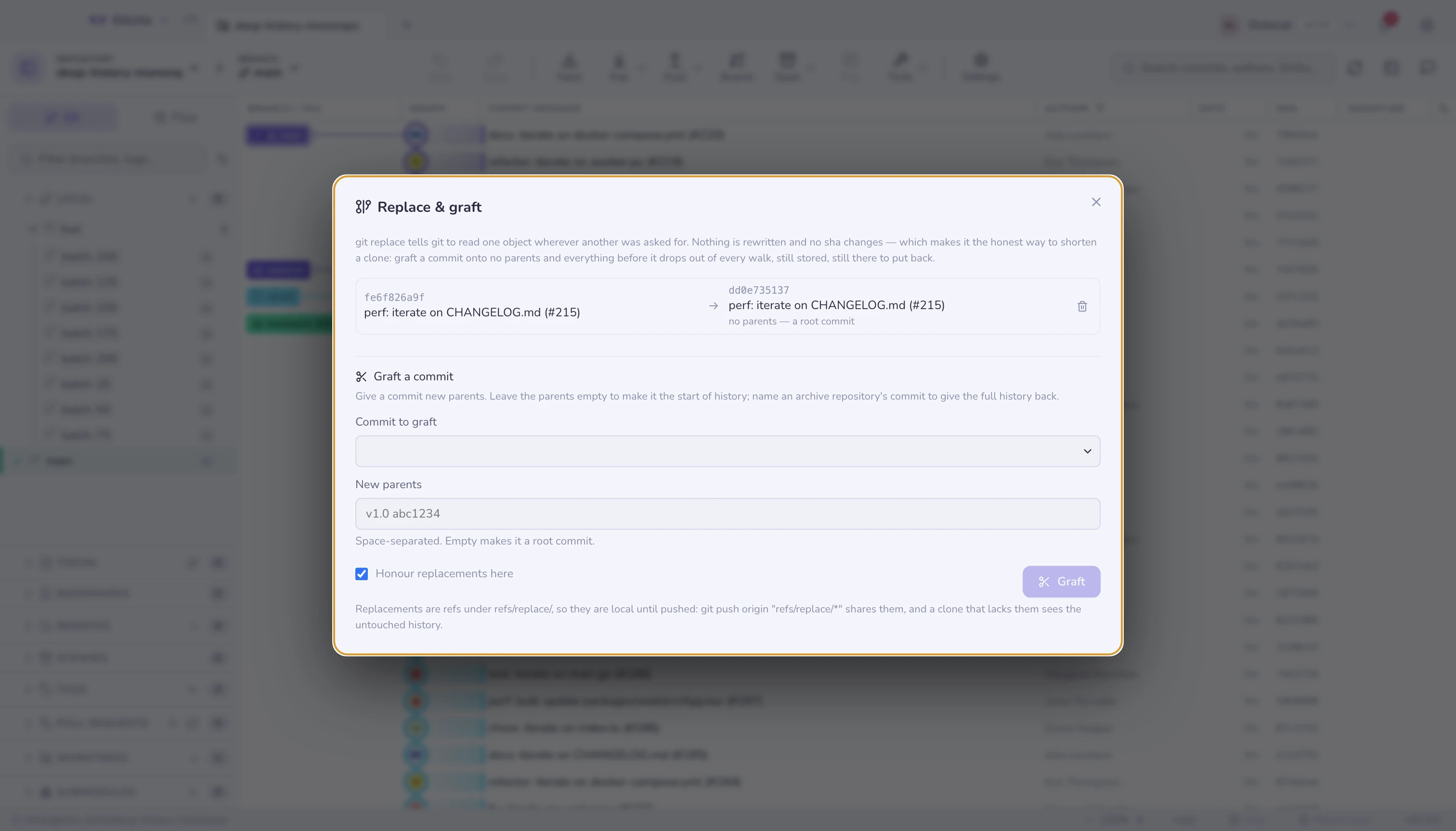
That sounds like a curiosity until you want a smaller clone. Then it is the honest alternative to a history rewrite: graft a commit onto no parents and everything before it drops out of the log, the graph and every clone made from there — while still being stored, still being fetchable, and one deleted ref away from coming back.
⌘K → Replace & graft.
Grafting
| Give it | And you get |
|---|---|
| A commit, no parents | That commit becomes the start of history |
| A commit, one or more parents | It attaches there instead of where it really sits |
The second form is the interesting one. Keep the full history in an archive repository, truncate the working one, and a graft pointing at the archive's tip reattaches the two — the same trick GitHub uses to serve a shallow clone that can still be deepened.
Grafting to no parents asks first, because "the history is gone" and "the
history is hidden" look identical from the log and are not the same thing at
all. The objects survive until a gc prunes them; see
maintenance.
Living with it
Replacements are refs, under refs/replace/. That has three consequences
worth knowing:
- They are local until pushed:
git push origin "refs/replace/*"shares them, and anyone who clones without them sees the untouched history. - Undo works — dropping the ref restores the real ancestry immediately, and Gitcito records the graft as an undoable action like anything else.
core.useReplaceRefs=falsemakes git ignore all of them at once. The toggle here writes exactly that, and the dialog says so when it is off, because a repository that quietly ignores its own replacements is a confusing place.
From the command line, git --no-replace-objects log shows the real history
without changing any setting.
When to reach for this instead of a rewrite
| Goal | Tool |
|---|---|
| The clone is too big, history is fine | Graft — nothing rewritten, reversible |
| A secret or a huge blob must be gone | Remove a file from history — a real rewrite |
| Just want less to download once | git clone --depth — shallow, no refs to manage |
A graft removes nothing. If the reason you want the old commits out is that they contain something that should never have been committed, this is the wrong page: the objects are still there, still fetchable by sha, and still in every existing clone.
Limits worth knowing
- What you see stops matching what is stored. That is the feature, and the hazard. Anyone debugging a clone with replacements needs to know they exist.
- Replacements do not travel by default, so a colleague's
git logand yours can legitimately disagree. - A replacement can hide a commit from tools, not from git.
git cat-fileand the object explorer still open the original by sha. - Gitcito does not offer
git replace --edit(rewriting an object's content by hand). That is a text editor's job on a raw object, and a footgun with a UI around it.
See also: Object explorer · Remove a file from history · Repository maintenance