
Keyboard & shortcuts
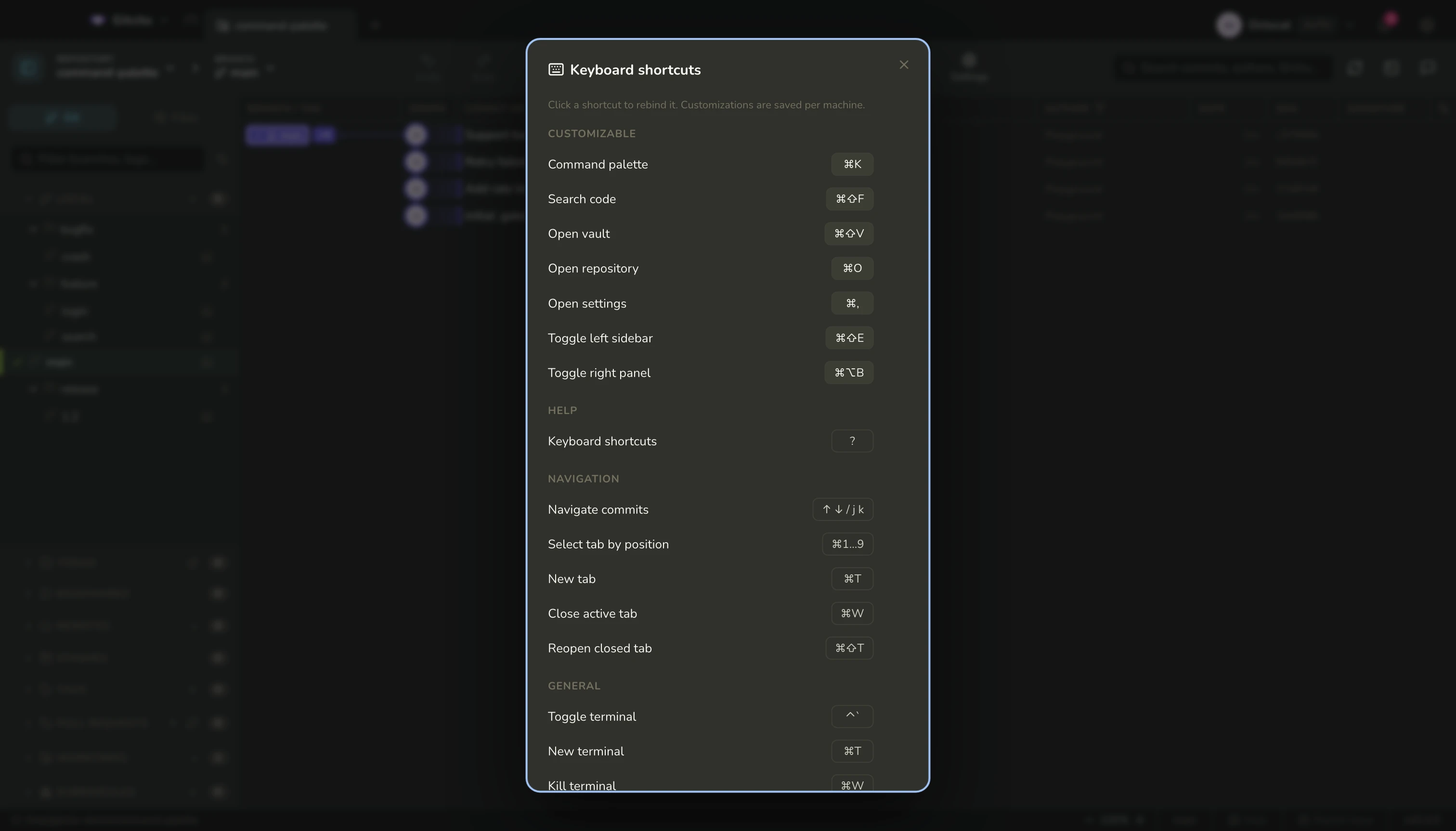
Press ? anywhere for the cheatsheet. On macOS the same keys are listed next to their commands in the menu bar.
The ones worth learning
| Keys | Does |
|---|---|
| ⌘K | Command palette — branches, commits, files, actions |
| ⌘⇧F | Code search across the working tree |
| ⌘⇧V | Vault |
| ⌘O / Ctrl+O | Open a repository |
| ⌘, / Ctrl+, | Open Settings |
| ⌘F | Find inside the file or diff you are reading |
| ⌘T / Ctrl+T | Open the new-tab repository or group picker |
| ⌘W / Ctrl+W | Close the active tab — or the window, once no tab is left |
| ⌘1–⌘9 / Ctrl+1–Ctrl+9 | Switch to a tab by its position |
| ⌘J / Ctrl+J | Go to an open repository by name, most recently used first |
| ⌘⇧T | Reopen the last closed tab |
| ⌃` | Show or hide the integrated terminal — the physical Control key on every platform |
| ⌘⇧E / Ctrl+Shift+E | Show or hide the left sidebar |
| ⌘⌥B / Ctrl+Alt+B | Show or hide the right panel — Details, or Repository chat |
| ? | This cheatsheet |
While the terminal has focus, ⌘T / Ctrl+T opens another terminal and ⌘W / Ctrl+W closes the current one, hiding the panel when it was the last. Everywhere else those two keys still belong to workspace tabs.
Moving without the mouse
| Where | Keys |
|---|---|
| Commit graph | ↑ ↓ or j k |
| File lists (commit, WIP, stash) | the same |
| Time machine | ← →, ⇧ for ten, Home/End |
| Mission control | ↑↓, Enter to open, f/p to fetch/pull, / to filter |
| Commit message box | ↑ ↓ recalls your recent messages |
Rebinding
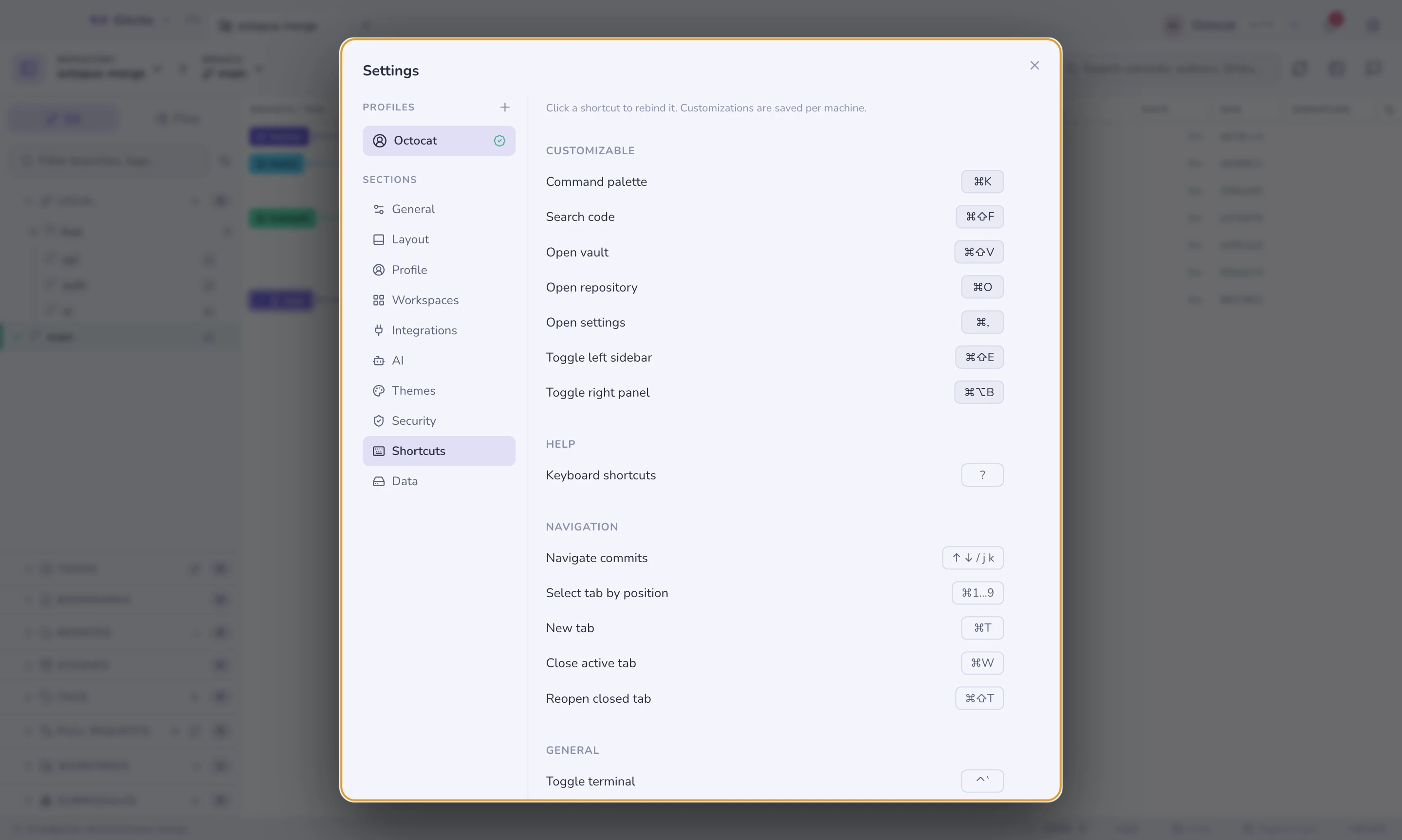
Settings → Shortcuts. The core navigation shortcuts (palette, go to repository, code search, vault, open repository, settings, and the two panel toggles) are rebindable, with conflict detection and a per-shortcut reset.
The fixed shortcuts above are not rebindable, and they are also refused as a target: the app answers ⌘T, ⌘W, ⌘1–⌘9, ⌘⇧T, ⌘S, ⌘Z, ⌘⇧Z, ⌘F and ⌃` before it consults your bindings, so a shortcut assigned to one of them would look set and never fire. Pick one of those and the editor says so instead of accepting it.
On macOS, ⌥ chords are matched by physical key rather than by the
character they produce, because ⌥B types ∫. On Windows and Linux,
AltGr never triggers a shortcut, so international layouts keep typing.
See also: Command palette & search