
Subtrees
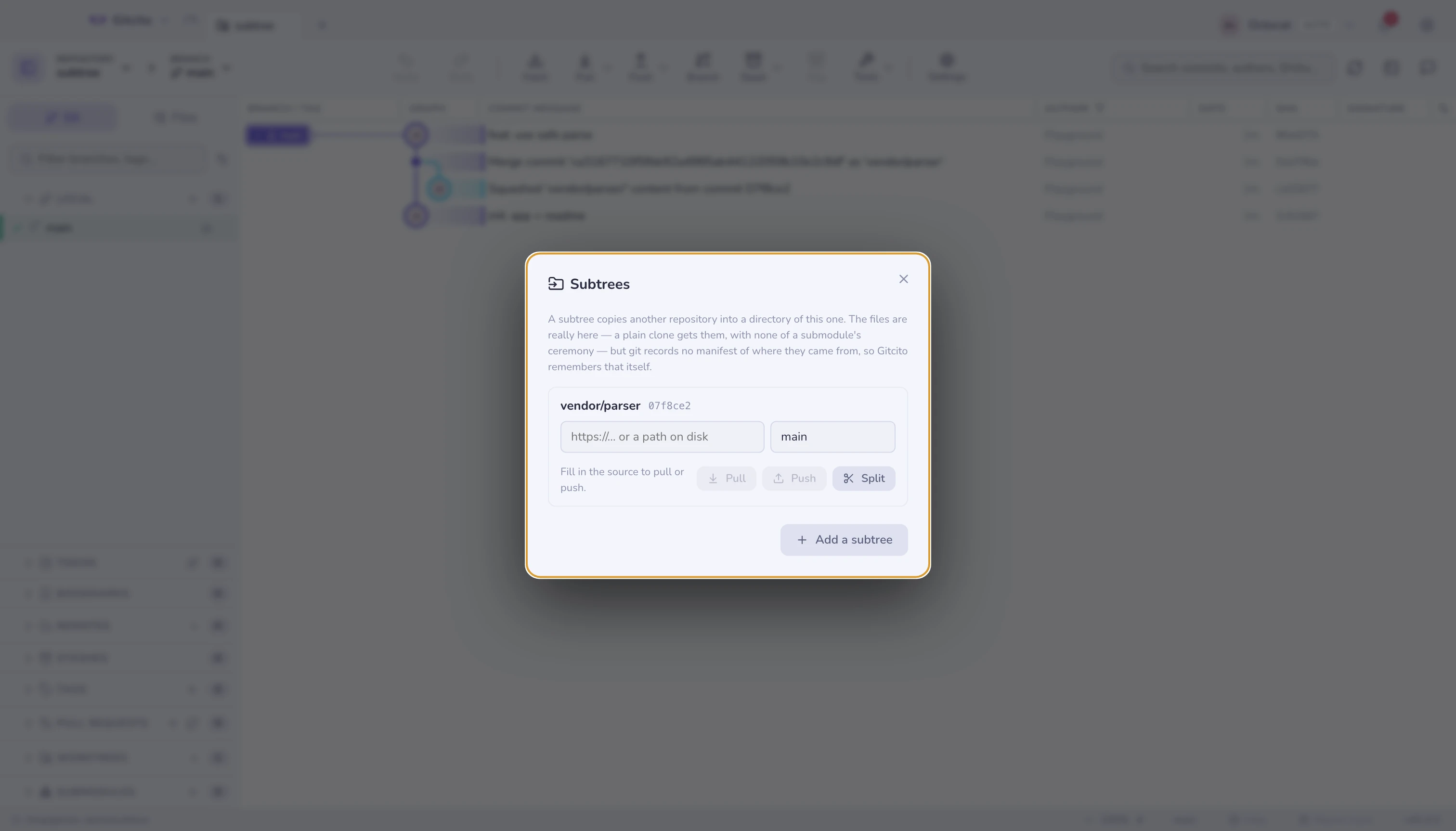
A subtree copies another repository into a directory of yours. After that the
files are really there: a plain git clone gets them, git checkout moves
them like any other file, and nobody has to know the directory came from
somewhere else.
That is the whole difference from a submodule, which stores only
a pointer and needs --recurse-submodules, its own checkout, and its own
detached HEAD to keep straight.
⌘K → Subtrees.
The catch nobody mentions
Git records no manifest for subtrees. A submodule has .gitmodules, listing
every url and path. A subtree has nothing — only a git-subtree-dir: trailer on
the commit that did the import.
So a repository can contain a subtree and give you no way to find out where it came from. Gitcito does what it can:
- The list is discovered from history, by reading those trailers. Any subtree added by anyone, with any tool, shows up.
- The source repository and ref are remembered by Gitcito, in this repository's git config. A subtree discovered from history starts with those fields empty — fill them in once and pull and push work from then on.
The remembered values live under gitcito.subtree.* in .git/config, so they
stay with the repository but do not travel to a clone. Forget clears them
and touches nothing else.
Adding one
| Field | Meaning |
|---|---|
| Directory | Where it lands, e.g. vendor/parser. Must not exist yet |
| Source repository | A URL or a path on disk |
| Branch or tag | What to import |
| Squash | Bring it in as one commit instead of its entire history |
Leave Squash on unless you have a reason. Without it, the library's every
commit is interleaved into your log forever, and git log stops being about your
project.
Living with it
| Action | What it runs |
|---|---|
| Pull | git subtree pull — upstream changes land as a merge into your directory |
| Push | git subtree push — your local changes under that directory go back to the source |
| Split | git subtree split -b <branch> — extracts the directory's own history into a branch, with the files at its root |
Split is the one worth knowing about: it turns a vendored directory back into a standalone repository's history, which is how a subtree stops being a subtree.
Limits worth knowing
- Push is slow. It recomputes the directory's history from scratch every time. On a large repository this is seconds to minutes, not instant, and Gitcito can only wait for it.
- A pull is a merge, so it can conflict like any merge — you land in the resolver.
git subtreeis a contrib script, not a git builtin. A stripped-down git installation can be missing it; Gitcito says so plainly rather than passing on "'subtree' is not a git command".- Squashed history cannot be un-squashed later. The commits were never imported.
- Gitcito does not convert a submodule into a subtree, or the reverse.
See also: Merging & rebasing · Plumbing with a UI