
Bookmarks
A place you want to come back to: the line where the bug lives, the function you are half way through renaming, the thing to delete once the refactor lands. Right-click a line in the file viewer and pick Bookmark this line; it appears in the sidebar, and clicking takes you back.
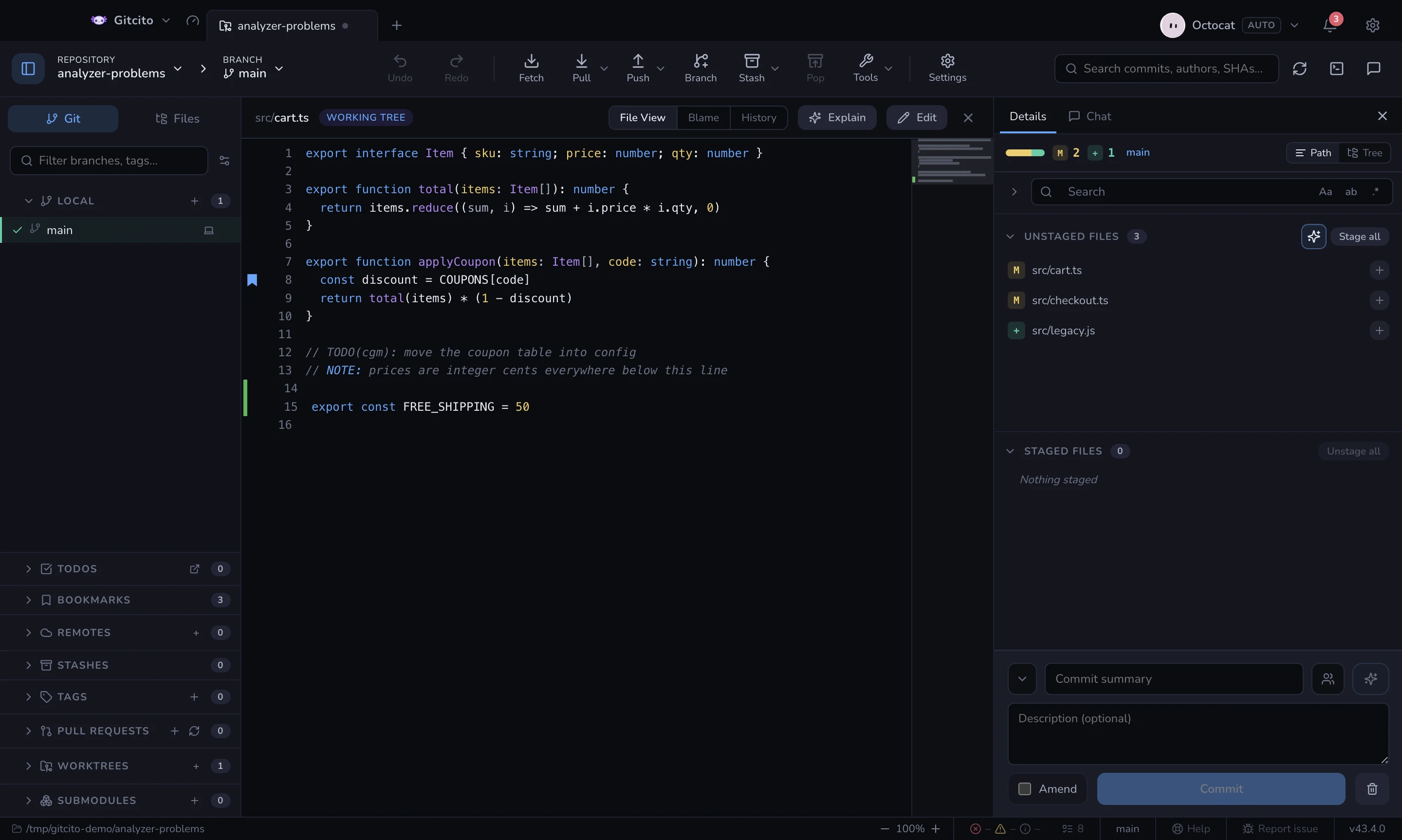
A bookmarked line carries a mark in the gutter, and hovering any line shows a faint one you can click — the context menu is for when you already know the feature is there.
Bookmarks are private to this machine and this repository. Nothing is written into the repo, so they cannot be committed, pushed, or seen by anyone else — exactly like todos.
The line moves. That is the whole problem.
cart.ts:42 rots the moment somebody inserts a line above it, and a bookmark
that silently opens the wrong line is worse than no bookmark. So the line's
text is stored next to its number, and opening one re-locates it:
- the remembered line, if it still holds that text;
- otherwise the nearest line with the same text — nearest, so a line repeated throughout the file resolves to the copy closest to where it was;
- otherwise the nearest line that matches ignoring whitespace, which survives a reindent or a formatter;
- otherwise it says the line is gone and opens where it used to be, rather than guessing.
When it moves, the bookmark heals: the new line number is stored, so the next open starts from where it actually is. A note can be added from the bookmark's context menu — without one, the line's own text is the label.
The limits
- A bookmark points at the working tree, not at a commit. It follows your edits; it does not travel back through history.
- A rewritten file loses its bookmarks. If neither the exact text nor its whitespace-normalised form is anywhere within a few hundred lines, there is nothing honest left to point at.
- Renaming a file breaks its bookmarks. The path is the key; git can spot a rename in a diff, but a bookmark is not part of a diff.
- A blank line has no text to match, so its bookmark relies on the number alone and moves with nothing.