
Git flow
The git-flow branching model
is five rules and a lot of bookkeeping. The rules are easy; the bookkeeping is
what people get wrong at 6pm on a release day — merging a hotfix into main and
forgetting develop, or tagging the wrong branch.
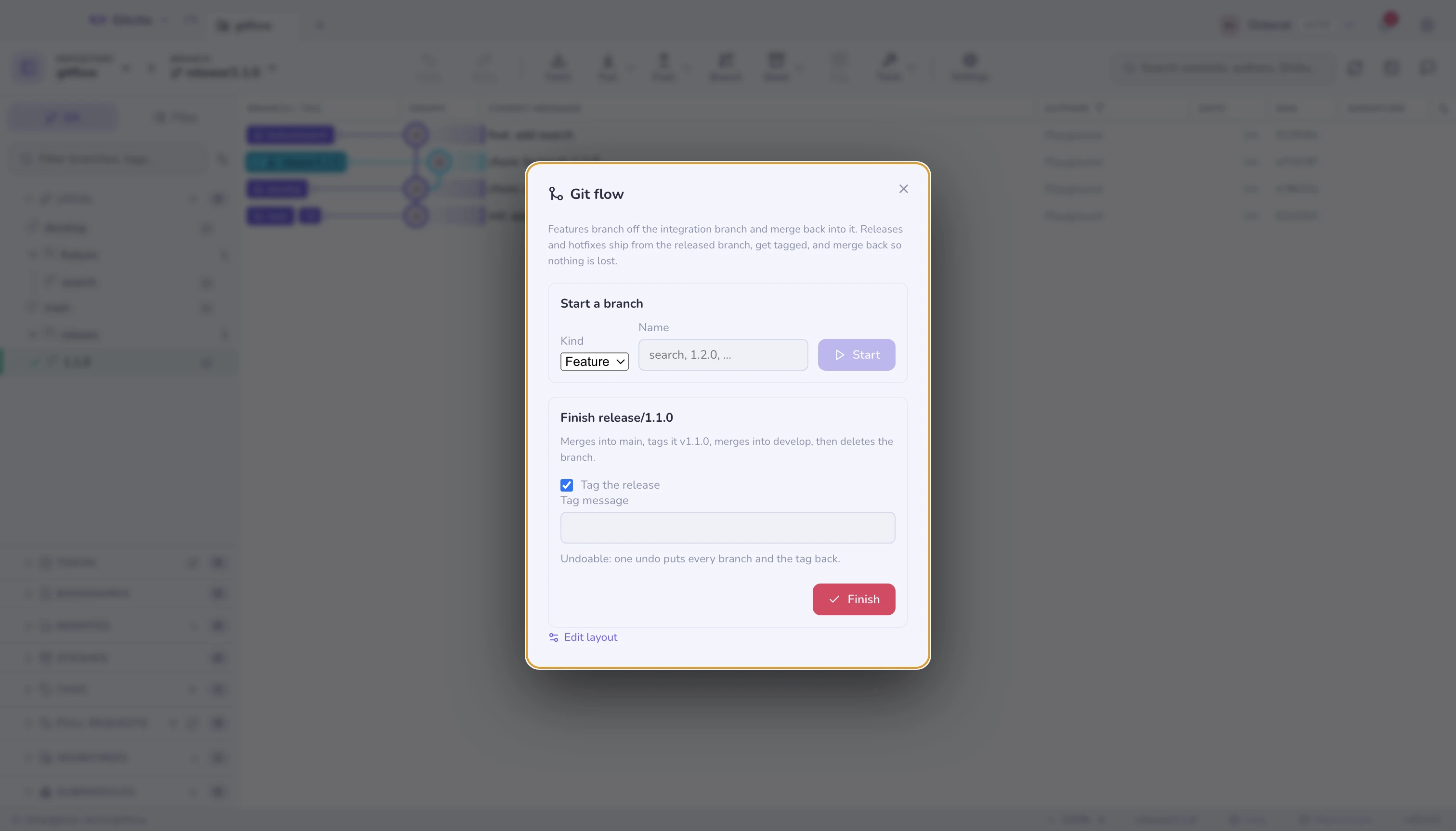
⌘K → Git flow does the bookkeeping.
The layout
| Branch | Holds |
|---|---|
Released branch (main) |
What is in production. Every release is tagged here. |
Integration branch (develop) |
Where finished work accumulates between releases. |
feature/* |
One unit of work, branched off develop. |
release/* |
A version being stabilised, branched off develop. |
hotfix/* |
An urgent fix, branched off main — production cannot wait for develop. |
Gitcito reads and writes the same gitflow.* git config keys the git flow
CLI uses (gitflow.branch.master, gitflow.prefix.feature, …). A repository
someone already ran git flow init on is recognised immediately, and a
repository set up here works with the CLI afterwards. Gitcito runs plain git
commands throughout — the CLI does not need to be installed.
Set up writes those keys and, if the integration branch does not exist yet, creates it from the released branch. Nothing else is touched. You can change any name or prefix later from Edit layout.
Starting
Pick a kind, type a name, press Start. The dialog shows the branch it is about to create and the branch it will be created from before you commit to it:
feature/search   from develop
hotfix/1.0.1     from main
The name is what you type; the prefix comes from the layout.
Finishing
Finish is the part worth automating, because it is several steps that must all happen:
| Kind | What Gitcito does |
|---|---|
| Feature | Merges into develop with --no-ff, deletes the branch, leaves you on develop |
| Release | Merges into main, tags it, merges into develop, deletes the branch, leaves you on develop |
| Hotfix | Merges into main, tags it, merges into develop, deletes the branch, leaves you on main |
--no-ff is deliberate: the merge commit is what makes the branch visible in
the graph afterwards. Without it a short feature vanishes into a
straight line and the model loses the thing it was for.
The tag is <version tag prefix><name> — release/1.1.0 becomes v1.1.0 with
the default prefix. Untick Tag the release to skip it, and write a tag
message if you want more than the default.
What it refuses to do
- A dirty working tree stops it. Commit or stash first; finishing merges two branches and moves HEAD twice, and doing that around uncommitted work is how people lose it.
- A conflicting merge rolls the whole thing back. If merging into main succeeds but merging into develop conflicts, you would otherwise be left with a half-finished release. Gitcito restores every branch to where it was and reports the conflict. Merge that branch manually, resolve it in the conflict resolver, and the flow is yours to finish by hand.
- It never pushes. Finishing is local. Push main, develop and the new tag when you are ready — see syncing.
Undo
One Undo puts everything back: both branches return to their previous commits, the tag is deleted, and the finished branch is recreated at its old tip. That is the whole reason finish is safe to try.
When not to use it
Git flow suits software with versioned releases and a supported production
branch. If you deploy from main several times a day, the release and hotfix
branches are ceremony you will not use — stacked branches or plain
short-lived branches off main fit that better. The feature half of the model
still works fine on its own.