
Conflict radar
Finding out that a branch conflicts by merging it is an expensive way to ask a question. The radar answers it first.
Gitcito merges every branch into a base of your choice inside the object
database (git merge-tree --write-tree). No checkout, no index change, no
working-tree change, nothing to clean up afterwards. Your uncommitted work can
stay exactly where it is while the scan runs.
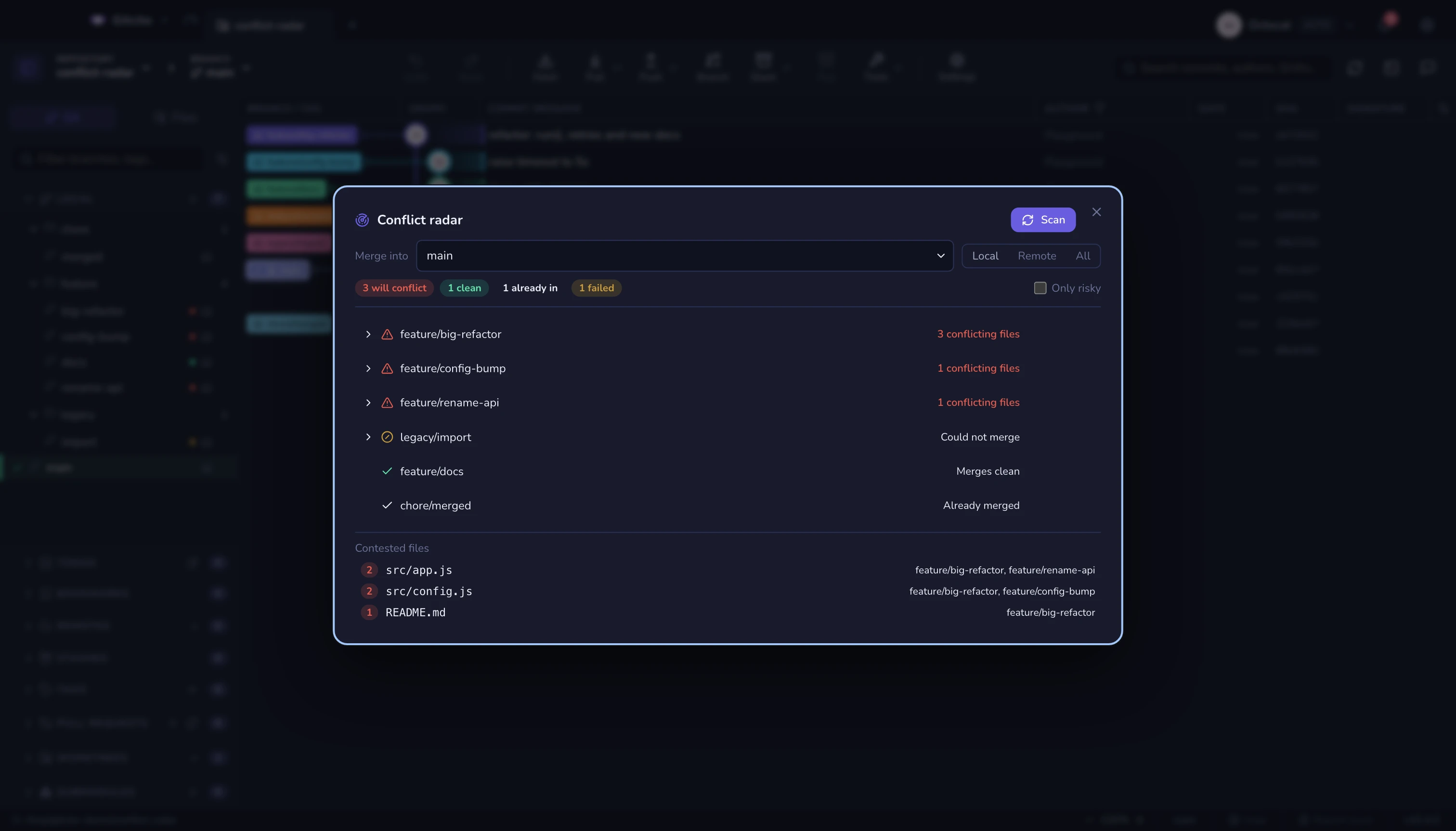
Using it
Open it from the tools menu, ⌘K → Conflict radar, or right-click a branch to scan everything against that branch.
It scans as soon as it opens, using your current branch as the base.
| Verdict | Meaning |
|---|---|
| Will conflict | Merging it needs hands. The exact paths are listed. |
| Merges clean | It would apply without a fight. |
| Already in | The base already contains it — nothing to merge. |
| Failed | Git refused: unrelated histories, missing ref. The reason is shown. |
Branches sort worst-first, and the worst of the worst — the one touching the most files — goes to the top.
Contested files
Underneath, Contested files ranks paths by how many branches are rewriting them. Two branches fighting over one file is a conversation to have now; five is a design problem.
After a scan
Branch rows in the sidebar wear a coloured dot: red will conflict, green is clean, amber is a branch git refused. Branches already contained in the base get no dot — a row of grey dots on everything already merged is just noise.
Scanning changes nothing.
git statusstays clean and HEAD does not move.
See also: What changed since · Merging & rebasing