
Bundles & archives
Two ways to put a repository into a single file. They look interchangeable and are not, and picking the wrong one is the whole reason this page exists.
| A bundle | An archive | |
|---|---|---|
| Holds | History: commits, branches, tags | The files at one commit |
| Opened by | git clone / git fetch — it is a remote |
Any unzip tool |
| Later | You can fetch from it again, merge, keep working | Nothing. It is a snapshot |
| Use for | Moving work to a machine with no network | "Send me the source at v2.1" |
⌘K → Bundle the repository or Export an archive.
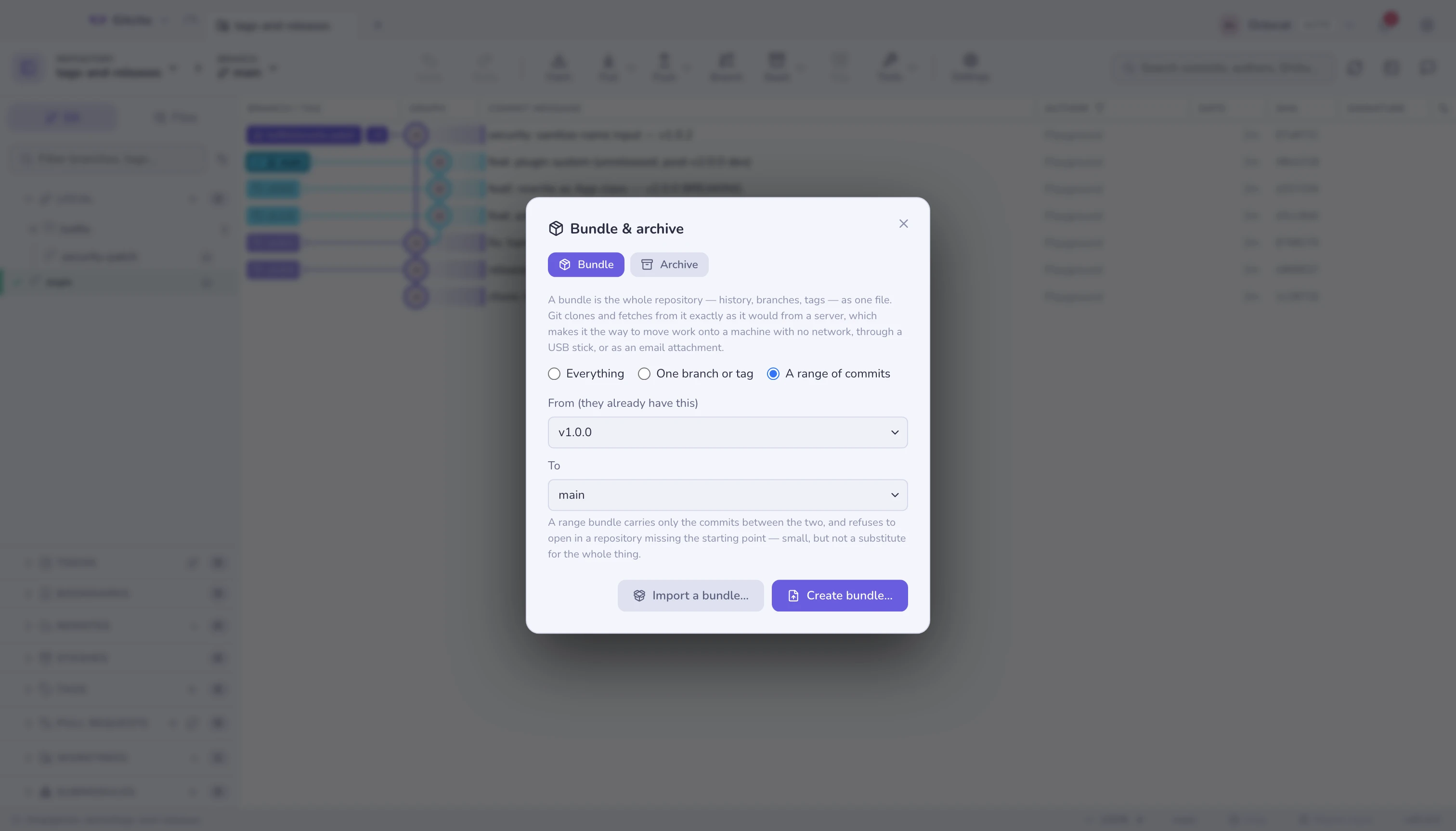
Bundles
A bundle is git's answer to a gap no network spans: an air-gapped machine, a
USB stick, an email attachment, a laptop on a plane. The receiving end runs
git clone work.bundle myrepo and gets a real repository, with your history and
your branches, that fetches from that file as if it were a server.
Three scopes:
| Scope | What travels | Size |
|---|---|---|
| Everything | Every branch and tag, complete history | The whole repository |
| One branch or tag | That ref and everything it reaches | Usually most of it |
| A range of commits | Only what is between the two ends | Small |
A range bundle is a patch of history, not a repository. It records the far end as a prerequisite: git refuses to open it in a repository that does not already have that commit, because there would be nothing to attach the new commits to. That is the right behaviour and a surprise the first time. Use a range when the other side already has your work up to some point — the tag they last received, the commit you both branched from.
Receiving one
Import a bundle… reads the file, lists what it holds, and says up front whether this repository can use it — if prerequisites are missing, it tells you how many rather than failing later with git's own wording.
Imported refs land under bundle/…, in the remote-tracking namespace.
Nothing local moves: no branch is fast-forwarded, no work is overwritten. You
then merge, rebase or check out bundle/main on your own terms, exactly as you
would a branch from any other remote.
To start a new repository from a bundle instead, clone from the file in a
terminal: git clone work.bundle myrepo. Gitcito imports into an open
repository; it does not clone from a file.
Archives
git archive writes the tree at one commit as a zip or a tarball. No .git,
no history, no way to fetch from it — which is exactly the point when the
recipient should get source code, not a repository.
| Option | What it does |
|---|---|
| Reference | Branch, tag or commit to export. A tag is the usual answer |
| Format | zip, tar.gz or tar |
| Wrap in a directory | Adds a top-level folder, so unpacking never sprays files everywhere |
| Only this path | Export one subdirectory instead of the whole tree |
export-ignore is the reason to use this
A repository can mark paths in .gitattributes:
.github/     export-ignore
test/        export-ignore
*.psd        export-ignore
Those paths are left out of every archive while staying in the repository. That is how a project ships a release tarball without its CI config, its fixtures and its 200 MB design files, with the rule living in the repository rather than in someone's release script.
Limits worth knowing
- A bundle is a full copy unless you use a range. Bundling a 2 GB repository writes a 2 GB file, and it takes as long as a clone.
- Empty bundles are refused by git, not by Gitcito: a range with nothing between its ends produces an error rather than a useless file.
- Import does not merge. Refs arrive under
bundle/…and stay there until you do something with them. - An archive has no history, so it cannot be turned back into a repository. If the recipient will need to commit, send a bundle.
export-ignoreonly affects archives. It does not hide anything from a clone, a bundle, or the history — for that, see removing a file from history.
See also: Syncing · Secure share · Remove a file from history