
Stashes
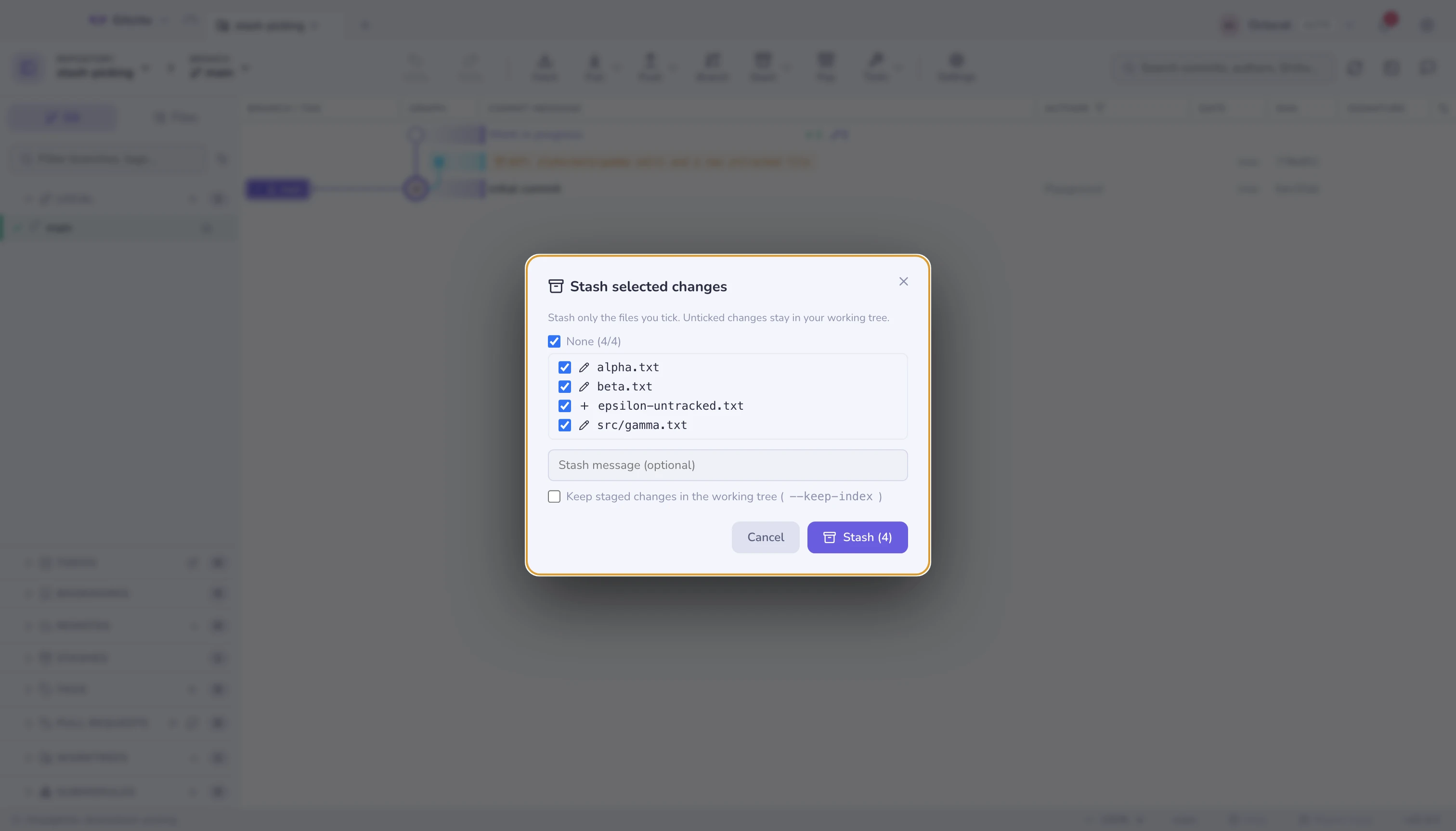
Stashing in Gitcito is not all-or-nothing.
| Action | What it does |
|---|---|
| Stash | Everything, including untracked files if you want, with a message |
| Partial stash | Tick just the files you want; optionally --keep-index |
| Apply / Pop | Whole stash, or just some of its files |
| Apply hunk | Open a file from the stash and bring back one hunk, or selected lines — see hunk and line actions |
| Stash → branch | git stash branch — the escape hatch when a stash will not apply cleanly |
Selecting a stash shows its files and diffs, exactly like a commit. The header above the list is the same per-kind breakdown. Its file list multi-selects with the same gestures as staging — ⌘/Ctrl-click, ⇧-click, ⇧+↑/↓ — and a right-click (or the Apply n files button) restores just the selection.
When a stash will not apply
If applying a stash would clobber untracked files, git stops. Gitcito offers to overwrite them and retry, rather than leaving you to work out the incantation.
If the tree has moved too far, stash → branch recreates the branch the stash was taken from, applies it there cleanly, and drops the stash.
Not to be confused with snapshots
WIP snapshots are automatic and hidden; stashes are deliberate and listed. Snapshots never touch your stash list.