
Hooks & .gitignore
Hooks
List every hook in the repository, see which are real and which are still
.sample, and enable, disable, edit or create them.
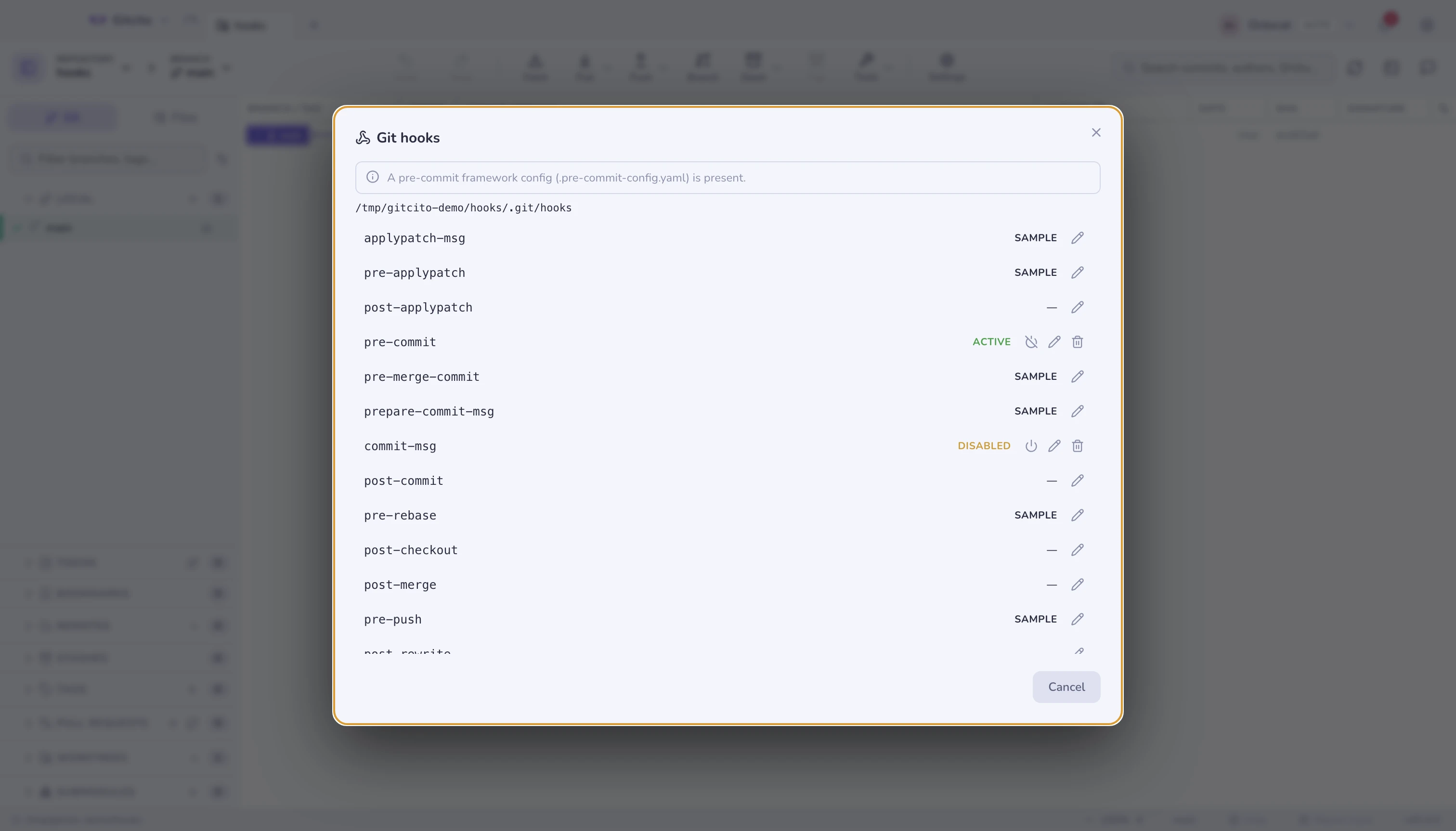
Gitcito detects a custom core.hooksPath (husky and friends) and a
pre-commit framework config, and tells you when hooks live somewhere other
than .git/hooks — otherwise you would edit a file git never runs.
Hooks run for Gitcito's commits exactly as they do for
git commit. A hook that fails blocks the commit, and its output comes back in the error.
Smart .gitignore
Right-click a file → Ignore, and choose:
| Choice | Writes |
|---|---|
| This file | path/to/file.log |
All *.ext |
*.log |
| The whole folder | path/to/folder/ |
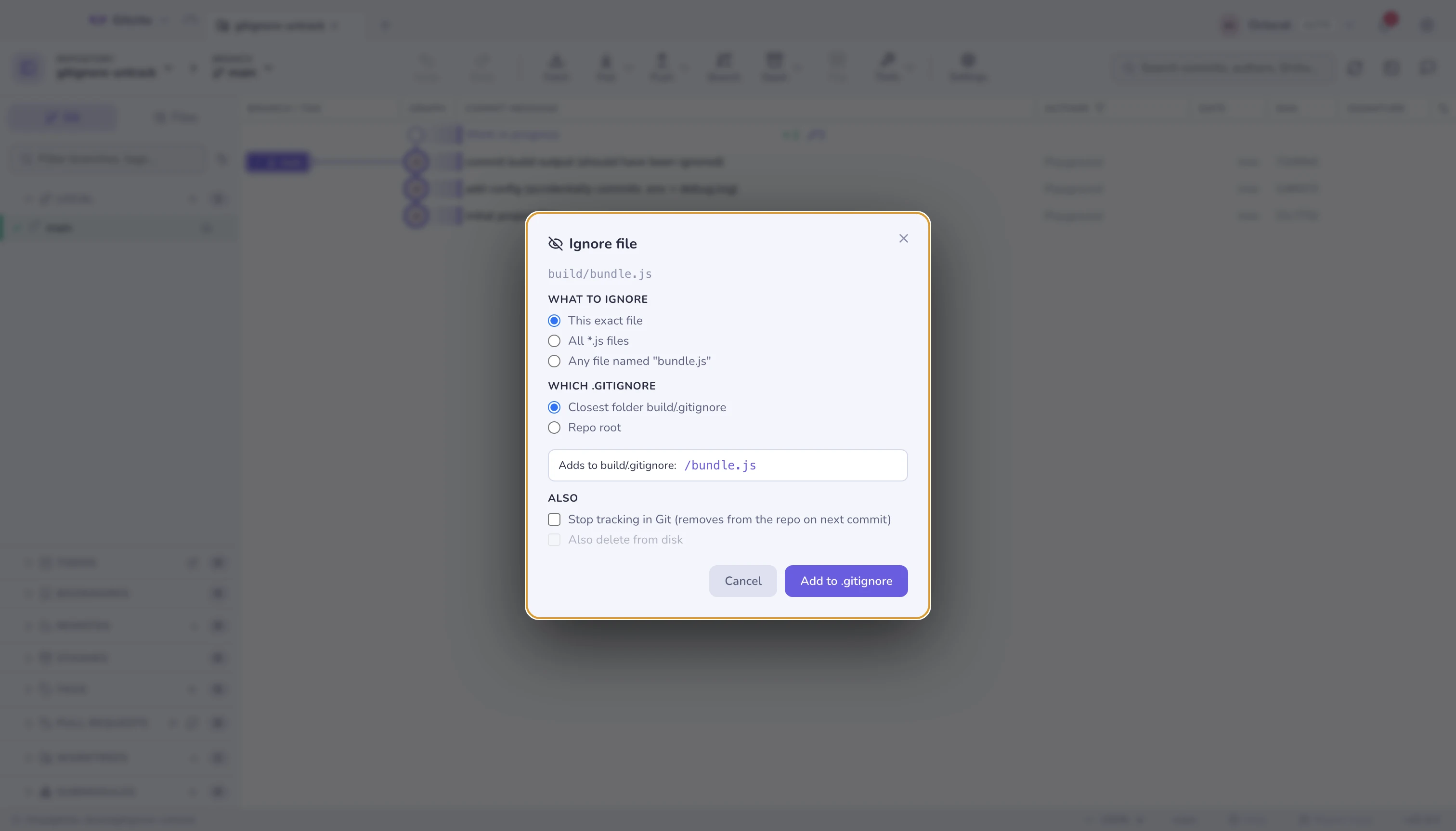
The rule goes into the closest folder's .gitignore, or the repository
root, with a live preview of the line before you commit to it. Already-tracked
files get an Ignore & untrack in the same dialog.
See also: Security & secrets · Staging