
Merging & rebasing
From the sidebar
Right-click a branch for Merge into current or Rebase onto — or Merge with options… when the plain merge is the one that keeps going wrong; see merge options.
Drag one ref onto another
The quickest gesture in the app: pick up a branch and drop it on another one. Gitcito opens a small menu of what that drop could mean, and does nothing until you choose.
It works in both places refs are shown — the sidebar's branch, remote and tag rows, and the coloured ref badges in the graph itself. Drag between them in any combination; the drop target highlights while you hover it.
| Drop | Means |
|---|---|
| Merge {source} → {target} | Checks the target out and merges the source into it |
| Rebase {source} onto {target} | Replays the source's commits on top of the target |
| Compare | Opens the comparison — changes nothing |
The menu only offers what git can do. Merging commits onto the target, so the target must be a local branch — you cannot merge into a tag or a remote-tracking ref. Rebasing rewrites the source, so the source must be a local branch. Drop a tag on a remote branch and all you are offered is Compare, because that is genuinely all there is.
Rebase asks for confirmation first: it gives every replayed commit a new hash, which means a force push if the branch is already published. Merge does not ask — it only adds. Either way, one Undo puts you back.
Merge
Fast-forward when possible, or force a merge commit when you want the topology recorded. If it conflicts, you land in the resolver.
Compare any two refs
Pick a base and a compare ref — branch, tag or raw SHA, with a swap button — and you get ahead/behind counts, the commits unique to each side, the full combined diff, and a one-click hand-off to open a PR.
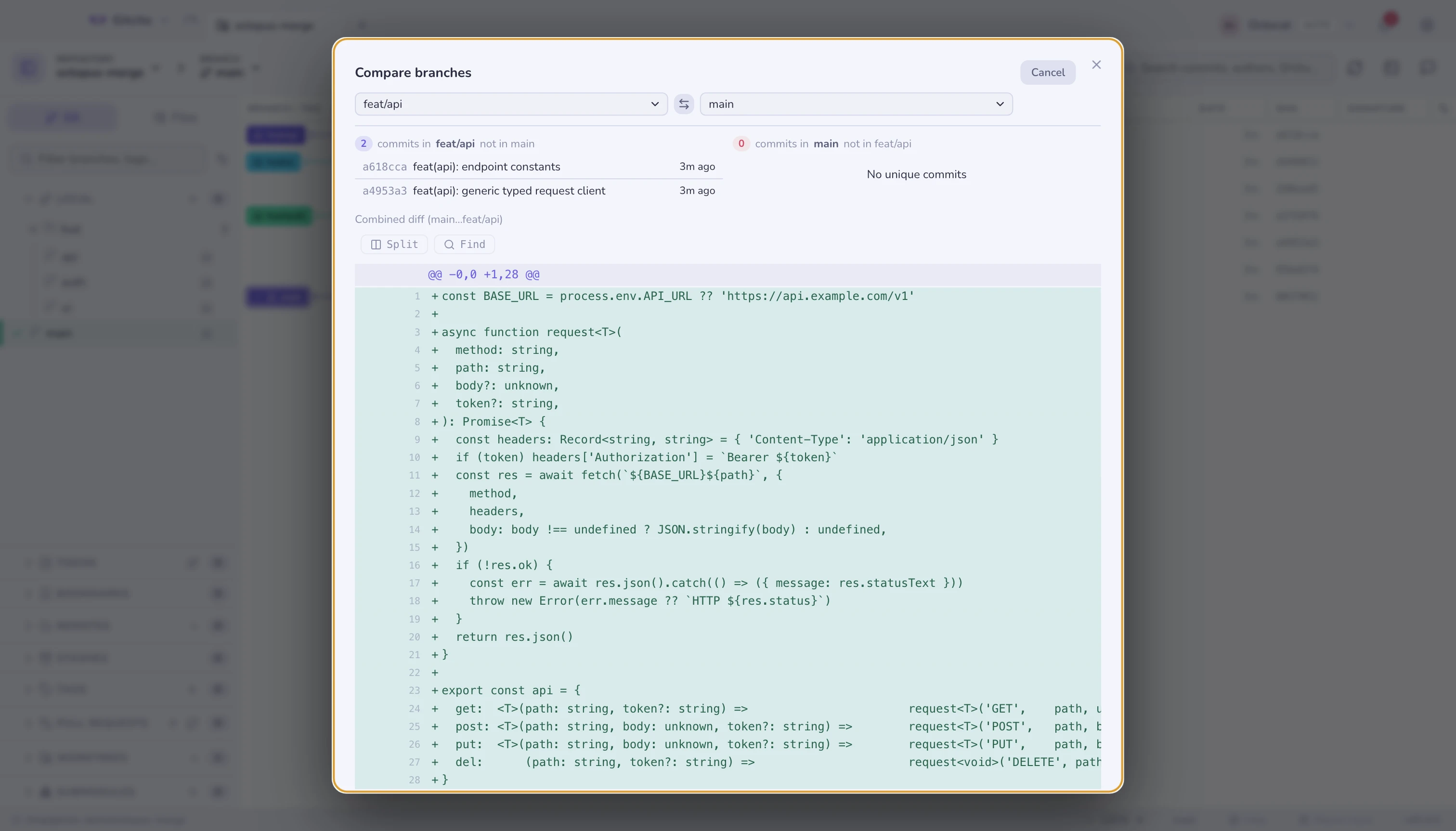
Reachable from the sidebar (compare with the current branch), the Tools menu, or ⌘K.
Cherry-pick, revert, reset
Cherry-pick and revert live on the graph's context menu, as they always have. Reset is one entry — Reset to Commit… — instead of three raw soft/mixed/hard items that contradicted each other.
Amend, undo and reset sit at the top of the single-commit menu and stay visible when they are unsafe: they disable, with a tooltip that says why. Undo is only for an unpushed HEAD; amend is also allowed on a published HEAD, but warns that a force push will be needed. Reset only reaches local ancestors plus the first published commit — not arbitrary older history.
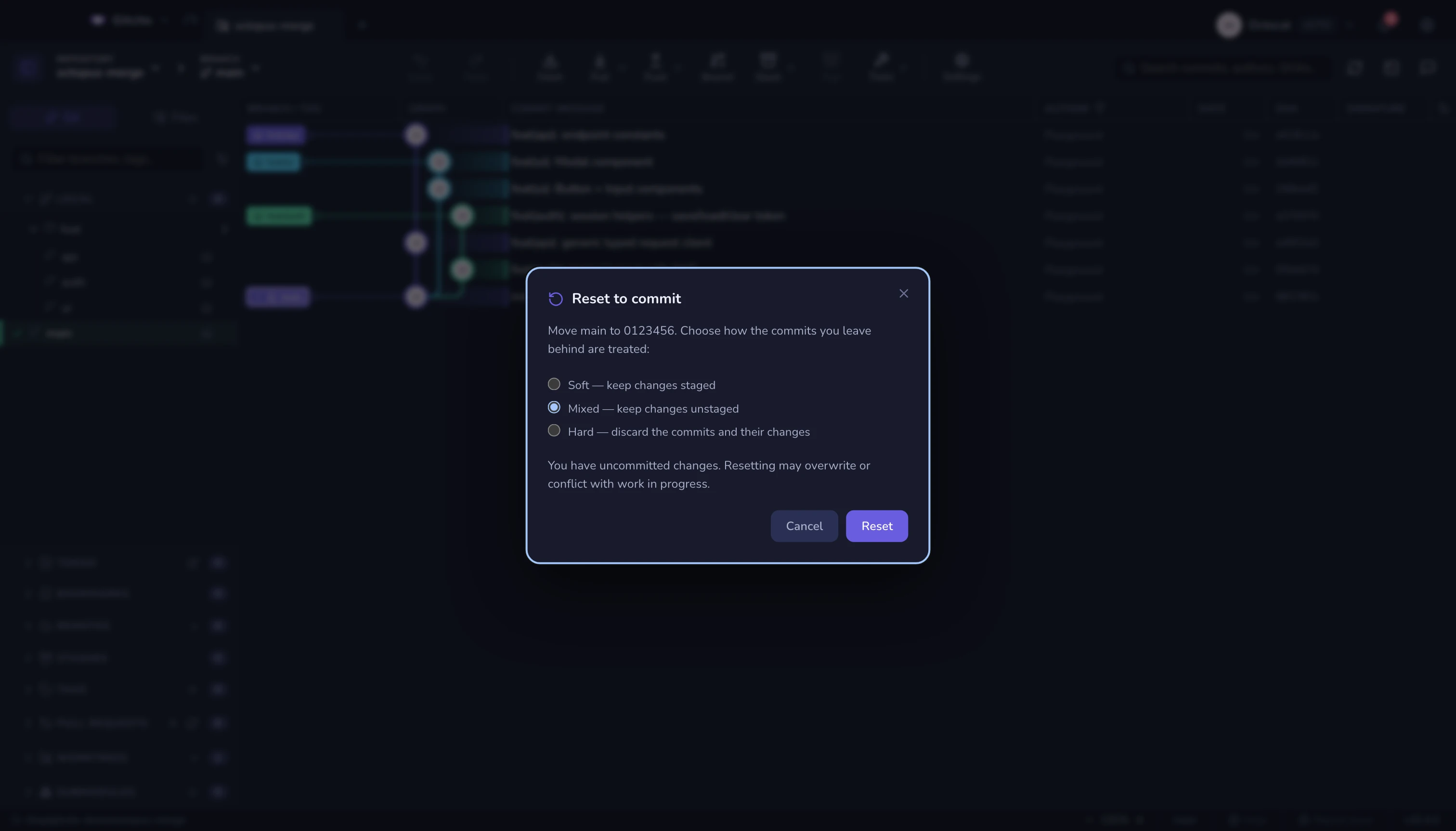
The reset dialog makes the mode explicit:
| Mode | Result |
|---|---|
| Soft | Keep the changes staged |
| Mixed | Keep the changes unstaged |
| Hard | Discard the commits and their changes |
Hard is never preselected. A dirty working tree gets an extra warning, because resetting can overwrite or conflict with work in progress. View on GitHub lives with the copy actions and opens only for published commits on a github.com remote.
Multi-select commits first and cherry-pick applies the whole selection, in order.
Before you merge anything
Conflict radar scans every branch against a base and tells you which ones will fight, without checking anything out.
See also: Interactive rebase · Stacked branches · Conflict radar