
Object explorer
Git has a reputation for being complicated. Almost all of it comes from never seeing the model: four kinds of object, and pointers. Once you can click a commit, land on its tree, and find that your file is a blob with a name given to it by a tree, the porcelain stops being magic.
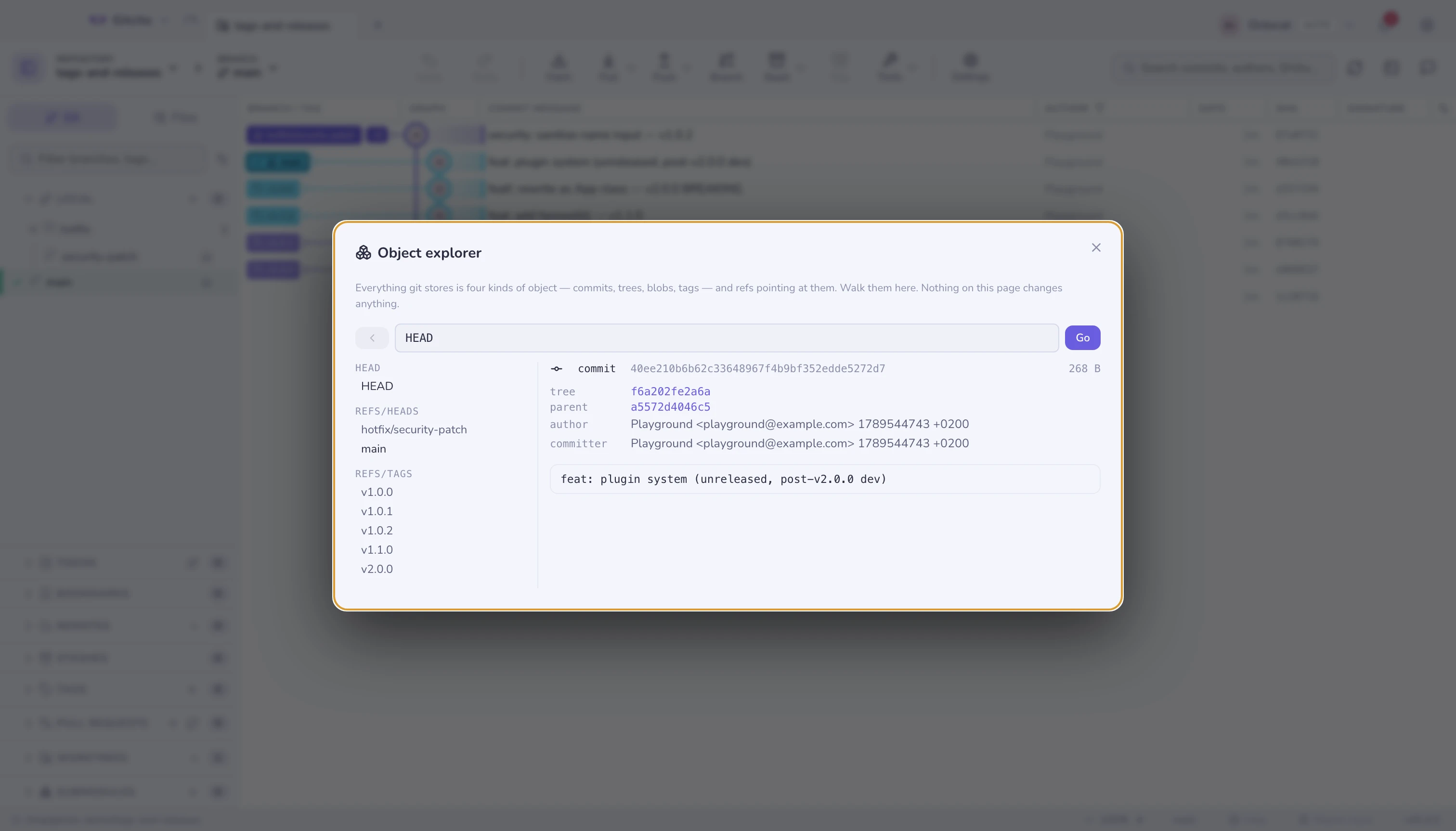
⌘K → Object explorer. Nothing on this page can change a byte — every call
behind it is a read.
The four objects
| Object | Is | Knows |
|---|---|---|
| blob | The contents of a file | Nothing. Not its name, not its path, not its history |
| tree | A directory listing | Names, modes, and the sha of each child blob or tree |
| commit | One snapshot | Its tree, its parents, author, committer, message |
| tag | An annotated tag | The object it points at, the tagger, a message |
The surprise for most people is the first row. A blob has no name. Two files with identical content anywhere in your history are the same blob, stored once. The name lives in the tree that points at it — which is why git tracks content rather than files, and why renames are detected rather than recorded.
A ref — refs/heads/main, refs/tags/v1.0, HEAD — is just a file
containing a sha. That is the whole of "branching is cheap".
Walking
The left column lists every ref in the repository, grouped as git groups them. Click one to land on the object it names.
From there everything is a link:
- A commit shows its
treeand eachparent— click through to the snapshot, or backwards through history one commit at a time. - A tree lists its entries with mode, type, sha and size. Click a name to open that child.
- A blob shows its text (the head of it, for anything large), or says so plainly when it is binary.
- An annotated tag shows what it points at — click through to the commit.
Back retraces your steps.
Typing a revision
The box takes anything git rev-parse accepts, which is where this stops being
a browser and starts being a way to learn:
| Type this | To get |
|---|---|
HEAD |
The current commit |
HEAD~3 |
Three commits back |
HEAD^{tree} |
That commit's tree, peeled |
HEAD:src/app.ts |
The blob for that path, directly |
v1.0^{} |
What an annotated tag points at, rather than the tag object |
a1b2c3d |
Any object, by sha — abbreviations work |
Mode digits in a tree listing are worth knowing: 100644 a file, 100755
executable, 040000 a subtree, 120000 a symlink, 160000 a submodule
gitlink — that last one being the whole of what a submodule stores.
Limits worth knowing
- Read-only, on purpose. There is nothing here to write with. Making objects
by hand is a
git hash-objectexercise, and belongs in a terminal. - Large blobs are truncated after the first 200 KB — enough to see what it is, not enough to hang the window.
- Sizes are the object's content size as
git cat-file -sreports it, not what it costs on disk after packing. For that, see maintenance. - Unreachable objects are still objects. Paste a sha from a
git fsckdangling report and it opens, which is often the fastest way to see what a lost commit contained before deciding whether to recover it.
See also: The graph · Repository maintenance · Recovery