
Remove untracked files
A working tree collects files git never took a copy of: a scratch note, a
debug-output.txt, a dist/ from a build that failed, a node_modules from a
branch you left last month. Git has one command for this — git clean — and it
is the single git operation with nothing behind it. The content was never in
a commit, so there is no reflog entry, no stash, no undo, and no git incantation
that brings it back.
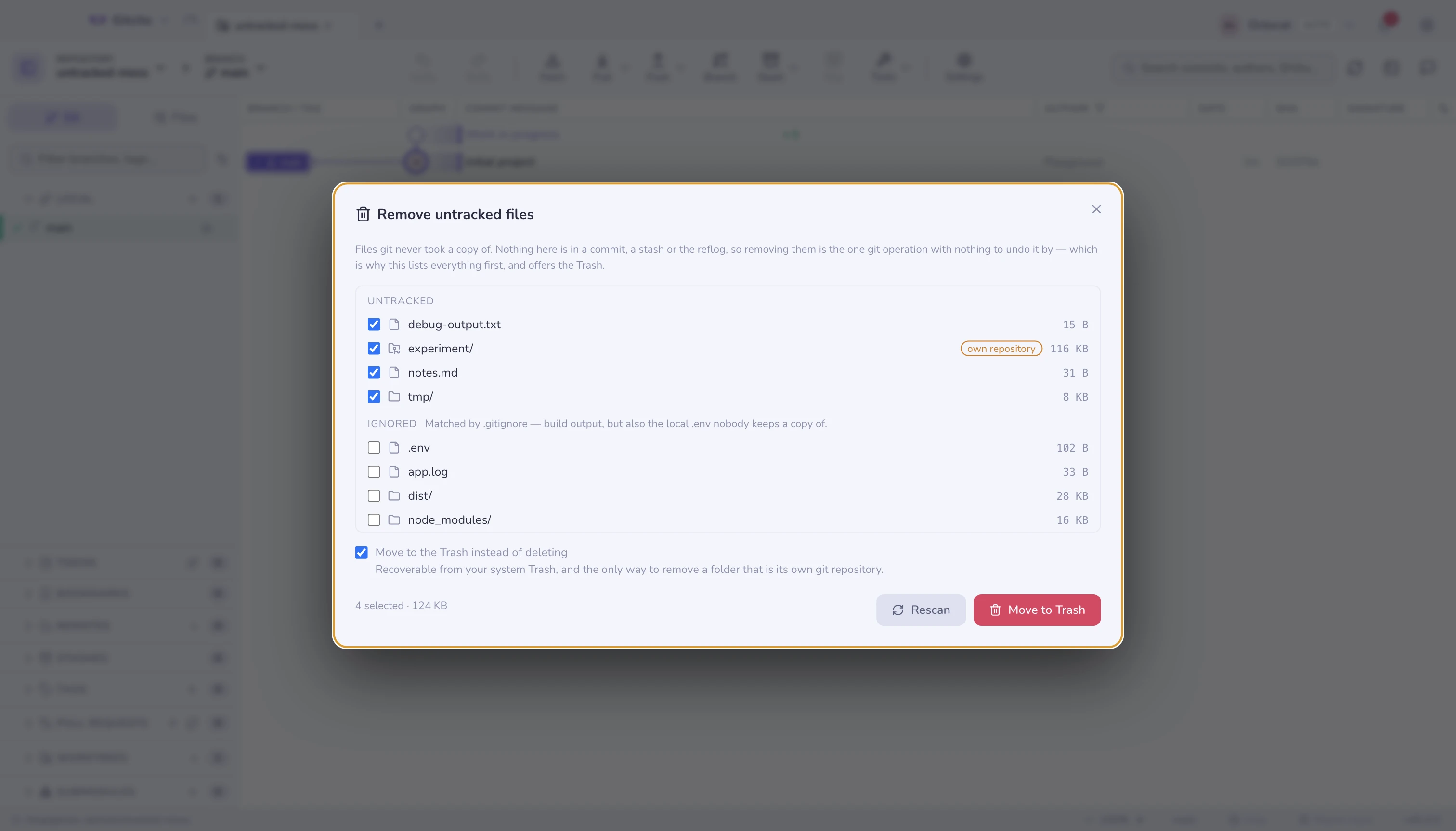
That is why it is the operation people run in a terminal and regret. Gitcito's version shows the whole list before anything happens.
⌘K → Remove untracked files.
What the list means
Every entry is a path git clean could reach, sized on disk, in two groups:
| Group | What it is | Selected by default |
|---|---|---|
| Untracked | Never committed, not matched by .gitignore |
Yes |
| Ignored | Matched by .gitignore — build output, caches, .env |
No |
The split is the point. Ignored paths are usually worthless and occasionally the
only copy of something that matters: a local .env, a database dump, a
downloaded fixture. Nothing that matches .gitignore is ever selected for you.
A wholly untracked directory is one row, not one row per file — tmp/,
dist/, node_modules/ — because that is the granularity git removes them by,
and a listing of 40,000 files is a listing nobody reads. Its size is the sum of
what it holds.
A folder marked own repository has its own .git: a clone you dropped inside
this one, or a spike you never linked up. Git refuses to remove those (it wants
-ff, a flag Gitcito does not offer) — the Trash takes them.
Trash or delete
Move to the Trash is on by default, and does not go through git at all: the paths go to your system Trash, where you can put them back. This is the only route that removes a nested repository, and the only one that survives a wrong checkbox.
Turning it off is a real git clean -f -d -x on exactly the selected paths, and
asks you to confirm with the count and the total size in front of you. Nothing
recovers from that.
Limits worth knowing
- Only untracked files. A modified tracked file is not here — that is Discard, which restores it from the index or from HEAD.
- The list is capped at the first 400 paths. If a repository has more, remove what is listed and press Rescan for the rest.
- Directory sizes are approximate for very large trees: the scan stops after
20,000 files, so a giant
node_modulesmay read smaller than it is. It never reads larger. - The scan is a snapshot. If a build writes files while the dialog is open, press Rescan before removing anything.
- Paths are checked against git's own list of removable files before anything is touched, so nothing tracked can be removed through this dialog even by name.
See also: Staging & discarding · Ignoring files · Removing a file from history