
Per-repository settings
The gear next to the toolbar tools opens settings that belong to this repository, not the app.
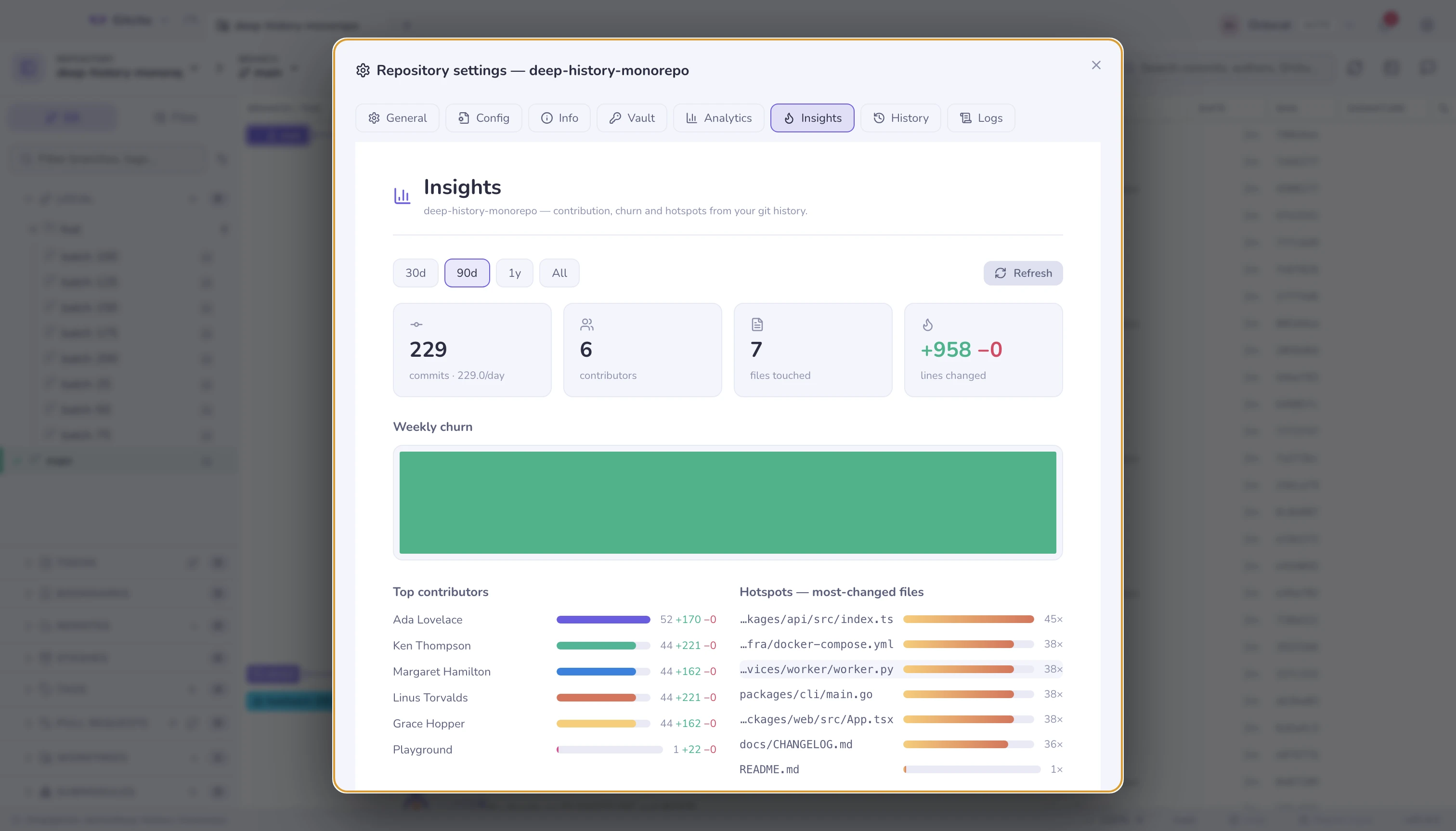
| Tab | What it holds |
|---|---|
| General | Protected branches (a branch multi-select, stored in git config), the tab image, signing |
| Config | The rules this repository ships in .gitcito.json, and the doctor that checks them |
| Info | Free-form notes and fields about this repository, kept locally |
| Vault | This repository's vault entries |
| Insights | The history dashboard |
| Analytics | What you have done in this repository, counted locally |
| History · Logs | The operation log: every git command Gitcito ran, with its output |
The operation log is the honest one: when something behaves oddly, it shows the exact command and the exact error, so a bug report can carry facts rather than adjectives.
Tab image
With ten tabs open, names that start the same way — api, api-gateway,
api-docs — are slow to tell apart. A small picture on the tab is faster to
spot than text.
In General, click the image field. It lists the repository's own images —
PNG, JPEG, GIF, WebP, SVG, ICO, BMP and AVIF — each with a thumbnail, files
named like a logo or an icon first. Type to narrow it down (logo dark finds
assets/logo-dark.png), move with the arrow keys, and press Enter to pick; or
type a path by hand. The path is stored relative to the repository root, so
the image follows the repository wherever its folder lives.
What the tab shows is an app-wide choice, in Settings → General → Repository tabs show:
| Option | The tab shows |
|---|---|
| Image and name (default) | The image in place of the folder icon, then the name |
| Name only | The folder icon and the name, as if no image were set |
| Image only | Just the image; the name moves into its tooltip |
Limits worth knowing:
- The list holds the files git can see — tracked and untracked, not ignored ones — and at most 40 at a time; type to reach the rest. An ignored image can still be typed by hand.
- Images over 1 MB, or ones that cannot be read, appear greyed out and cannot be picked: a 20-pixel icon does not need more.
- A repository without an image always shows its name, whichever option is picked — a tab with nothing on it would be unidentifiable.
- If the path is broken — the file was deleted, renamed, is not an image, or is too large — the tab quietly falls back to the name, and this settings tab shows a warning under the path. Nothing else complains.
- The image is read once per session. If you replace the file under the same name, open this settings tab again to reload it.
- The setting lives in Gitcito's own settings on this machine, not in the repository, so teammates do not inherit it.
See also: Repository rules · Security & secrets · Insights